About
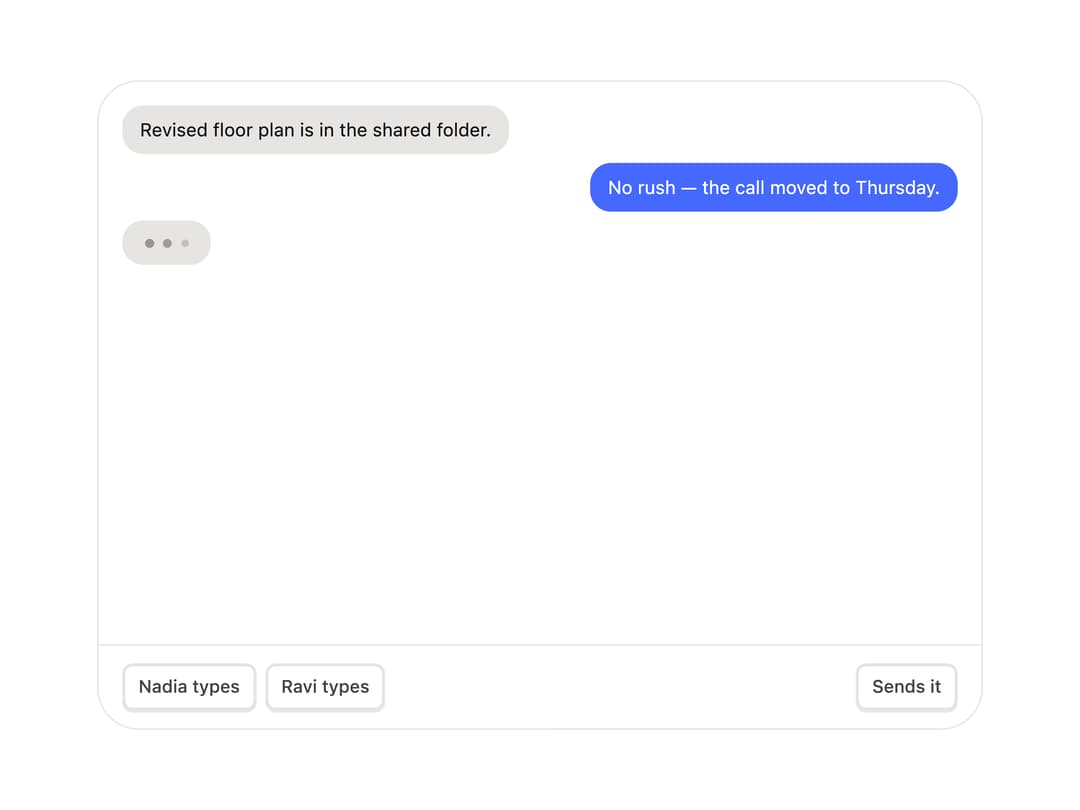
Animated chat typing indicator with a bouncing three-dot bubble and a presence hook that tracks who is typing across one or many users, with a send hand-off and accessible live-region announcements.
Built with React and Tailwind. Copy the prompt and paste it into Claude Code, Cursor or Lovable: your agent adds Typing Indicator to your project and fits it to your theme.
Code
How Typing Indicator is used: the demo's code. The component's own source comes with a free account.
Usage.tsx
"use client";

import {
  TypingIndicator,
  useTypingPresence,
} from "@/components/ui/typing-indicator";
import { useEffect, useRef, useState } from "react";
import { AnimatePresence, motion } from "motion/react";

const EASE = [0.23, 1, 0.32, 1] as const;

type Message = { id: number; who: string; text: string };

const SEED: Message[] = [
  { id: 1, who: "Nadia", text: "Revised floor plan is in the shared folder." },
  { id: 2, who: "You", text: "No rush — the call moved to Thursday." },
];

const LINES: Record<string, string[]> = {
  Nadia: [
    "The kitchen wall has to come down after all.",
    "Sent the joinery quote too.",
    "Thursday works. I'll bring the samples.",
  ],
  Ravi: [
    "I can do the site visit Friday morning.",
    "Structural sign-off came through.",
    "Adding the lighting plan tonight.",
  ],
};

function TypingIndicatorDemo() {
  const { typists, sending, ping, send } = useTypingPresence({
    timeout: 2400,
  });
  const [messages, setMessages] = useState<Message[]>(SEED);
  const timers = useRef<Record<string, ReturnType<typeof setTimeout>[]>>({});
  const seq = useRef(SEED.length);
  const turn = useRef<Record<string, number>>({ Nadia: 0, Ravi: 0 });
  const scroller = useRef<HTMLDivElement>(null);

  useEffect(
    () => () =>
      Object.values(timers.current).forEach((list) =>
        list.forEach(clearTimeout),
      ),
    [],
  );

  const hush = (who: string) => {
    timers.current[who]?.forEach(clearTimeout);
    timers.current[who] = [];
  };

  useEffect(() => {
    const el = scroller.current;
    if (el) el.scrollTop = el.scrollHeight;
  }, [messages, typists.length]);

  const types = (who: string) => {
    hush(who);
    for (let i = 0; i < 10; i++) {
      timers.current[who].push(setTimeout(() => ping(who), i * 120));
    }
  };

  const sends = (who: string) => {
    if (!who || !typists.includes(who)) return;
    hush(who);
    send(who);
    const pool = LINES[who];
    const at = turn.current[who] % pool.length;
    turn.current[who] = at + 1;
    const text = pool[at];
    timers.current[who].push(
      setTimeout(() => {
        seq.current += 1;
        setMessages((prev) => [...prev, { id: seq.current, who, text }]);
      }, 340),
    );
  };

  return (
    <div className="flex h-full w-full flex-col">
      <div
        ref={scroller}
        className="min-h-0 flex-1 overflow-y-auto overscroll-contain px-4 pb-1 pt-4"
      >
        <div className="flex flex-col gap-1.5">
          <AnimatePresence initial={false}>
            {messages.map((message) => {
              const mine = message.who === "You";
              return (
                <motion.div
                  key={message.id}
                  initial={{
                    opacity: 0,
                    scale: 0.94,
                    y: 10,
                    filter: "blur(4px)",
                  }}
                  animate={{ opacity: 1, scale: 1, y: 0, filter: "blur(0px)" }}
                  transition={{ duration: 0.26, ease: EASE }}
                  style={{ transformOrigin: mine ? "100% 100%" : "0% 100%" }}
                  className={`max-w-[76%] rounded-[14px] px-3 py-2 text-[12.5px] leading-snug ${
                    mine
                      ? "self-end bg-[#4568FF] text-white"
                      : "self-start bg-stone-200 text-ink dark:bg-white/[0.09]"
                  }`}
                >
                  {message.text}
                </motion.div>
              );
            })}
          </AnimatePresence>
          <motion.div layout="position" className="self-start">
            <TypingIndicator
              typists={typists}
              sending={sending}
              size={30}
              showLabel={false}
            />
          </motion.div>
        </div>
      </div>
      <div className="flex shrink-0 items-center gap-1.5 border-t border-hairline px-4 py-3">
        <button
          type="button"
          onClick={() => types("Nadia")}
          className="mat-cap press h-8 rounded-[7px] px-2.5 text-[12px] font-medium text-ink-2"
        >
          Nadia types
        </button>
        <button
          type="button"
          onClick={() => types("Ravi")}
          className="mat-cap press h-8 rounded-[7px] px-2.5 text-[12px] font-medium text-ink-2"
        >
          Ravi types
        </button>
        <button
          type="button"
          onClick={() => sends(typists[0] ?? "")}
          className="mat-cap press ml-auto h-8 rounded-[7px] px-2.5 text-[12px] font-medium text-ink-2"
        >
          Sends it
        </button>
      </div>
    </div>
  );
}

export default function TypingIndicatorChatDemo() {
  return (
    <div className="mx-auto w-full max-w-[440px] p-6">
      <div className="mat-panel rounded-[16px] p-[5px]">
        <div className="mat-well h-[340px] overflow-hidden rounded-[11px] text-ink">
          <TypingIndicatorDemo />
        </div>
      </div>
    </div>
  );
}
Dependencies
More by Özer
View all

Password Strength
1.3K
OTP Input
803
Loading Button
602
Progress Bar
588
Reorder List
310
Task Steps
276
Hold to Confirm
250
Reading Progress
169