
About
he component will include the canvas, shaders, and WebGL logic, adapted to work
Built with React and Tailwind. Copy the prompt and paste it into Claude Code, Cursor or Lovable: your agent adds WebGL Animation to your project and fits it to your theme.
Code
How WebGL Animation is used: the demo's code. The component's own source comes with a free account.
Usage.tsx
import { WebGLAnimation } from "@/components/ui/web-gl-animation";
import { Button } from "@/components/ui/button"
import { LiquidCard } from "@/components/ui/liquid-glass-card"

export default function DemoOne() {
  return (
    <div className="relative flex h-full w-full flex-col items-center justify-center overflow-hidden">
    <div className="px-6 absolute">
      <LiquidCard className="w-full max-w-4xl border border-black/20 p-0 shadow-none">
        <div className="p-1">
          <main className="relative overflow-hidden rounded-md border border-white/20 bg-black/60 py-10 shadow-2xl backdrop-blur-md">
            <h1 className="mb-3 grid px-6 text-center text-5xl font-light tracking-tighter text-white md:text-[clamp(2rem,8vw,7rem)]">
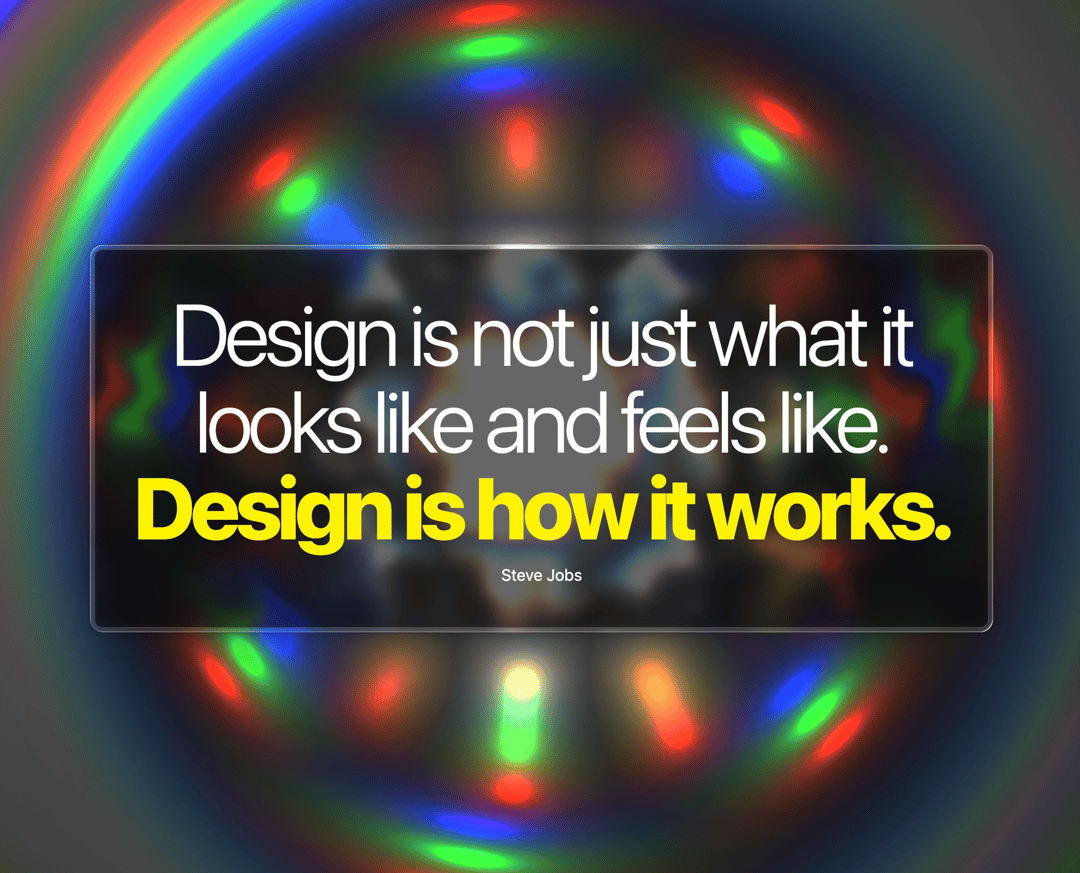
              Design is not just what it looks like and feels like.<span className="font-extrabold text-[#fff200]"> Design is how it works.</span>
            </h1>

             <p className="text-center">
             Steve Jobs
             </p>

          </main>
        </div>
      </LiquidCard>
    </div>
      <WebGLAnimation
      animationSpeed={0.2}
      />
    </div>
  );
}
Dependencies
More by Ali Imam
View all

Liquid Glass Button
6.7K
Shader Animation
3.7K
WebGL Shader
2.6K
Shader Lines
2.3K
Shiny Button
2.2K
GLSL Hills
2.1K
Canvas
1.8K
Glowing Shadow
1.5K
More in Shaders
View all
Glass Fold
212
Neural Noise
717
Water Caustic
44
Shader Background
2K
Wave
687
Stripe like gradient-shader
265
Black Hole
23

Phosphor 30
289

