About
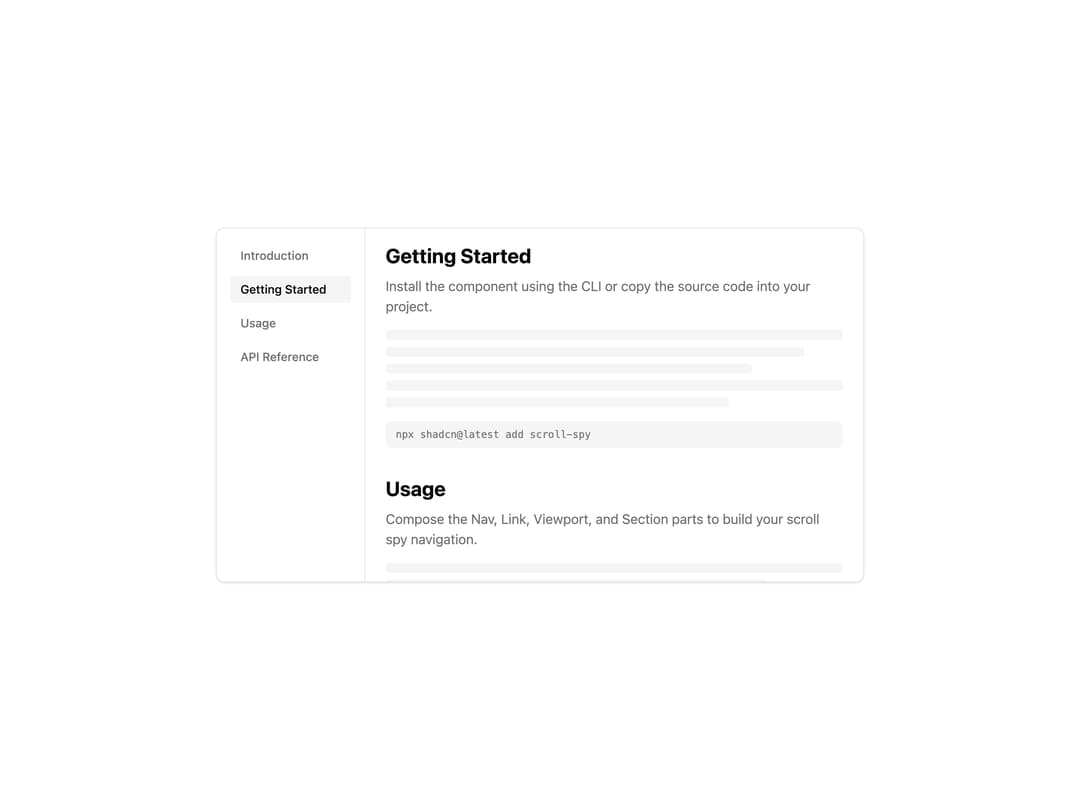
A composable scroll spy navigation that highlights the active link as the user scrolls through page sections, with smooth scroll-to-section on click.
Built with React and Tailwind. Copy the prompt and paste it into Claude Code, Cursor or Lovable: your agent adds Scroll Spy to your project and fits it to your theme.
Code
How Scroll Spy is used: the demo's code. The component's own source comes with a free account.
Usage.tsx
"use client";

import * as React from "react";
import {
  ScrollSpy,
  ScrollSpyLink,
  ScrollSpyNav,
  ScrollSpySection,
  ScrollSpyViewport,
} from "@/components/ui/scroll-spy";

export default function ScrollSpyDemo() {
  const [scrollContainer, setScrollContainer] =
    React.useState<HTMLDivElement | null>(null);

  return (
    <ScrollSpy
      offset={16}
      scrollContainer={scrollContainer}
      className="h-[400px] w-full border"
    >
      <ScrollSpyNav className="w-40 border-r p-4">
        <ScrollSpyLink value="introduction">Introduction</ScrollSpyLink>
        <ScrollSpyLink value="getting-started">Getting Started</ScrollSpyLink>
        <ScrollSpyLink value="usage">Usage</ScrollSpyLink>
        <ScrollSpyLink value="api-reference">API Reference</ScrollSpyLink>
      </ScrollSpyNav>
      <ScrollSpyViewport
        ref={setScrollContainer}
        className="overflow-y-auto p-4"
      >
        <ScrollSpySection value="introduction">
          <h2 className="font-bold text-2xl">Introduction</h2>
          <p className="mt-2 text-muted-foreground">
            ScrollSpy automatically updates navigation links based on scroll
            position.
          </p>
          <div className="mt-4 h-64 rounded-lg bg-accent" />
        </ScrollSpySection>
        <ScrollSpySection value="getting-started">
          <h2 className="font-bold text-2xl">Getting Started</h2>
          <p className="mt-2 text-muted-foreground">
            Install the component using the CLI or copy the source code.
          </p>
          <div className="mt-4 h-64 rounded-lg bg-accent" />
        </ScrollSpySection>
        <ScrollSpySection value="usage">
          <h2 className="font-bold text-2xl">Usage</h2>
          <p className="mt-2 text-muted-foreground">
            Use the Provider, Root, Link, and Section components to create your
            scroll spy navigation.
          </p>
          <div className="mt-4 h-64 rounded-lg bg-accent" />
        </ScrollSpySection>
        <ScrollSpySection value="api-reference">
          <h2 className="font-bold text-2xl">API Reference</h2>
          <p className="mt-2 text-muted-foreground">
            Complete API documentation for all ScrollSpy components.
          </p>
          <div className="mt-4 h-64 rounded-lg bg-accent" />
        </ScrollSpySection>
      </ScrollSpyViewport>
    </ScrollSpy>
  );
}
Dependencies
More by Dice UI
View all

Compare Slider
75
Sortable
49
Circular Progress
41
Status
28
Pending
27
Banner
19
Stack
8
Scroller
5
More in Navigation
View all

Sidebar
234
Navbar with Theme Toggle
43

Sidebar
339

Tabs
60
Numberless Pagination with Text
11
Oversized 404 Numeral
50
Footer
446
Pagination
43


