
About
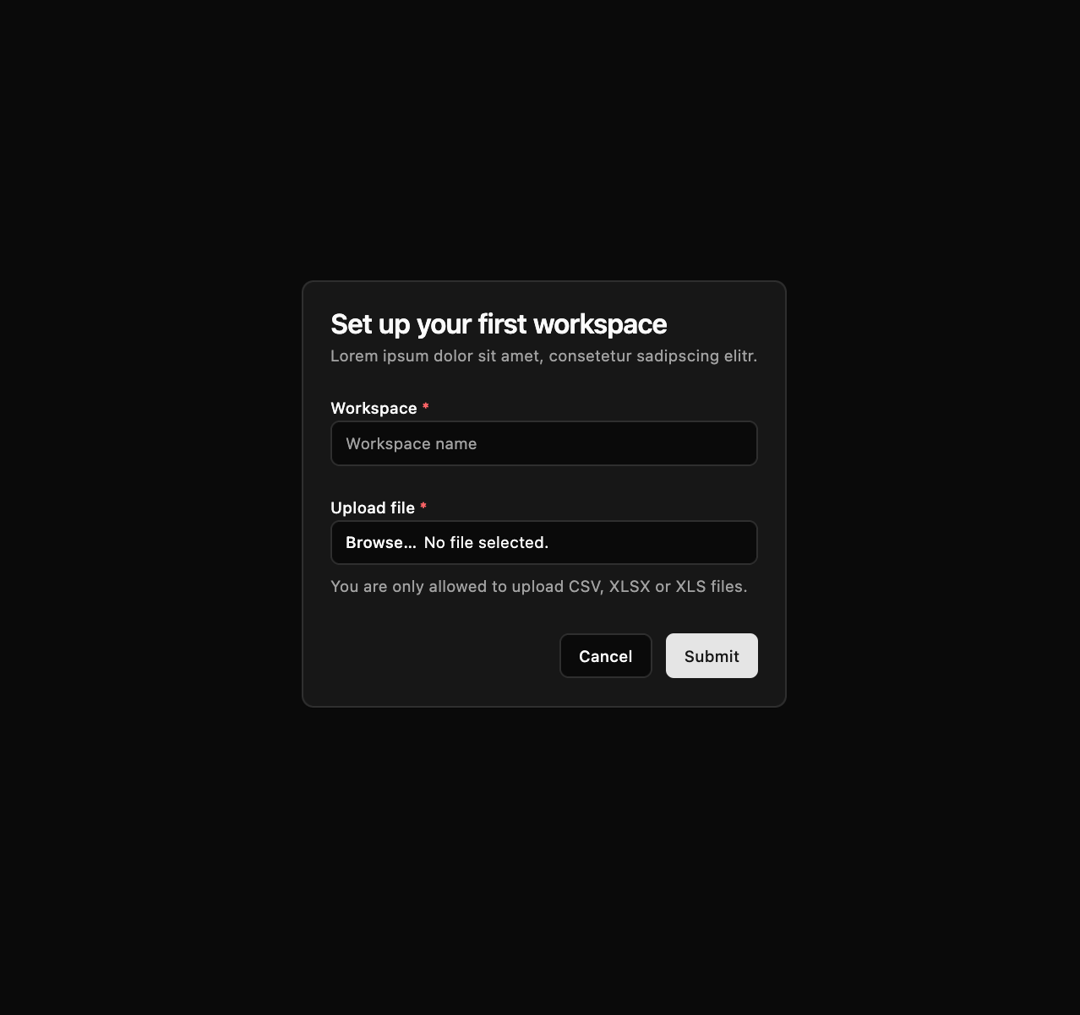
Here is File Upload component
Built with React and Tailwind. Copy the prompt and paste it into Claude Code, Cursor or Lovable: your agent adds File Upload to your project and fits it to your theme.
Code
How File Upload is used: the demo's code. The component's own source comes with a free account.
Usage.tsx
import { Button } from "@/components/ui/button";
import {
  Card,
  CardContent,
  CardDescription,
  CardHeader,
  CardTitle,
} from "@/components/ui/card";
import { Input } from "@/components/ui/input";
import { Label } from "@/components/ui/label";

export default function FileUpload02() {
  return (
    <div className="flex items-center justify-center p-10">
      <Card>
        <CardHeader>
          <CardTitle>Set up your first workspace</CardTitle>
          <CardDescription>
            Lorem ipsum dolor sit amet, consetetur sadipscing elitr.
          </CardDescription>
        </CardHeader>
        <CardContent>
          <form action="#" method="POST">
            <div className="space-y-6">
              <div className="space-y-2">
                <Label htmlFor="workspace-name">
                  Workspace <span className="text-destructive">*</span>
                </Label>
                <Input
                  type="text"
                  id="workspace-name"
                  name="workspace-name"
                  autoComplete="workspace-name"
                  placeholder="Workspace name"
                  required
                />
              </div>
              <div className="space-y-2">
                <Label htmlFor="file-1">
                  Upload file <span className="text-destructive">*</span>
                </Label>
                <Input
                  id="file-1"
                  name="file-1"
                  type="file"
                  accept=".csv, .xlsx, .xls"
                />
                <p className="text-sm text-muted-foreground">
                  You are only allowed to upload CSV, XLSX or XLS files.
                </p>
              </div>
            </div>
            <div className="flex justify-end space-x-3 mt-8">
              <Button type="button" variant="outline">
                Cancel
              </Button>
              <Button type="submit">Submit</Button>
            </div>
          </form>
        </CardContent>
      </Card>
    </div>
  );
}
Dependencies
More by Ephraim Duncan
View all
Stats
147
Stats cards with links
122
Form Layout
96
login
79
Share Dialog
51
Login & Signup
50
Form
46
Registration
43
More in Cards
View all

Statistics Card 2
264

Course Design Cards
1.1K
Card
70
The Item one
3

Card Studio
7
Statistics Card 7
292

Item
10
Dashboard with Collapsible Sidebar
2.4K
