
About
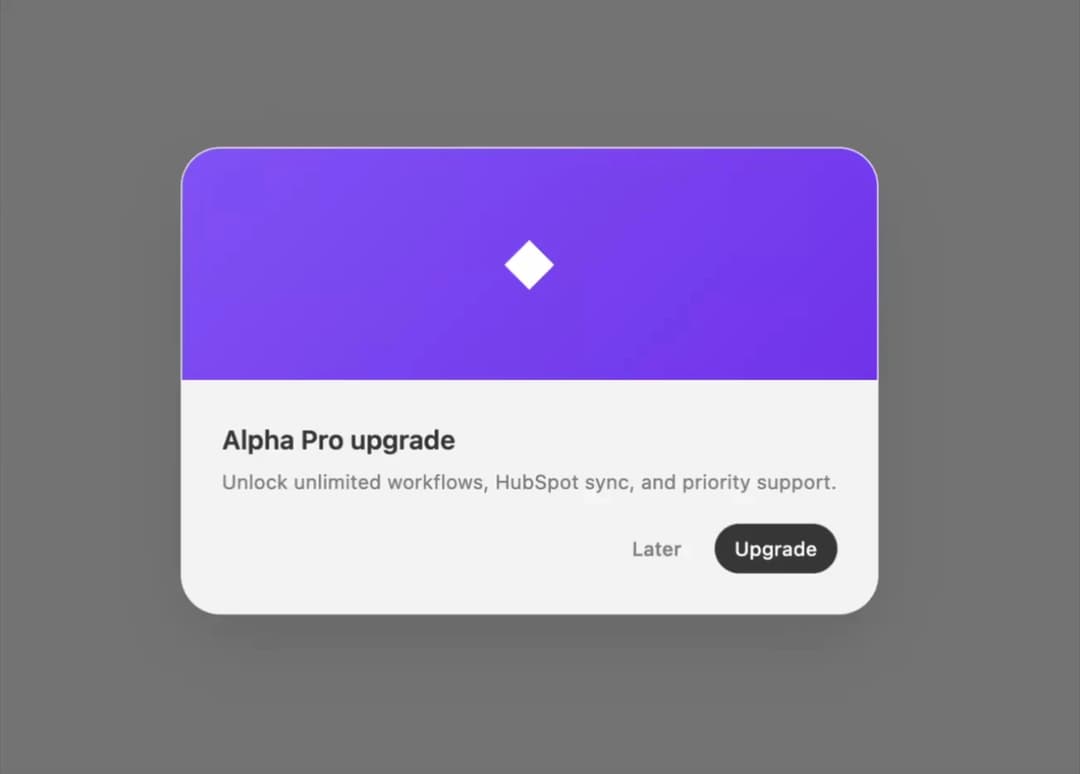
A centered modal overlay for confirmations, with form and cover-image card variants, that traps focus and closes on Escape or an outside click.
Built with React and Tailwind. Copy the prompt and paste it into Claude Code, Cursor or Lovable: your agent adds Dialog to your project and fits it to your theme.
Code
How Dialog is used: the demo's code. The component's own source comes with a free account.
Usage.tsx
"use client";

import { CardDialog } from "@/components/ui/halaska-dialog";
import { useState } from "react";

const ghostBtn: React.CSSProperties = {
  height: 30,
  padding: "0 12px",
  borderRadius: 16,
  border: "none",
  background: "transparent",
  color: "#888888",
  fontSize: 12,
  fontWeight: 500,
  fontFamily: "system-ui, sans-serif",
  cursor: "pointer",
};
const primaryBtn: React.CSSProperties = {
  height: 30,
  padding: "0 12px",
  borderRadius: 16,
  border: "none",
  background: "#3d3d3d",
  color: "#ffffff",
  fontSize: 12,
  fontWeight: 500,
  fontFamily: "system-ui, sans-serif",
  cursor: "pointer",
};
const outlineBtn: React.CSSProperties = {
  height: 30,
  padding: "0 12px",
  borderRadius: 16,
  border: "1.5px solid rgba(0,0,0,0.06)",
  background: "transparent",
  color: "#3d3d3d",
  fontSize: 12,
  fontWeight: 500,
  fontFamily: "system-ui, sans-serif",
  cursor: "pointer",
};

export default function CardDialogDemo() {
  const [open, setOpen] = useState(false);
  return (
    <div className="flex min-h-[320px] w-full items-center justify-center">
      <button style={outlineBtn} onClick={() => setOpen(true)}>
        Card
      </button>
      <CardDialog
        open={open}
        onClose={() => setOpen(false)}
        cover="◆"
        title="Alpha Pro upgrade"
        description="Unlock unlimited workflows, HubSpot sync, and priority support."
        actions={
          <>
            <button style={ghostBtn} onClick={() => setOpen(false)}>
              Later
            </button>
            <button style={primaryBtn} onClick={() => setOpen(false)}>
              Upgrade
            </button>
          </>
        }
      />
    </div>
  );
}
More by halaska-studio
View all
Dot Grid
24
Orb
15
Segmented Control
8
Choicebox
6
Combobox
5
Input OTP
4
Table
2
Switch
1
More in Cards
View all
Stats cards with links
33

Course Design Cards
1.1K

Card
70
Statistics Card 2
264
Statistics Card 10
263

Card
17

Card Studio
9
The Item one
3
