
About
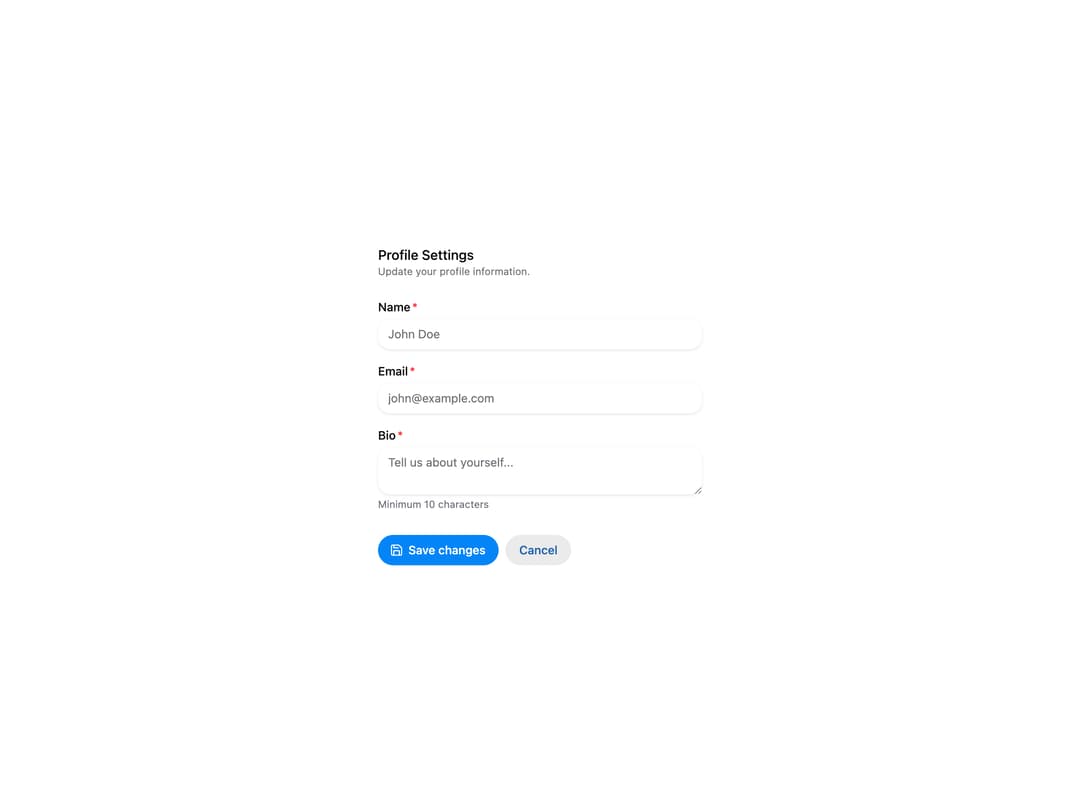
HeroUI v3 Fieldset — groups related form fields with a legend, description and actions, including an on-surface variant.
Built with React and Tailwind. Copy the prompt and paste it into Claude Code, Cursor or Lovable: your agent adds HeroUI Fieldset to your project and fits it to your theme.
Code
How HeroUI Fieldset is used: the demo's code. The component's own source comes with a free account.
Usage.tsx
"use client"

import { Save } from "lucide-react"
import {
  Button,
  Description,
  FieldError,
  FieldGroup,
  Form,
  Input,
  Label,
  TextArea,
  TextField,
} from "@heroui/react"
import { Fieldset } from "@/components/ui/heroui-fieldset"

export function Basic() {
  const onSubmit = (e: React.FormEvent<HTMLFormElement>) => {
    e.preventDefault()
    const formData = new FormData(e.currentTarget)
    const data: Record<string, string> = {}

    // Convert FormData to plain object
    formData.forEach((value, key) => {
      data[key] = value.toString()
    })

    alert("Form submitted successfully!")
  }

  return (
    <Form className="w-full max-w-96" onSubmit={onSubmit}>
      <Fieldset>
        <Fieldset.Legend>Profile Settings</Fieldset.Legend>
        <Description>Update your profile information.</Description>
        <FieldGroup>
          <TextField
            isRequired
            name="name"
            validate={(value) => {
              if (value.length < 3) {
                return "Name must be at least 3 characters"
              }

              return null
            }}
          >
            <Label>Name</Label>
            <Input placeholder="John Doe" />
            <FieldError />
          </TextField>
          <TextField isRequired name="email" type="email">
            <Label>Email</Label>
            <Input placeholder="john@example.com" />
            <FieldError />
          </TextField>
          <TextField
            isRequired
            name="bio"
            validate={(value) => {
              if (value.length < 10) {
                return "Bio must be at least 10 characters"
              }

              return null
            }}
          >
            <Label>Bio</Label>
            <TextArea placeholder="Tell us about yourself..." />
            <Description>Minimum 10 characters</Description>
            <FieldError />
          </TextField>
        </FieldGroup>
        <Fieldset.Actions>
          <Button type="submit">
            <Save />
            Save changes
          </Button>
          <Button type="reset" variant="secondary">
            Cancel
          </Button>
        </Fieldset.Actions>
      </Fieldset>
    </Form>
  )
}

export default Basic
Dependencies
More by Hero Ui
View all

DatePicker
466
Chip
440
The Pagination
361
HeroUI Color Picker
105
Skeleton
104
HeroUI Table
99
HeroUI Disclosure Group
94
HeroUI AlertDialog
79
More in Buttons
View all

Button
4

App Store Button
453

Button
47

Eclipse Button
39

Button
4
Texture Button
92
Split Button
14

Button
32

