
About
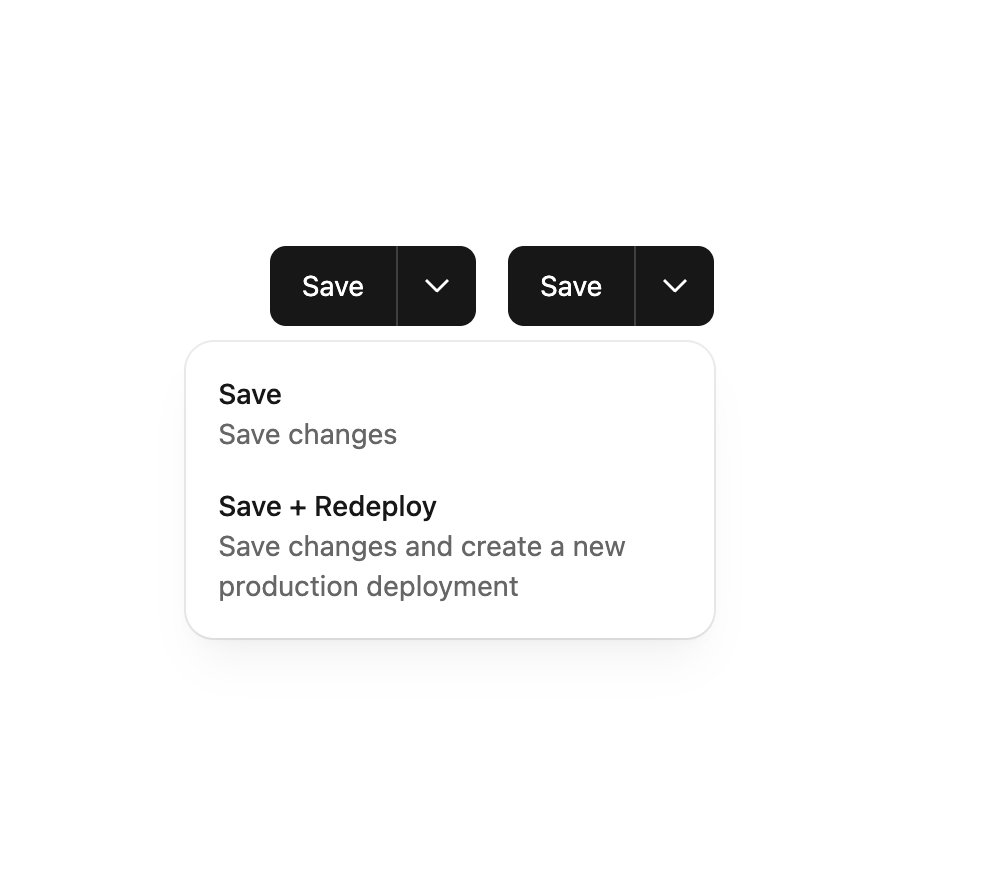
A button that offers a primary interaction coupled with a dropdown menu offering additional actions.
Built with React and Tailwind. Copy the prompt and paste it into Claude Code, Cursor or Lovable: your agent adds Split Button to your project and fits it to your theme.
Code
How Split Button is used: the demo's code. The component's own source comes with a free account.
Usage.tsx
import { SplitButton, SplitButtonMenuItem } from "@/components/ui/split-button";

export default function MenuAlignmentDemo() {
  return (
        <div className="flex gap-4">
          <SplitButton
            buttonProps={{
              onClick: () => {
                alert("Clicked Saved");
              }
            }}
            menuButtonLabel="Select save method"
            menuItems={
              <>
                <SplitButtonMenuItem
                  description="Save changes"
                  menuItemProps={{
                    onClick: () => {
                      alert("Clicked Save");
                    }
                  }}
                  title="Save"
                />
                <SplitButtonMenuItem
                  description="Save changes and create a new production deployment"
                  menuItemProps={{
                    onClick: () => {
                      alert("Clicked Save + Redeploy");
                    }
                  }}
                  title="Save + Redeploy"
                />
              </>
            }
            menuProps={{ width: 264 }}
          >
            Save
          </SplitButton>

          <SplitButton
            buttonProps={{
              onClick: () => {
                alert("Clicked Saved");
              }
            }}
            menuAlignment="bottom-end"
            menuButtonLabel="Select save method"
            menuItems={
              <>
                <SplitButtonMenuItem
                  description="Save changes"
                  menuItemProps={{
                    onClick: () => {
                      alert("Clicked Save");
                    }
                  }}
                  title="Save"
                />
                <SplitButtonMenuItem
                  description="Save changes and create a new production deployment"
                  menuItemProps={{
                    onClick: () => {
                      alert("Clicked Save + Redeploy");
                    }
                  }}
                  title="Save + Redeploy"
                />
              </>
            }
            menuProps={{ width: 264 }}
          >
            Save
          </SplitButton>
        </div>
  );
}
Dependencies
More by tigran tumasov
View all
Product Hunt Badge
1.8K
Book
161
Calendar
151
Theme Switcher
135
Snippet
124
Table
123
Feedback
88
Toggle
88
More in Buttons
View all

Button
4

Button
47

App Store Button
452

Eclipse Button
39
Texture Button
92
Native Button
12

Button
31
Button Save
46


