
About
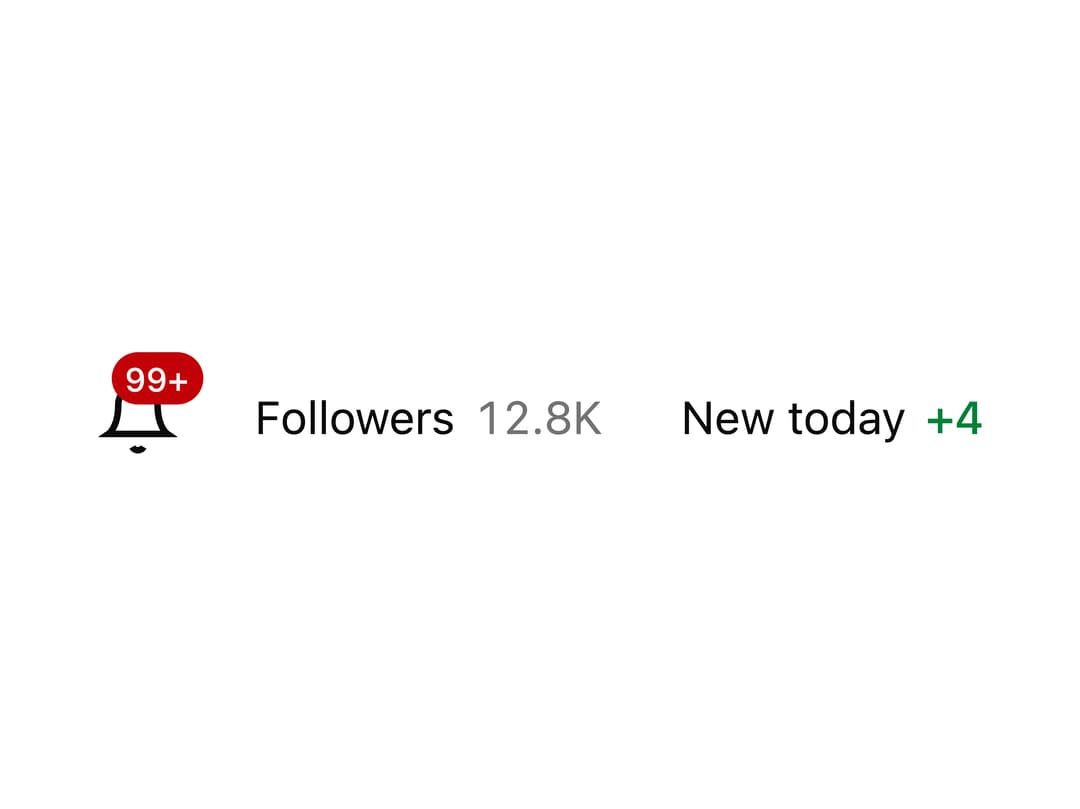
A small inline number display that caps large values at 99+, can shorten them to compact form like 1.2K, or sign them like +4, while screen readers always hear the exact figure.
Built with React and Tailwind. Copy the prompt and paste it into Claude Code, Cursor or Lovable: your agent adds Count to your project and fits it to your theme.
Code
How Count is used: the demo's code. The component's own source comes with a free account.
Usage.tsx
import { Count } from "@/components/ui/count";

export default function CountDemo() {
  return (
    <div className="flex items-center gap-6">
      <div className="relative inline-flex">
        <svg
          className="size-6 text-foreground"
          viewBox="0 0 24 24"
          fill="none"
          stroke="currentColor"
          strokeWidth="2"
        >
          <path d="M18 8a6 6 0 0 0-12 0c0 7-3 9-3 9h18s-3-2-3-9" />
          <path d="M13.73 21a2 2 0 0 1-3.46 0" />
        </svg>
        <Count
          value={132}
          max={99}
          className="absolute -right-2 -top-2 inline-flex min-w-4 items-center justify-center rounded-full bg-destructive px-1 text-[10px] font-medium leading-4 text-destructive-foreground"
        />
      </div>

      <span className="inline-flex items-center gap-1.5 text-sm text-foreground">
        Followers
        <Count
          value={12834}
          notation="compact"
          locale="en-US"
          className="text-muted-foreground"
        />
      </span>

      <span className="inline-flex items-center gap-1.5 text-sm text-foreground">
        New today
        <Count value={4} plus className="font-medium text-success" />
      </span>
    </div>
  );
}
More by Tori Bryan
View all

Portfolio Banner
33
Token Flow
29
Annotated Text
9
Reactions
Pixel snail
Integration Orbit
Filter menu