
About
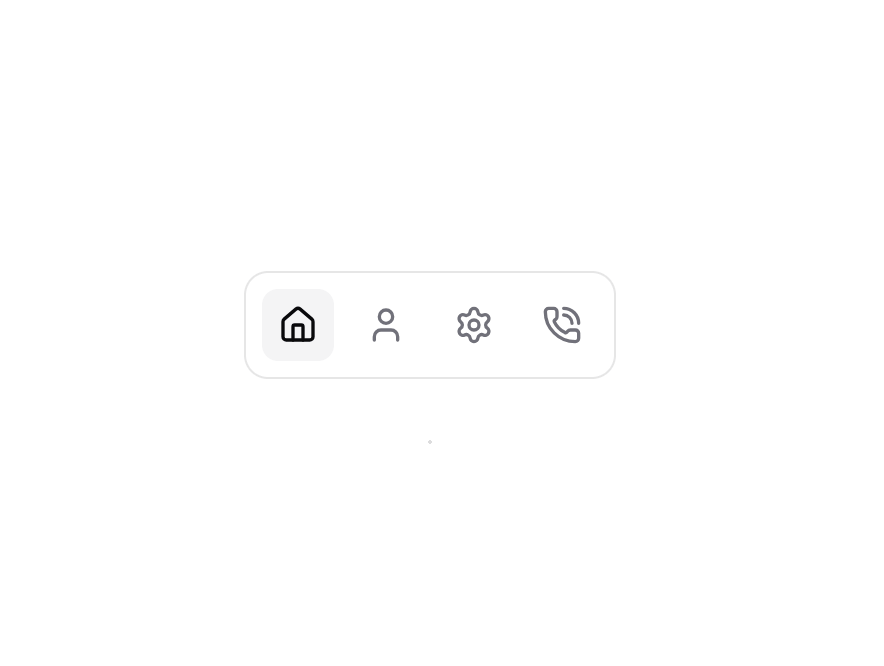
Animated Tabs
Built with React and Tailwind. Copy the prompt and paste it into Claude Code, Cursor or Lovable: your agent adds Animated Tabs to your project and fits it to your theme.
Code
How Animated Tabs is used: the demo's code. The component's own source comes with a free account.
Usage.tsx
import { Home, PhoneCall, Settings, User } from "lucide-react";
import AnimatedBackground from "@/components/ui/animated-tabs";

function AnimatedTabs() {
  const TABS = [
    {
      label: "Home",
      icon: <Home className="h-5 w-5" />,
    },
    {
      label: "About",
      icon: <User className="h-5 w-5" />,
    },
    {
      label: "Services",
      icon: <Settings className="h-5 w-5" />,
    },
    {
      label: "Contact",
      icon: <PhoneCall className="h-5 w-5" />,
    },
  ];

  return (
    <div className="absolute bottom-8">
      <div className="flex w-full space-x-2 rounded-xl border border-zinc-950/10 bg-white p-2">
        <AnimatedBackground
          defaultValue={TABS[0].label}
          className="rounded-lg bg-zinc-100"
          transition={{
            type: "spring",
            bounce: 0.2,
            duration: 0.3,
          }}
        >
          {TABS.map((tab) => (
            <button
              key={tab.label}
              data-id={tab.label}
              type="button"
              className="inline-flex h-9 w-9 items-center justify-center text-zinc-500 transition-colors duration-100 focus-visible:outline-2 data-[checked=true]:text-zinc-950"
            >
              {tab.icon}
            </button>
          ))}
        </AnimatedBackground>
      </div>
    </div>
  );
}

function AnimatedTabsHover() {
  const TABS = ["Home", "About", "Services", "Contact"];

  return (
    <div className="flex flex-row">
      <AnimatedBackground
        defaultValue={TABS[0]}
        className="rounded-lg bg-zinc-100 dark:bg-zinc-800"
        transition={{
          type: "spring",
          bounce: 0.2,
          duration: 0.3,
        }}
        enableHover
      >
        {TABS.map((tab, index) => (
          <button
            key={index}
            data-id={tab}
            type="button"
            className="px-2 py-0.5 text-zinc-600 transition-colors duration-300 hover:text-zinc-950 dark:text-zinc-400 dark:hover:text-zinc-50"
          >
            {tab}
          </button>
        ))}
      </AnimatedBackground>
    </div>
  );
}

function SegmentedControl() {
  return (
    <div className="rounded-[8px] bg-gray-100 p-[2px] dark:bg-zinc-800">
      <AnimatedBackground
        defaultValue="Day"
        className="rounded-lg bg-white dark:bg-zinc-700"
        transition={{
          ease: "easeInOut",
          duration: 0.2,
        }}
      >
        {["Day", "Week", "Month", "Year"].map((label, index) => {
          return (
            <button
              key={index}
              data-id={label}
              type="button"
              className="inline-flex w-20 items-center justify-center text-center text-zinc-800 transition-transform active:scale-[0.98] dark:text-zinc-50"
            >
              {label}
            </button>
          );
        })}
      </AnimatedBackground>
    </div>
  );
}

export default { AnimatedTabs, AnimatedTabsHover, SegmentedControl };
Dependencies
More by Julien Thibeaut
View all

Dock
3.1K
Text Effect
1.6K
Infinite Slider
1.5K
Text Shimmer
1.3K
Text Scramble
1.1K
Progressive blur
683
Glow Effect
610
Tailwind CSS Background Snippet
536