
About
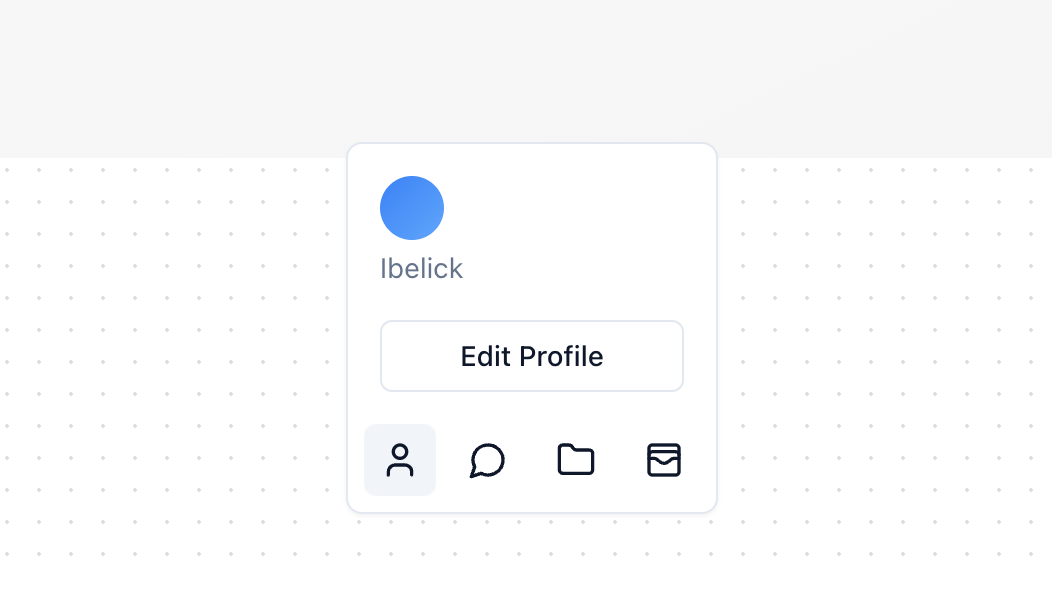
A toolbar that changes its height as needed. It grows to show more content and shrinks to save space, keeping your screen neat.
Built with React and Tailwind. Copy the prompt and paste it into Claude Code, Cursor or Lovable: your agent adds Toolbar Dynamic to your project and fits it to your theme.
Code
How Toolbar Dynamic is used: the demo's code. The component's own source comes with a free account.
Usage.tsx
import { Folder, MessageCircle, User, WalletCards } from "lucide-react";
import { Button } from "@/components/ui/button";
import { Toolbar, type ToolbarItem } from "@/components/ui/toolbar-dynamic";

const TOOLBAR_ITEMS: ToolbarItem[] = [
  {
    id: 1,
    label: "User",
    icon: <User className="h-5 w-5" />,
    content: (
      <div className="flex flex-col space-y-4">
        <div className="flex flex-col space-y-1 text-muted-foreground">
          <div className="h-8 w-8 rounded-full bg-gradient-to-br from-blue-500 to-blue-400" />
          <span>Ibelick</span>
        </div>
        <Button variant="outline" size="sm">
          Edit Profile
        </Button>
      </div>
    ),
  },
  {
    id: 2,
    label: "Messages",
    icon: <MessageCircle className="h-5 w-5" />,
    content: (
      <div className="flex flex-col space-y-4">
        <div className="text-muted-foreground">You have 3 new messages.</div>
        <Button variant="outline" size="sm">
          View more
        </Button>
      </div>
    ),
  },
  {
    id: 3,
    label: "Documents",
    icon: <Folder className="h-5 w-5" />,
    content: (
      <div className="flex flex-col space-y-4">
        <div className="flex flex-col text-muted-foreground">
          <div className="space-y-1">
            <div>Project_Proposal.pdf</div>
            <div>Meeting_Notes.docx</div>
            <div>Financial_Report.xls</div>
          </div>
        </div>
        <Button variant="outline" size="sm">
          Manage documents
        </Button>
      </div>
    ),
  },
  {
    id: 4,
    label: "Wallet",
    icon: <WalletCards className="h-5 w-5" />,
    content: (
      <div className="flex flex-col space-y-4">
        <div className="flex flex-col text-muted-foreground">
          <span>Current Balance</span>
          <span>$1,250.32</span>
        </div>
        <Button variant="outline" size="sm">
          View Transactions
        </Button>
      </div>
    ),
  },
]

export function ToolbarDemo() {
  return (
    <div className="h-[400px] w-full relative bg-gradient-to-br from-neutral-50 to-neutral-100">
      <Toolbar items={TOOLBAR_ITEMS} />
    </div>
  )
}
Dependencies
More by Julien Thibeaut
View all

Dock
3.1K
Text Effect
1.6K
Infinite Slider
1.5K
Text Shimmer
1.3K
Text Scramble
1.1K
Progressive blur
683
Glow Effect
610
Tailwind CSS Background Snippet
536
More in Buttons
View all
Button Save
46

Button
20

Eclipse Button
5

Button
6

Button
14

Button Group
37

Button
32
Split Button
32

