
About
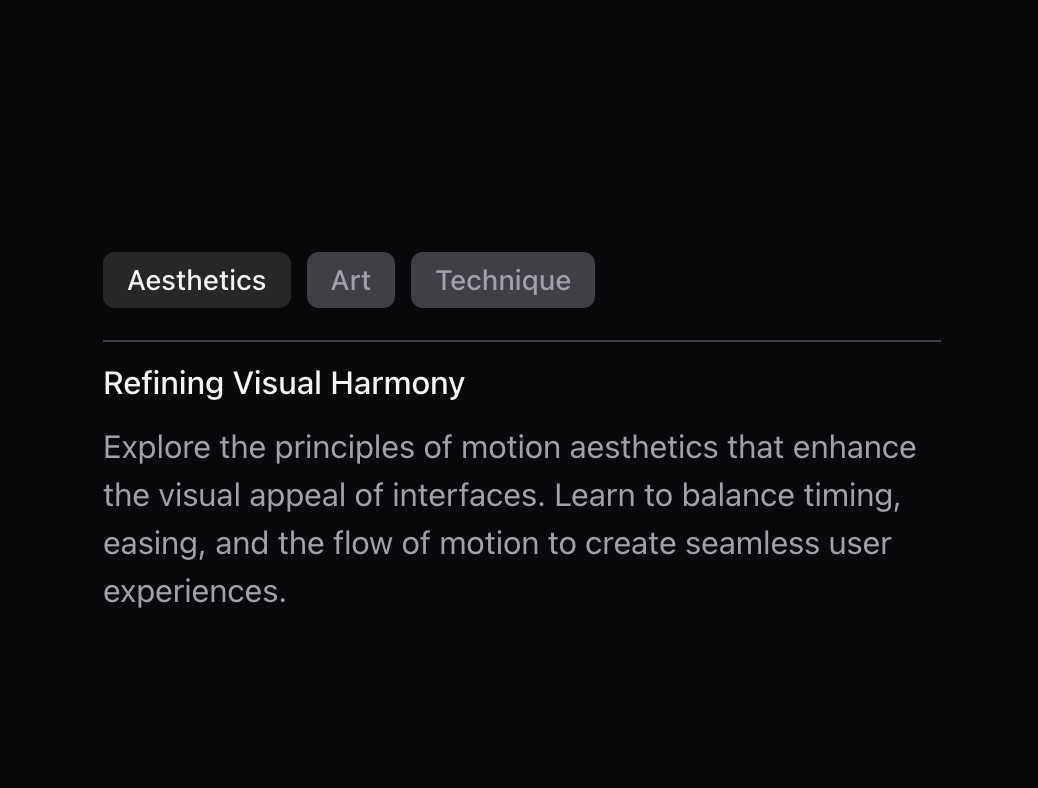
Easy way to switch between different pieces of content with enter and exit animations. It's perfect for enhancing user experience in areas such as onboarding card, settings adjustments, or any interactive content that requires a visual transition between states.
Built with React and Tailwind. Copy the prompt and paste it into Claude Code, Cursor or Lovable: your agent adds Transition Panel to your project and fits it to your theme.
Code
How Transition Panel is used: the demo's code. The component's own source comes with a free account.
Usage.tsx
"use client";

import React, { useState } from "react";
import { TransitionPanel } from "@/components/ui/transition-panel";

export function TabsTransitionPanel() {
  const [activeIndex, setActiveIndex] = useState(0);

  const ITEMS = [
    {
      title: 'Aesthetics',
      subtitle: 'Refining Visual Harmony',
      content:
        'Explore the principles of motion aesthetics that enhance the visual appeal of interfaces. Learn to balance timing, easing, and the flow of motion to create seamless user experiences.',
    },
    {
      title: 'Art',
      subtitle: 'Narrative and Expression',
      content:
        'Delve into how motion can be used as an artistic tool to tell stories and evoke emotions, making digital interactions feel more human and expressive.',
    },
    {
      title: 'Technique',
      subtitle: 'Mastering Motion Tools',
      content:
        'Gain proficiency in advanced techniques such as physics-based animations, 3D transformations, and complex sequencing to elevate your design skills and implementation.',
    },
  ];

  return (
    <div>
      <div className='mb-4 flex space-x-2'>
        {ITEMS.map((item, index) => (
          <button
            key={index}
            onClick={() => setActiveIndex(index)}
            className={`rounded-md px-3 py-1 text-sm font-medium ${
              activeIndex === index
                ? 'bg-zinc-200 text-zinc-900 dark:bg-zinc-800 dark:text-zinc-100'
                : 'bg-zinc-100 text-zinc-600 dark:bg-zinc-700 dark:text-zinc-400'
            }`}
          >
            {item.title}
          </button>
        ))}
      </div>
      <div className='overflow-hidden border-t border-zinc-200 dark:border-zinc-700'>
        <TransitionPanel
          activeIndex={activeIndex}
          transition={{ duration: 0.2, ease: 'easeInOut' }}
          variants={{
            enter: { opacity: 0, y: -50, filter: 'blur(4px)' },
            center: { opacity: 1, y: 0, filter: 'blur(0px)' },
            exit: { opacity: 0, y: 50, filter: 'blur(4px)' },
          }}
        >
          {ITEMS.map((item, index) => (
            <div key={index} className='py-2'>
              <h3 className='mb-2 font-medium text-zinc-800 dark:text-zinc-100'>
                {item.subtitle}
              </h3>
              <p className='text-zinc-600 dark:text-zinc-400'>{item.content}</p>
            </div>
          ))}
        </TransitionPanel>
      </div>
    </div>
  );
}
Dependencies
More by Julien Thibeaut
View all

Dock
3.1K
Text Effect
1.6K
Infinite Slider
1.5K
Text Shimmer
1.3K
Text Scramble
1.1K
Progressive blur
683
Glow Effect
610
Tailwind CSS Background Snippet
535