About
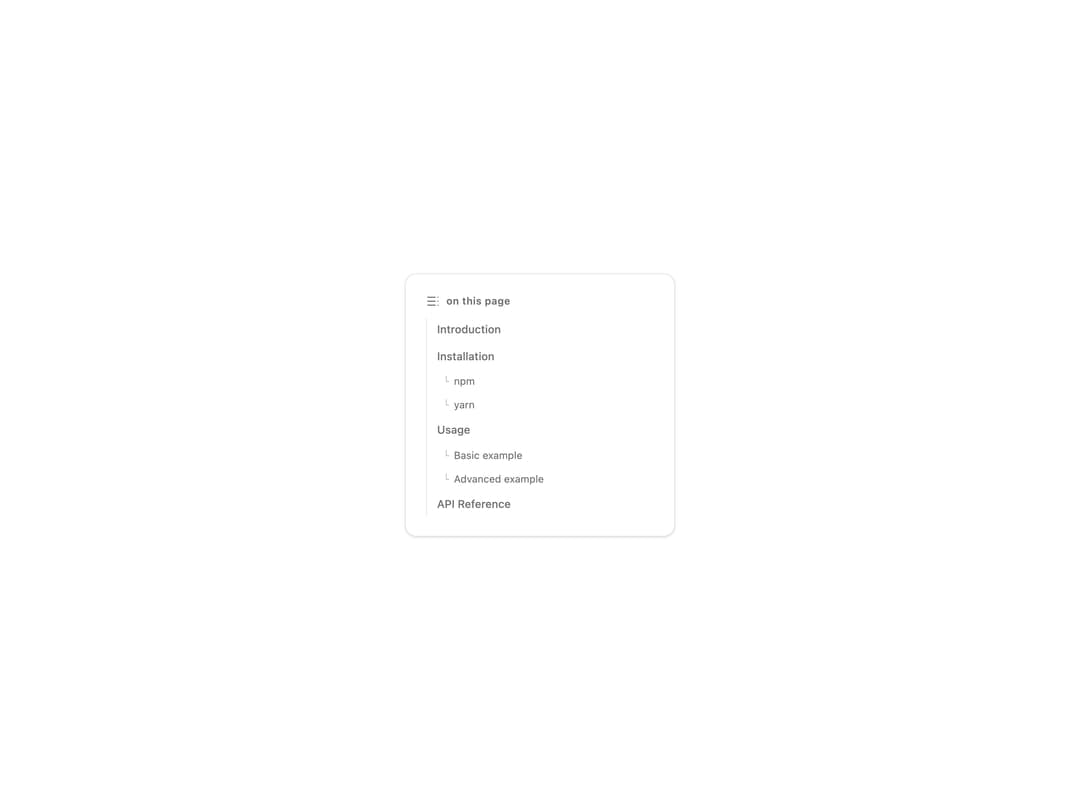
An auto-scrolling table of contents that highlights the active section using an intersection observer as the reader scrolls.
Built with React and Tailwind. Copy the prompt and paste it into Claude Code, Cursor or Lovable: your agent adds Table of Contents to your project and fits it to your theme.
Code
How Table of Contents is used: the demo's code. The component's own source comes with a free account.
Usage.tsx
"use client";

import { TableOfContents } from "@/components/ui/table-of-contents";

const items = [
  { id: "introduction", title: "Introduction", level: 1 },
  { id: "installation", title: "Installation", level: 1 },
  { id: "install-npm", title: "npm", level: 2 },
  { id: "install-yarn", title: "yarn", level: 2 },
  { id: "usage", title: "Usage", level: 1 },
  { id: "usage-basic", title: "Basic example", level: 2 },
  { id: "usage-advanced", title: "Advanced example", level: 2 },
  { id: "api", title: "API Reference", level: 1 },
];

export default function TableOfContentsDemo() {
  return (
    <div className="flex w-full items-center justify-center bg-background p-10">
      <div className="w-full max-w-xs rounded-xl border border-border bg-card p-6 shadow-sm">
        <TableOfContents items={items} />
      </div>
    </div>
  );
}
Dependencies
More by inference-sh
View all
Sidebar Light
33
YouTube Embed
32
Zoomable Image
24
Code Block
4
Virtualized List
More in Navigation
View all

Sidebar
230

Tabs
60
Progress Bar Stepper
36
Newsletter Signup Footer
15

Footer 2
200
Navbar with Theme Toggle
43
Numberless Pagination with Text
11

Navbar
71
