
About
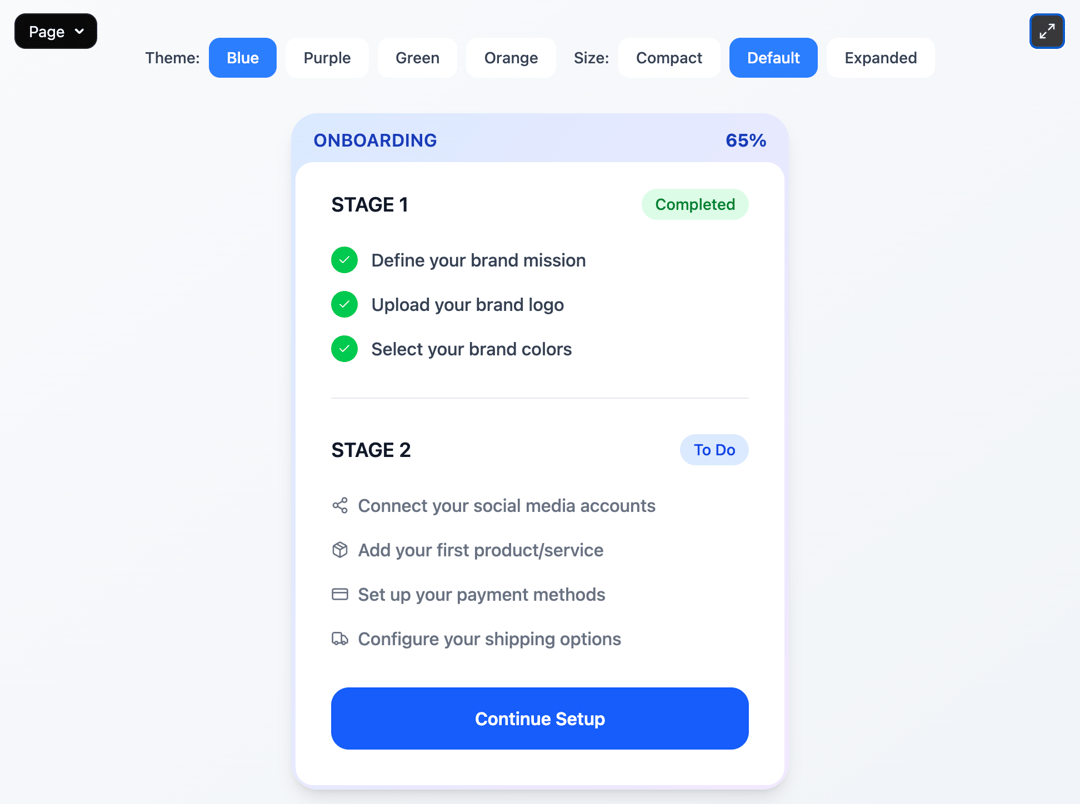
This is a dynamic, themed onboarding checklist component that visually breaks down setup stages with animated progress indicators, completion badges, and a customizable action button. It supports detailed theming, staged animations via framer-motion, and responsive layout variants for compact or expanded views. Perfect for onboarding flows, setup wizards, user education dashboards, or milestone-driven tasks where visual clarity and motivation matter.
Built with React and Tailwind. Copy the prompt and paste it into Claude Code, Cursor or Lovable: your agent adds Onboarding Stages to your project and fits it to your theme.
Code
How Onboarding Stages is used: the demo's code. The component's own source comes with a free account.
Usage.tsx
"use client";

import { OnboardingStages } from "@/components/ui/onboarding-stages";
import { useState } from "react";

export default function Page() {
  const [selectedTheme, setSelectedTheme] = useState<'blue' | 'purple' | 'green' | 'orange'>('blue');
  const [selectedVariant, setSelectedVariant] = useState<'compact' | 'default' | 'expanded'>('default');

  const handleButtonClick = () => {
    console.log("Let's go button clicked!");
  };

  return (
    <div className="min-h-screen w-full bg-gradient-to-br from-slate-50 to-slate-100 p-4">
      <div className="max-w-6xl mx-auto">

        {/* Controls */}
        <div className="flex flex-wrap gap-4 justify-center mt-10 mb-8">
          <div className="flex gap-2">
            <span className="text-sm font-medium text-gray-700 self-center">Theme:</span>
            {['blue', 'purple', 'green', 'orange'].map((theme) => (
              <button
                key={theme}
                onClick={() => setSelectedTheme(theme as any)}
                className={`px-4 py-2 rounded-lg text-sm font-medium transition-colors ${
                  selectedTheme === theme
                    ? 'bg-blue-500 text-white'
                    : 'bg-white text-gray-700 hover:bg-gray-50'
                }`}
              >
                {theme.charAt(0).toUpperCase() + theme.slice(1)}
              </button>
            ))}
          </div>

          <div className="flex gap-2">
            <span className="text-sm font-medium text-gray-700 self-center">Size:</span>
            {['compact', 'default', 'expanded'].map((variant) => (
              <button
                key={variant}
                onClick={() => setSelectedVariant(variant as any)}
                className={`px-4 py-2 rounded-lg text-sm font-medium transition-colors ${
                  selectedVariant === variant
                    ? 'bg-blue-500 text-white'
                    : 'bg-white text-gray-700 hover:bg-gray-50'
                }`}
              >
                {variant.charAt(0).toUpperCase() + variant.slice(1)}
              </button>
            ))}
          </div>
        </div>

        {/* Main Component */}
        <div className="flex items-center justify-center">
          <OnboardingStages
            onButtonClick={handleButtonClick}
            className="max-w-md w-full"
            theme={selectedTheme}
            variant={selectedVariant}
            title="ONBOARDING"
            percentage={65}
            buttonText="Continue Setup"
            animationDuration={2000}
            staggerDelay={0.15}
            rounded="xl"
            showPercentage={true}
            enableAnimations={true}
          />
        </div>

      </div>
    </div>
  );
}
Dependencies
More by Isaiah
View all
Agent Plan
2.2K
Video Scroll Hero
1.4K
Voice Powered Orb
1.3K
Reveal Text
1.1K
Leads Data Table
935
Portfolio Gallery
923
Message Dock
833
Ruler Carousel
618
More in Cards
View all
Stats cards with links
33

Course Design Cards
1.1K

Card
70
Statistics Card 2
264
Statistics Card 10
263

Card
17

Card Studio
9
The Item one
3
