
About
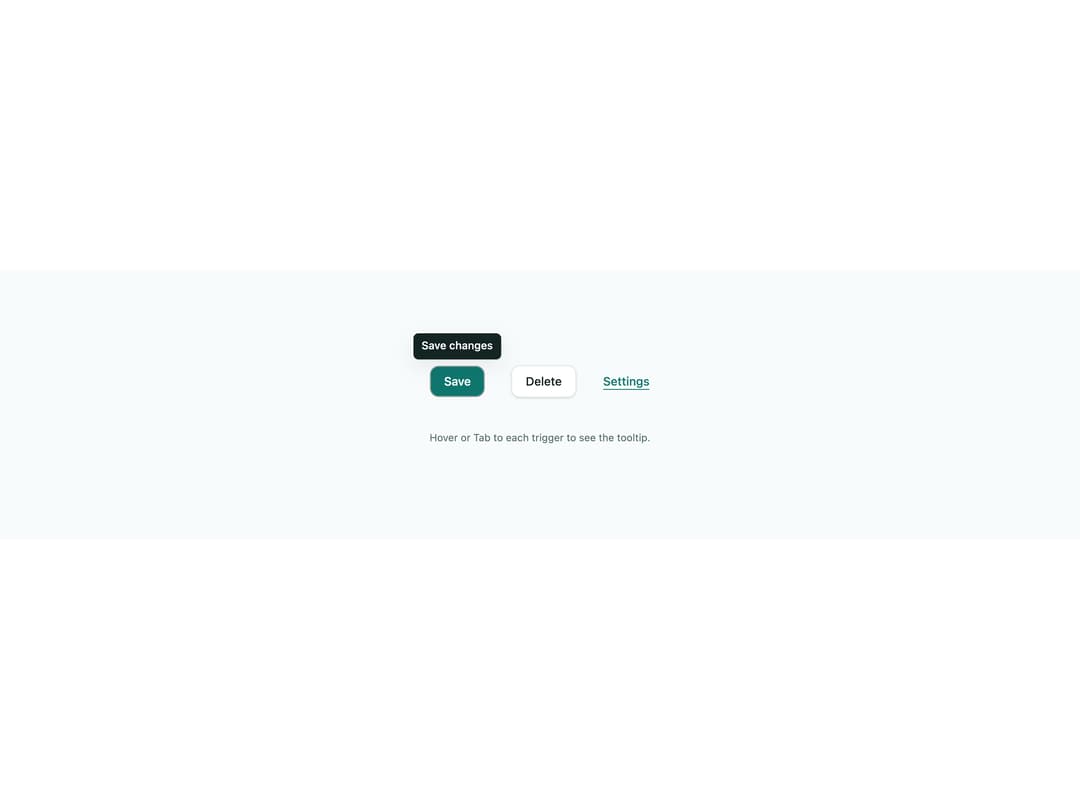
An accessible WAI-ARIA tooltip that wraps a trigger element, showing hint text on hover (with a delay) and keyboard focus, flipping above/below to stay on screen, and dismissing on blur, mouse-out or Escape. Ported from the Angular AuTooltip directive in ngx-aurora-ui by Konica Maheshwari.
Built with React and Tailwind. Copy the prompt and paste it into Claude Code, Cursor or Lovable: your agent adds Tooltip to your project and fits it to your theme.
Code
How Tooltip is used: the demo's code. The component's own source comes with a free account.
Usage.tsx
import Tooltip from "@/components/ui/tooltip";

export default function TooltipDemo() {
  return (
    <div className="flex min-h-[320px] w-full flex-col items-center justify-center gap-10 bg-[#f8fbfb] p-10">
      <div className="flex flex-wrap items-center justify-center gap-8">
        <Tooltip text="Save changes" placement="top">
          <button
            type="button"
            className="rounded-[10px] bg-[#0f766e] px-4 py-2 text-sm font-medium text-white shadow-sm"
          >
            Save
          </button>
        </Tooltip>

        <Tooltip text="Delete this item permanently" placement="bottom">
          <button
            type="button"
            className="rounded-[10px] border border-[#dde9e8] bg-white px-4 py-2 text-sm font-medium text-[#142423] shadow-sm"
          >
            Delete
          </button>
        </Tooltip>

        <Tooltip
          text="Opens settings in a new panel"
          placement="top"
          showDelay={400}
        >
          <a
            href="#"
            className="text-sm font-medium text-[#0f766e] underline underline-offset-4"
          >
            Settings
          </a>
        </Tooltip>
      </div>
      <p className="text-xs text-[#5a7270]">
        Hover or Tab to each trigger to see the tooltip.
      </p>
    </div>
  );
}
More by konicamaheshwarii
View all
Aurora Switch
Skeleton Loader
Aurora Dialog
Aurora Badge