
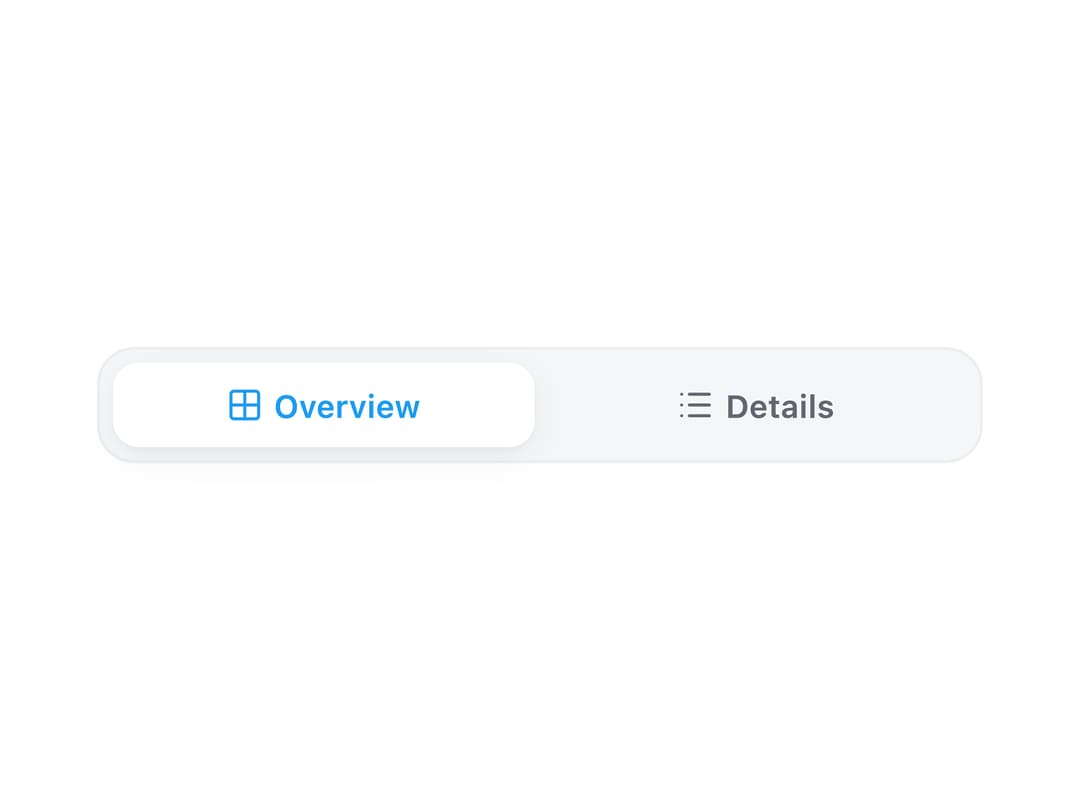
About
A single-select radio-group control that renders a set of mutually exclusive options (or navigation links) as a compact pill, with keyboard arrow-key movement and vertical, horizontal, and icon-label layouts.
Built with React and Tailwind. Copy the prompt and paste it into Claude Code, Cursor or Lovable: your agent adds Segmented to your project and fits it to your theme.
Code
How Segmented is used: the demo's code. The component's own source comes with a free account.
Usage.tsx
"use client";

import Segmented from "@/components/ui/segmented";
import { useState } from "react";

export default function SegmentedCompactIconsDemo() {
  const [selected, setSelected] = useState("overview");

  return (
    <div className="flex w-full max-w-sm flex-col gap-3 p-6">
      <Segmented
        size="sm"
        orientation="horizontal"
        stackAt={0}
        value={selected}
        onChange={setSelected}
        ariaLabel="View"
        items={[
          { value: "overview", label: "Overview", icon: "lucide:grid-2x2" },
          { value: "details", label: "Details", icon: "lucide:list" },
        ]}
      />
    </div>
  );
}
Dependencies
More by lailai0916
View all
Window Panel
6
Dialog
1
Window Bar
Tabs

Scrollable Data Table
Skip Link
Site Header
Skeleton