
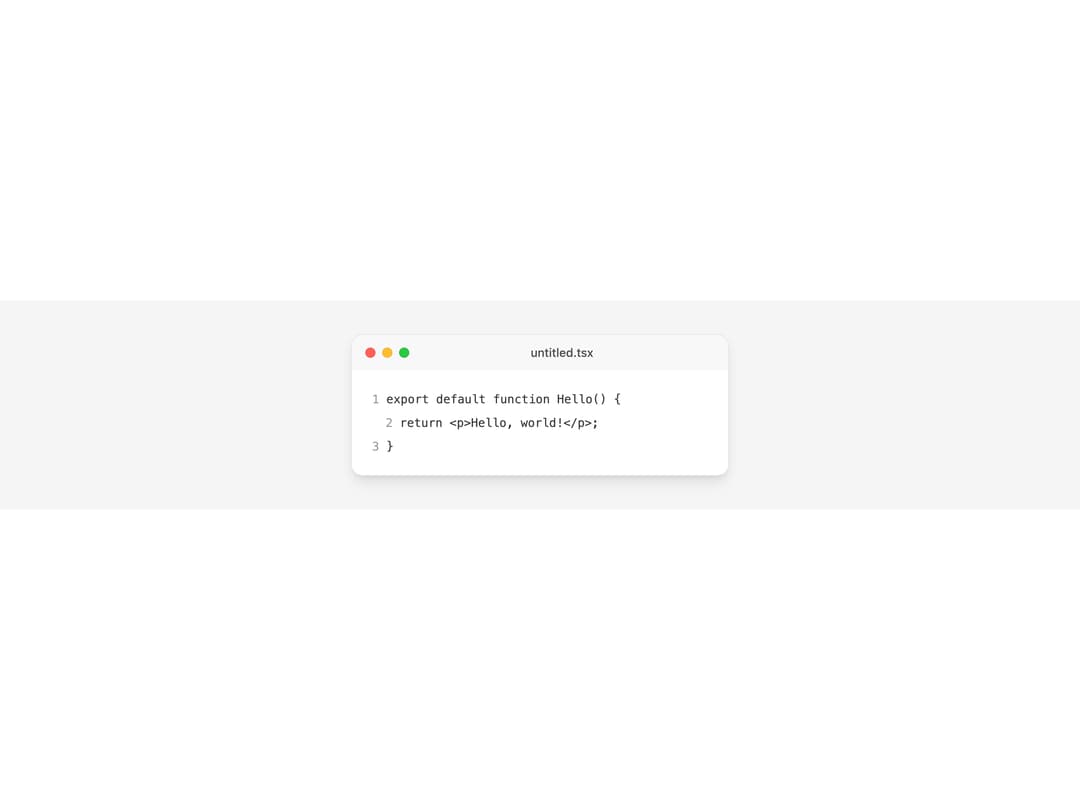
About
A macOS-style frosted title bar with traffic-light dots that sits atop a browser-window, code-block, or panel surface, letting the caller place content after the dots.
Built with React and Tailwind. Copy the prompt and paste it into Claude Code, Cursor or Lovable: your agent adds Window Bar to your project and fits it to your theme.
Code
How Window Bar is used: the demo's code. The component's own source comes with a free account.
Usage.tsx
import WindowBar from "@/components/ui/window-bar";
export default function WindowBarDemo() {
return (
<div className="flex h-full w-full items-center justify-center bg-muted p-10">
<div className="w-full max-w-md overflow-hidden rounded-xl border border-border bg-background shadow-lg">
<WindowBar className="grid-cols-[auto_1fr_auto] gap-2 px-4">
<span className="col-start-2 justify-self-center text-sm font-medium text-foreground/70">
untitled.tsx
</span>
</WindowBar>
<div className="space-y-2 bg-background p-6 font-mono text-sm text-foreground/80">
<p>
<span className="text-foreground/40">1</span> export default
function Hello() {"{"}
</p>
<p className="pl-4">
<span className="text-foreground/40">2</span> return <p>Hello,
world!</p>;
</p>
<p>
<span className="text-foreground/40">3</span> {"}"}
</p>
</div>
</div>
</div>
);
}
Dependencies
More by lailai0916
View all
Window Panel
6
Dialog
1
Tabs

Scrollable Data Table
Skip Link
Site Header
Skeleton
Segmented