About
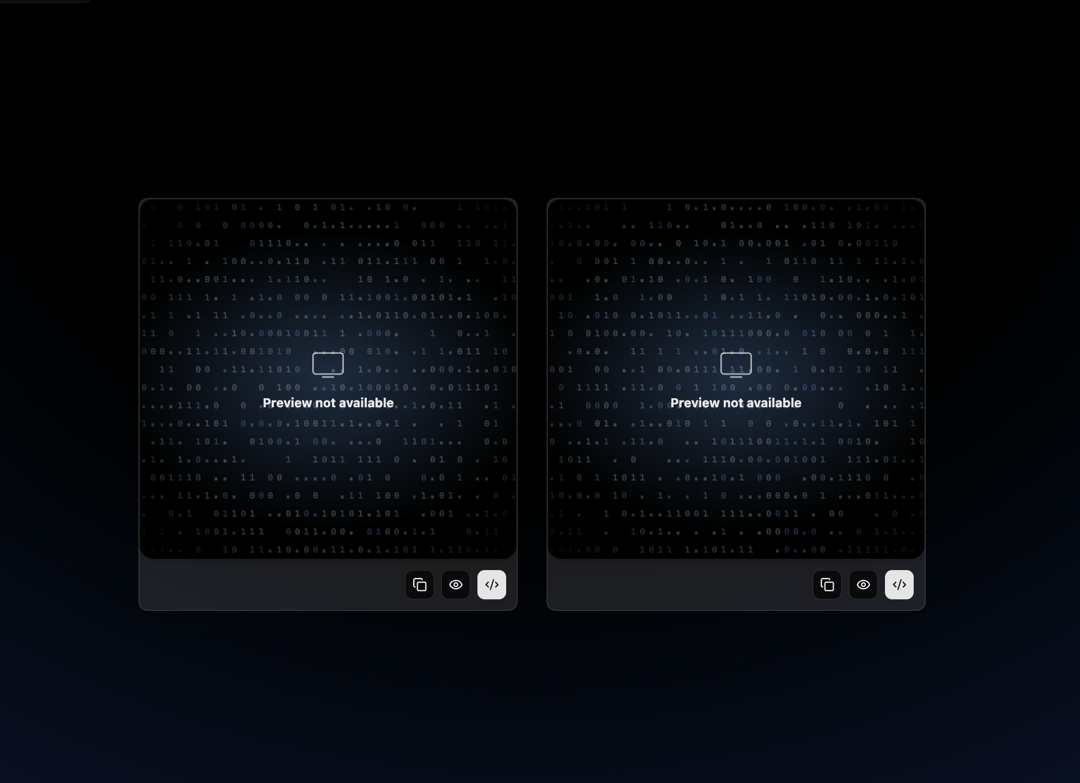
Empty and fallback state card for the daliagents.com client console, shown when no agents are running or a workflow has no runs yet, part of the Dali Agents UI.
Built with React and Tailwind. Copy the prompt and paste it into Claude Code, Cursor or Lovable: your agent adds Fallback Card to your project and fits it to your theme.
Code
How Fallback Card is used: the demo's code. The component's own source comes with a free account.
Usage.tsx
"use client"

import React from "react"
import FallbackCard from "@/components/ui/fallback-card"
import { Card, CardFooter } from "@/components/ui/card"
import { Button } from "@/components/ui/button"
import { Copy, Code2, Eye } from "lucide-react"
import { motion } from "framer-motion"

export default function FallbackCardDemo() {
  return (
    <div className="min-h-screen w-full relative flex items-center justify-center">
      {/* Dark Horizon Glow */}
      <div
        className="absolute inset-0 z-0"
        style={{
          background:
            "radial-gradient(125% 125% at 50% 10%, #000000 40%, #0d1a36 100%)",
        }}
      />

      {/* Content */}
      <div className="relative z-10 grid grid-cols-1 md:grid-cols-2 gap-8 p-8">
        {/* First card */}
        <motion.div
          initial={{ opacity: 0, y: 30 }}
          animate={{ opacity: 1, y: 0 }}
          transition={{ duration: 0.6, ease: "easeOut" }}
        >
          <Card className="w-[420px] overflow-hidden flex flex-col bg-white/10 dark:bg-white/10 backdrop-blur-md border border-white/20 hover:shadow-xl transition-shadow">
            <div className="w-full">
              <FallbackCard
                theme="dark"
                message="No agents running yet - start with one fixed-scope agent."
                showIcon
                showGlitch
              />
            </div>

            <CardFooter className="flex gap-2 justify-end p-3">
              <Button variant="outline" size="icon" className="h-8 w-8">
                <Copy className="w-4 h-4" />
              </Button>
              <Button variant="outline" size="icon" className="h-8 w-8">
                <Eye className="w-4 h-4" />
              </Button>
              <Button variant="default" size="icon" className="h-8 w-8">
                <Code2 className="w-4 h-4" />
              </Button>
            </CardFooter>
          </Card>
        </motion.div>

        {/* Second card */}
        <motion.div
          initial={{ opacity: 0, y: 30 }}
          animate={{ opacity: 1, y: 0 }}
          transition={{ duration: 0.6, ease: "easeOut", delay: 0.15 }}
        >
          <Card className="w-[420px] overflow-hidden flex flex-col bg-white/10 dark:bg-white/10 backdrop-blur-md border border-white/20 hover:shadow-xl transition-shadow">
            <div className="w-full">
              <FallbackCard
                theme="dark"
                message="No runs logged yet - results appear once your first workflow passes its acceptance test."
                showIcon
                showGlitch
              />
            </div>

            <CardFooter className="flex gap-2 justify-end p-3">
              <Button variant="outline" size="icon" className="h-8 w-8">
                <Copy className="w-4 h-4" />
              </Button>
              <Button variant="outline" size="icon" className="h-8 w-8">
                <Eye className="w-4 h-4" />
              </Button>
              <Button variant="default" size="icon" className="h-8 w-8">
                <Code2 className="w-4 h-4" />
              </Button>
            </CardFooter>
          </Card>
        </motion.div>
      </div>
    </div>
  )
}
More by Liana Pepanyan
View all
CTA with Text Marquee
1.1K
Dock
421
Hero Minimalism
413
CTA with Marquee
355
Dark Grid
203
Processing Card
197
Login / Signup
194
Blueprint Shader Grid
136
More in Cards
View all

Statistics Card 2
264

Course Design Cards
1.1K
Card
70
Stats cards with links
39
The Item one
3

Card Studio
7
Statistics Card 7
292

Item
10
