
About
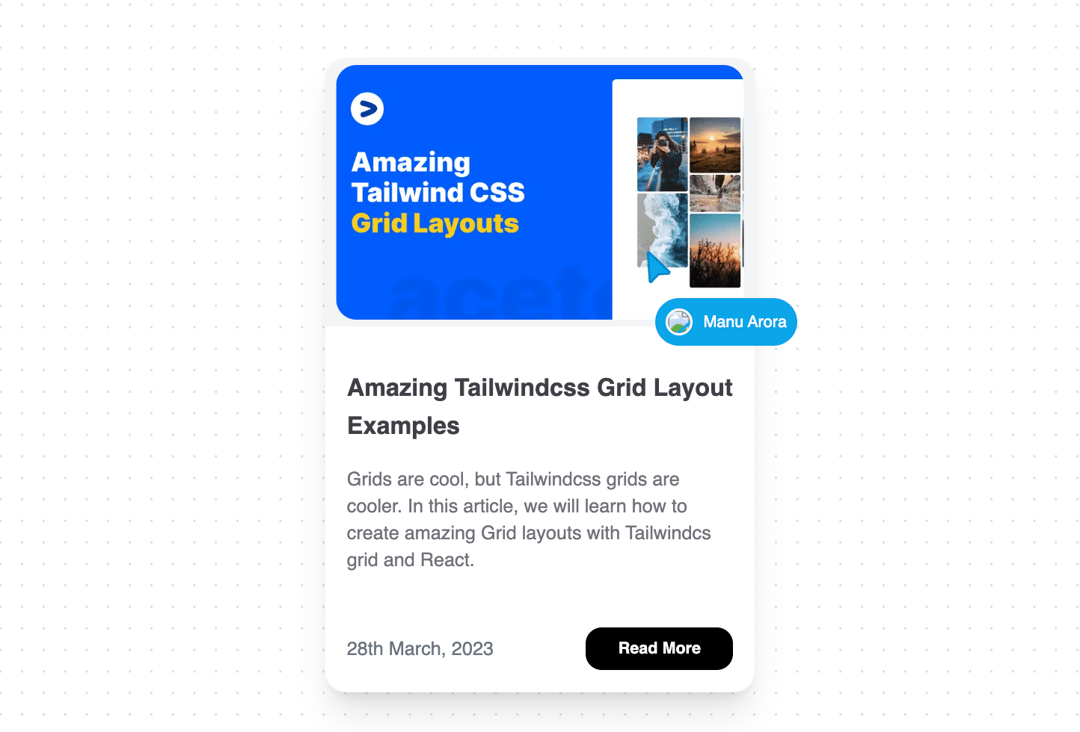
A custom pointer that follows mouse arrow and animates in pointer and content.
Built with React and Tailwind. Copy the prompt and paste it into Claude Code, Cursor or Lovable: your agent adds Following Pointer to your project and fits it to your theme.
Code
How Following Pointer is used: the demo's code. The component's own source comes with a free account.
Usage.tsx
import Image from "next/image";
import { FollowerPointerCard } from "@/components/ui/following-pointer";

export function FollowingPointerDemo() {
  return (
    <div className="w-80 mx-auto">
      <FollowerPointerCard
        title={
          <TitleComponent
            title={blogContent.author}
            avatar={blogContent.authorAvatar}
          />
        }
      >
        <div className="relative overflow-hidden h-full rounded-2xl transition duration-200 group bg-white hover:shadow-xl border border-zinc-100">
          <div className="w-full aspect-w-16 aspect-h-10 bg-gray-100 rounded-tr-lg rounded-tl-lg overflow-hidden xl:aspect-w-16 xl:aspect-h-10 relative">
            <Image
              src={'https://ui.aceternity.com/_next/image?url=%2Fdemo%2Fthumbnail.png&w=3840&q=75'}
              alt="thumbnail"
              layout="fill"
              objectFit="cover"
              className={`group-hover:scale-95 group-hover:rounded-2xl transform object-cover transition duration-200 `}
            />
          </div>
          <div className=" p-4">
            <h2 className="font-bold my-4 text-lg text-zinc-700">
              {blogContent.title}
            </h2>
            <h2 className="font-normal my-4 text-sm text-zinc-500">
              {blogContent.description}
            </h2>
            <div className="flex flex-row justify-between items-center mt-10">
              <span className="text-sm text-gray-500">{blogContent.date}</span>
              <div className="relative z-10 px-6 py-2 bg-black text-white font-bold rounded-xl block text-xs">
                Read More
              </div>
            </div>
          </div>
        </div>
      </FollowerPointerCard>
    </div>
  );
}

const blogContent = {
  slug: "amazing-tailwindcss-grid-layouts",
  author: "Manu Arora",
  date: "28th March, 2023",
  title: "Amazing Tailwindcss Grid Layout Examples",
  description:
    "Grids are cool, but Tailwindcss grids are cooler. In this article, we will learn how to create amazing Grid layouts with Tailwindcs grid and React.",
  image: "/demo/thumbnail.png",
  authorAvatar: "/manu.png",
};

const TitleComponent = ({
  title,
  avatar,
}: {
  title: string;
  avatar: string;
}) => (
  <div className="flex space-x-2 items-center">
    <Image
      src={avatar}
      height="20"
      width="20"
      alt="thumbnail"
      className="rounded-full border-2 border-white"
    />
    <p>{title}</p>
  </div>
);
Dependencies
More by Manu Arora
View all
Container Scroll Animation
10.2K
Glowing Effect
4.4K
Aurora Background
4.4K
Timeline
4.3K
Sparkles
4.1K
Lamp
3.7K
Sidebar
3.6K
Bento Grid
2.7K
More in Cards
View all

Course Design Cards
1.1K
Stats cards with links
79

Statistics Card 2
259
Card
56

Card Studio
9
The Item one
3
Statistics Card 7
289

Weather Card
54
