
About
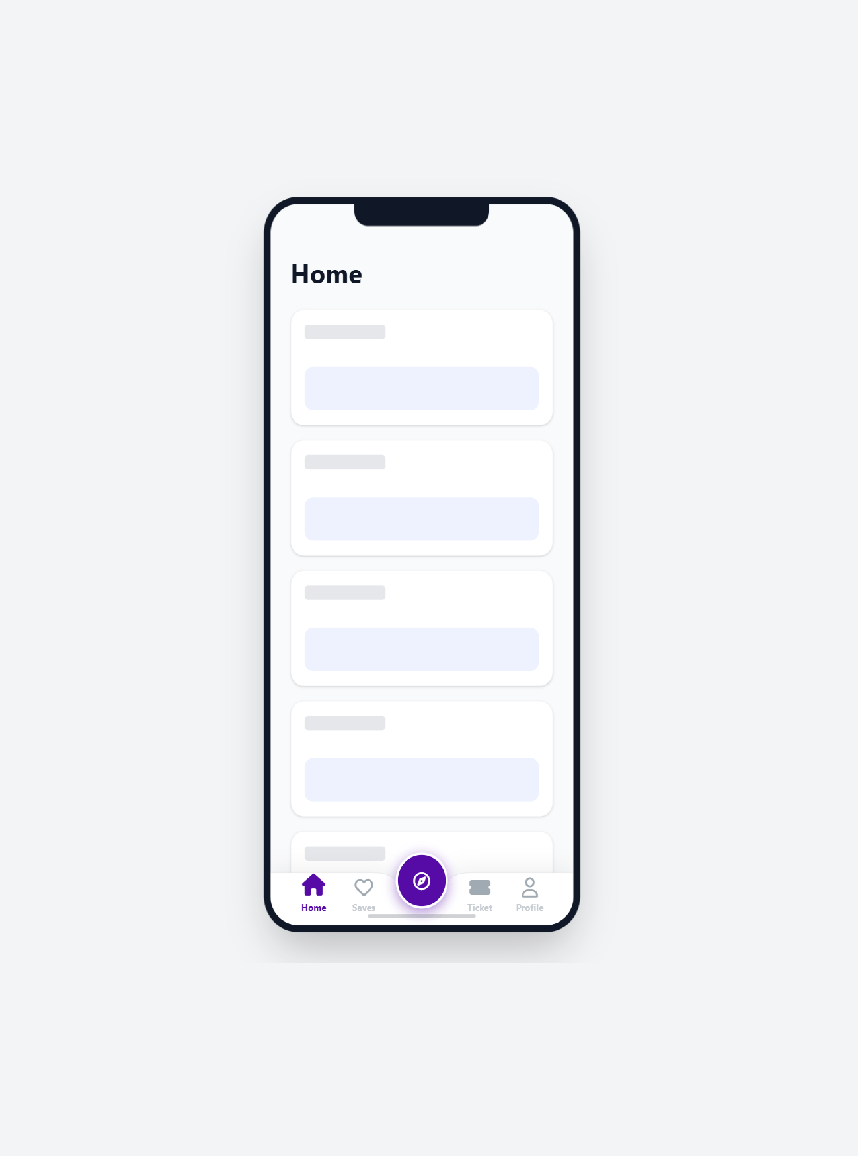
Sleek native-style mobile bottom nav with an SVG cutout, glowing floating action button, and Framer Motion spring animations for fast, premium app-like interactions.
Built with React and Tailwind. Copy the prompt and paste it into Claude Code, Cursor or Lovable: your agent adds "Native" Mobile Nav to your project and fits it to your theme.
Code
How "Native" Mobile Nav is used: the demo's code. The component's own source comes with a free account.
Usage.tsx
// demo.tsx
"use client";

import React, { useEffect, useState } from "react";
import { MobileBottomNav } from "@/components/ui/native-mobile-nav";

const skeletonCards = [1, 2, 3, 4, 5];

export default function Demo() {
  const [activeTab, setActiveTab] = useState("home");

  useEffect(() => {
    if (!document.getElementById("font-awesome-css")) {
      const link = document.createElement("link");
      link.id = "font-awesome-css";
      link.rel = "stylesheet";
      link.href =
        "https://cdnjs.cloudflare.com/ajax/libs/font-awesome/6.4.0/css/all.min.css";
      document.head.appendChild(link);
    }
  }, []);

  return (
    <div className="flex w-full items-center justify-center bg-gray-100 py-12 dark:bg-gray-950 sm:py-16">
      <div className="relative flex h-[690px] w-[319px] shrink-0 items-center justify-center">
        <div className="absolute h-[812px] w-[375px] origin-center scale-[0.85] overflow-hidden rounded-[40px] border-[8px] border-gray-900 bg-gray-50 shadow-2xl transition-all duration-500 dark:border-black dark:bg-[#0a0a0c]">
          <div className="absolute top-0 left-1/2 z-20 h-6 w-40 -translate-x-1/2 rounded-b-2xl bg-gray-900 transition-colors duration-500 dark:bg-black" />

          <div
            className="h-full w-full overflow-y-auto pb-32 [&::-webkit-scrollbar]:hidden"
            style={{ scrollbarWidth: "none", msOverflowStyle: "none" }}
          >
            <div className="px-6 pt-14 pb-6">
              <h1 className="text-3xl font-bold capitalize text-gray-900 transition-colors duration-500 dark:text-white">
                {activeTab}
              </h1>
            </div>

            <div className="space-y-4 px-6">
              {skeletonCards.map((item) => (
                <div
                  key={item}
                  className="flex h-32 w-full flex-col justify-between rounded-2xl border border-gray-100 bg-white p-4 shadow-sm transition-colors duration-500 dark:border-gray-800/50 dark:bg-[#151515]"
                >
                  <div className="h-4 w-24 rounded bg-gray-200 dark:bg-gray-800" />
                  <div className="h-12 w-full rounded-lg bg-indigo-50 dark:bg-[#1e1e1e]" />
                </div>
              ))}
            </div>
          </div>

          <MobileBottomNav activeTab={activeTab} onTabChange={setActiveTab} />

          <div className="pointer-events-none absolute bottom-2 left-1/2 z-50 h-1 w-32 -translate-x-1/2 rounded-full bg-gray-900/20 dark:bg-white/20" />
        </div>
      </div>
    </div>
  );
}
Dependencies
More by Mathew
View all
Trail Grid
100
Radial Time Picker
84
Scrubbable Inputs
1
NexusOrb
More in Buttons
View all
Button Save
46

Button
20

Eclipse Button
5

Button
6

Button
14

Button Group
37

Button
32
Split Button
32

