
About
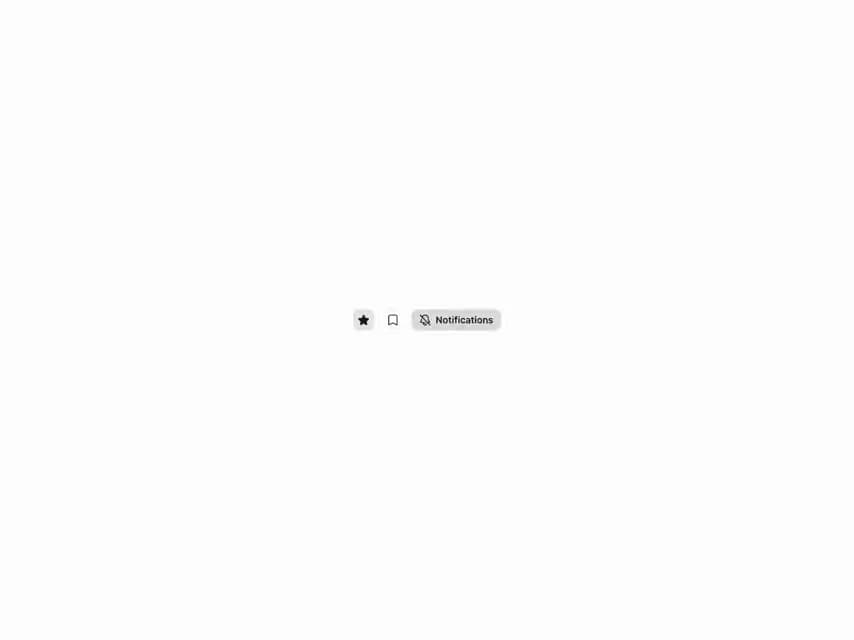
Astryx (Meta) ToggleButton — pressed/unpressed control with outline/solid icon swap: favorite, bookmark and notifications.
Built with React and Tailwind. Copy the prompt and paste it into Claude Code, Cursor or Lovable: your agent adds Astryx Toggle Button to your project and fits it to your theme.
Code
How Astryx Toggle Button is used: the demo's code. The component's own source comes with a free account.
Usage.tsx
// Copyright (c) Meta Platforms, Inc. and affiliates.

'use client';

import {useState} from 'react';
import {ToggleButton} from '@/components/ui/astryx-toggle-button';
import {Stack} from '@astryxdesign/core/Layout';
import {Icon} from '@astryxdesign/core/Icon';
import {StarIcon as StarOutline, BookmarkIcon as BookmarkOutline, BellIcon, BellSlashIcon} from '@heroicons/react/24/outline';
import {StarIcon as StarSolid, BookmarkIcon as BookmarkSolid} from '@heroicons/react/24/solid';

// Standalone setup (matches apps/example-vite): the Theme provider sets
// data-astryx-theme and injects the neutral theme tokens the @scope'd CSS needs.
import {Theme} from '@astryxdesign/core/theme';
import {neutralTheme} from '@astryxdesign/theme-neutral/built';

export default function ToggleButtonShowcase() {
  const [isFavorited, setIsFavorited] = useState(false);
  const [isBookmarked, setIsBookmarked] = useState(true);
  const [isMuted, setIsMuted] = useState(false);

  return (
    <Theme theme={neutralTheme}>
    <div data-astryx-theme="neutral">
    <Stack direction="horizontal" gap={3} vAlign="center">
      <ToggleButton
        label="Favorite"
        icon={<Icon icon={StarOutline} />}
        pressedIcon={<Icon icon={StarSolid} />}
        isPressed={isFavorited}
        onPressedChange={setIsFavorited}
        isIconOnly
      />
      <ToggleButton
        label="Bookmark"
        icon={<Icon icon={BookmarkOutline} />}
        pressedIcon={<Icon icon={BookmarkSolid} />}
        isPressed={isBookmarked}
        onPressedChange={setIsBookmarked}
        isIconOnly
      />
      <ToggleButton
        label="Notifications"
        icon={<Icon icon={BellIcon} />}
        pressedIcon={<Icon icon={BellSlashIcon} />}
        isPressed={isMuted}
        onPressedChange={setIsMuted}>
        Notifications
      </ToggleButton>
    </Stack>
    </div>
    </Theme>
  );
}
Dependencies
More by Meta
View all

Astryx Banner
54
Astryx Avatar
26
Astryx Aspect Ratio
26
Astryx Button Group
22
Astryx Badge
22
Astryx Avatar Group
7
Astryx Button
4
Astryx Blockquote
3
More in Buttons
View all

Button
5

App Store Button
453

Button
47

Eclipse Button
39
Texture Button
92

Button
4
Split Button
14

Button
32

