
About
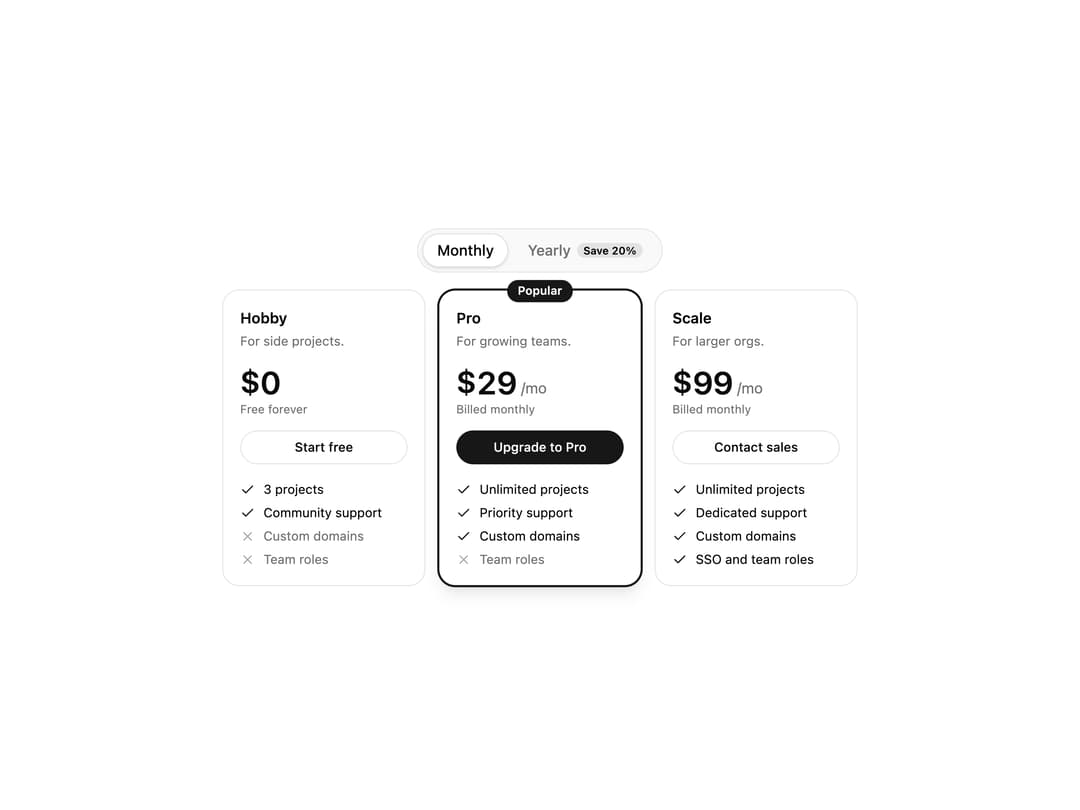
A pricing section with a monthly/yearly billing toggle, animated digit-rolling prices, and plan cards with feature checklists and a highlighted popular plan.
Built with React and Tailwind. Copy the prompt and paste it into Claude Code, Cursor or Lovable: your agent adds Pricing Table to your project and fits it to your theme.
Code
How Pricing Table is used: the demo's code. The component's own source comes with a free account.
Usage.tsx
"use client";

import { PricingTable, type PricingPlan } from "@/components/ui/pricing-table";

const PLANS: PricingPlan[] = [
  {
    id: "hobby",
    name: "Hobby",
    description: "For side projects.",
    price: { monthly: 0, yearly: 0 },
    cta: "Start free",
    features: [
      { label: "3 projects" },
      { label: "Community support" },
      { label: "Custom domains", included: false },
      { label: "Team roles", included: false },
    ],
  },
  {
    id: "pro",
    name: "Pro",
    description: "For growing teams.",
    price: { monthly: 29, yearly: 23 },
    popular: true,
    cta: "Upgrade to Pro",
    features: [
      { label: "Unlimited projects" },
      { label: "Priority support" },
      { label: "Custom domains" },
      { label: "Team roles", included: false },
    ],
  },
  {
    id: "scale",
    name: "Scale",
    description: "For larger orgs.",
    price: { monthly: 99, yearly: 79 },
    cta: "Contact sales",
    features: [
      { label: "Unlimited projects" },
      { label: "Dedicated support" },
      { label: "Custom domains" },
      { label: "SSO and team roles" },
    ],
  },
];

export default function PricingTableDemo() {
  return (
    <div className="w-full max-w-[38rem] px-1 pt-1">
      <PricingTable plans={PLANS} compact />
    </div>
  );
}
Dependencies
More by Mark Yo
View all
Loader
12
Message
More in Pricing
View all
Pricing Section
582

Pricing Section
173

Pricing Card
365
pricing section
158

Pricing Cards
86
Colorful-Pricing
85
Glowing Pricing Tiers
45

RuixenPricing05
102


