About
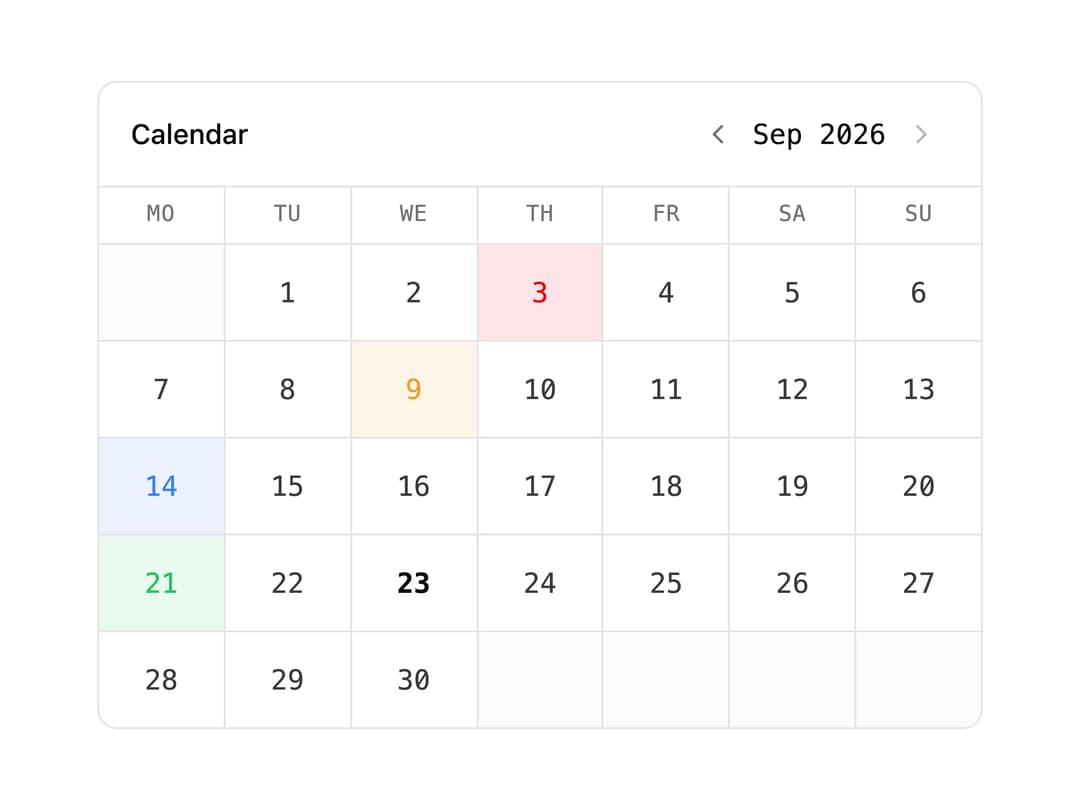
A monthly calendar for a status page that tints each day by its worst incident/maintenance status and reveals event details in a hover card.
Built with React and Tailwind. Copy the prompt and paste it into Claude Code, Cursor or Lovable: your agent adds Status Calendar to your project and fits it to your theme.
Code
How Status Calendar is used: the demo's code. The component's own source comes with a free account.
Usage.tsx
"use client";

import StatusCalendar from "@/components/ui/status-calendar";

export default function StatusCalendarDemo() {
  const now = new Date();
  const y = now.getFullYear();
  const m = now.getMonth();

  const markers = [
    {
      id: 1,
      date: new Date(y, m, 3),
      status: "error" as const,
      type: "incident" as const,
      name: "API outage",
      from: new Date(y, m, 3, 10, 0),
      to: new Date(y, m, 3, 11, 30),
    },
    {
      id: 2,
      date: new Date(y, m, 9),
      status: "degraded" as const,
      type: "report" as const,
      name: "Elevated latency",
      from: new Date(y, m, 9, 8, 0),
      to: new Date(y, m, 9, 9, 0),
    },
    {
      id: 3,
      date: new Date(y, m, 14),
      status: "info" as const,
      type: "maintenance" as const,
      name: "Scheduled database maintenance",
      from: new Date(y, m, 14, 1, 0),
      to: new Date(y, m, 14, 3, 0),
    },
    {
      id: 4,
      date: new Date(y, m, 21),
      status: "success" as const,
      type: "report" as const,
      name: "All systems operational",
      from: new Date(y, m, 21, 0, 0),
      to: new Date(y, m, 21, 0, 0),
    },
  ];

  return (
    <div className="w-full max-w-md">
      <StatusCalendar markers={markers} />
    </div>
  );
}
Dependencies
More by OpenStatus
View all

Status Bar
62
Datetime Picker
47