About
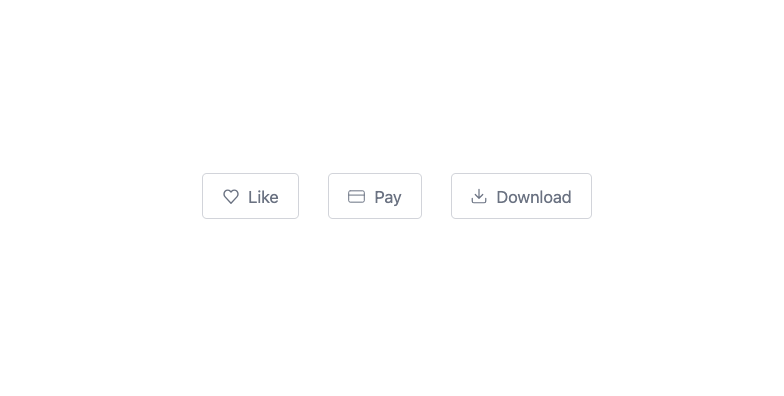
Here is Button Ui components
Built with React and Tailwind. Copy the prompt and paste it into Claude Code, Cursor or Lovable: your agent adds Button Ui to your project and fits it to your theme.
Code
How Button Ui is used: the demo's code. The component's own source comes with a free account.
Usage.tsx
"use client";

import React from "react";

export default function Example() {
    return (
        <div className="flex flex-wrap items-center justify-center gap-6 md:gap-16">
            <button type="button" className="bg-white text-gray-500 active:scale-95 transition text-sm flex items-center px-4 py-2 gap-2 rounded w-max border border-gray-500/30">
                <svg width="16" height="15" viewBox="0 0 16 15" fill="none" xmlns="http://www.w3.org/2000/svg">
                    <path d="M13.892 2.31a3.7 3.7 0 0 0-1.19-.857 3.4 3.4 0 0 0-1.403-.3 3.4 3.4 0 0 0-1.404.3c-.445.199-.85.49-1.19.857L8 3.07l-.707-.76c-.688-.74-1.62-1.157-2.593-1.157s-1.906.416-2.594 1.157a4.1 4.1 0 0 0-1.074 2.793 4.1 4.1 0 0 0 1.074 2.792L8 14.242l5.893-6.347c.34-.366.611-.802.795-1.28a4.2 4.2 0 0 0 0-3.024 4 4 0 0 0-.795-1.281" stroke="currentColor" strokeWidth="1.4" strokeLinecap="round" strokeLinejoin="round"/>
                </svg>
                Like
            </button>
            <button type="button" className="bg-white text-gray-500 active:scale-95 transition text-sm flex items-center px-4 py-2 gap-2 rounded w-max border border-gray-500/30">
                <svg width="17" height="13" viewBox="0 0 17 13" fill="none" xmlns="http://www.w3.org/2000/svg">
                    <path d="M.707 5.083H16.29M2.124.833h12.75c.782 0 1.416.635 1.416 1.417v8.5c0 .783-.634 1.417-1.416 1.417H2.124A1.417 1.417 0 0 1 .707 10.75v-8.5c0-.782.634-1.417 1.417-1.417" stroke="currentColor" strokeLinecap="round" strokeLinejoin="round"/>
                </svg>
                Pay
            </button>
            <button type="button" className="bg-white text-gray-500 active:scale-95 transition text-sm flex items-center px-4 py-2 gap-2 rounded w-max border border-gray-500/30">
                <svg width="16" height="16" viewBox="0 0 16 16" fill="none" xmlns="http://www.w3.org/2000/svg">
                    <path d="M14.75 10.25v3a1.5 1.5 0 0 1-1.5 1.5H2.75a1.5 1.5 0 0 1-1.5-1.5v-3m3-3.75L8 10.25m0 0 3.75-3.75M8 10.25v-9" stroke="currentColor" strokeWidth="1.2" strokeLinecap="round" strokeLinejoin="round"/>
                </svg>
                Download
            </button>
        </div>
    );
};More by prebuiltui
View all

Image Gallery
1.3K
Hero Section
412
Feature Sections
343
Testimonial
297
Cards
231
FAQ Sections
177
Form
136
Login Form
125
More in Buttons
View all

Button
5

App Store Button
453

Button
47

Eclipse Button
39
Texture Button
92

Button
4
Split Button
14

Button
32

