
About
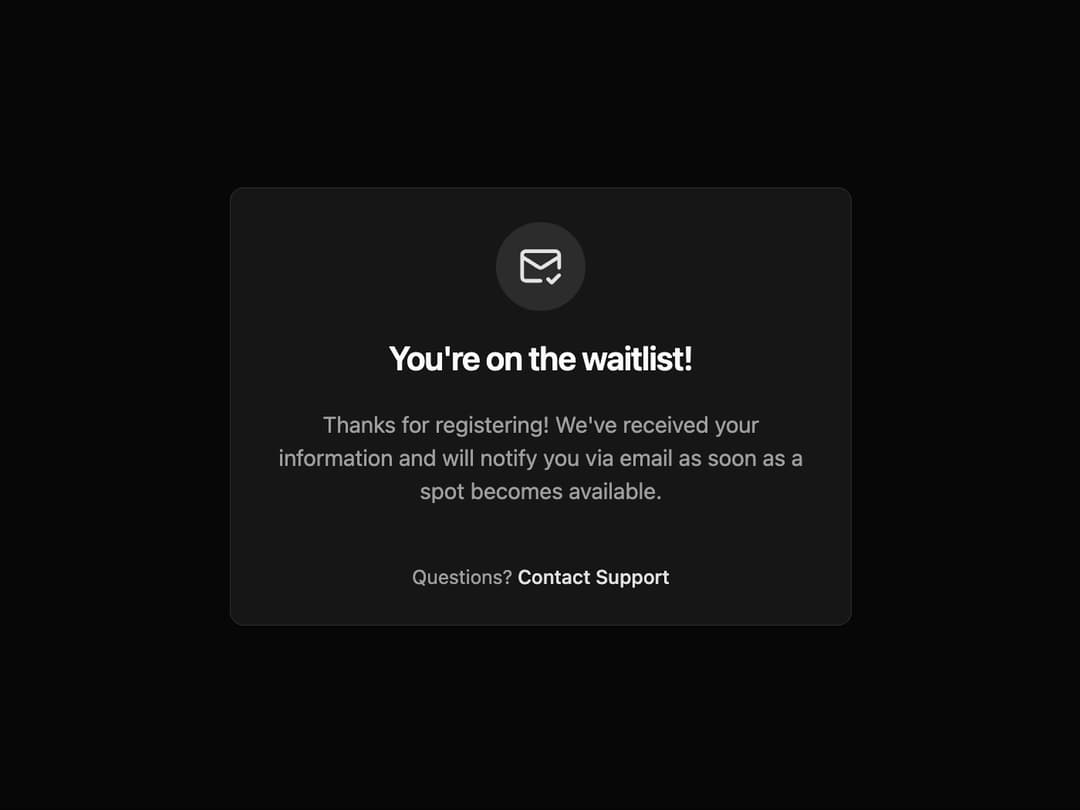
Waitlist Notification Card A responsive and theme-adaptive card component perfect for displaying status messages, such as waitlist confirmations, success notifications, or informational alerts.
Built with React and Tailwind. Copy the prompt and paste it into Claude Code, Cursor or Lovable: your agent adds Card to your project and fits it to your theme.
Code
How Card is used: the demo's code. The component's own source comes with a free account.
Usage.tsx
"use client"; // Required for useState and event handlers

import * as React from "react";
import { AnimatePresence } from "framer-motion";
import { MailCheck } from "lucide-react";
import { WaitlistCard } from "@/components/ui/card-6"; // Adjust the import path
import { Button } from "@/components/ui/button";

/**
 * An interactive demo to showcase the animated WaitlistCard.
 */
export default function WaitlistCardDemo() {
  const [isVisible, setIsVisible] = React.useState(true);

  return (
    <div className="flex w-full flex-col items-center justify-center bg-background p-4" style={{ minHeight: '450px' }}>
      <div className="absolute top-5">
        <Button onClick={() => setIsVisible(!isVisible)}>
          {isVisible ? "Hide" : "Show"} Card
        </Button>
      </div>

      <AnimatePresence>
        {isVisible && (
          <WaitlistCard
            icon={<MailCheck className="h-8 w-8" />}
            title="You're on the waitlist!"
            description="Thanks for registering! We've received your information and will notify you via email as soon as a spot becomes available."
            footerContent={
              <p className="text-sm text-muted-foreground">
                Questions?{" "}
                <a
                  href="#"
                  className="font-medium text-primary underline-offset-4 hover:underline"
                >
                  Contact Support
                </a>
              </p>
            }
          />
        )}
      </AnimatePresence>
    </div>
  );
}
Dependencies
More by Ravi Katiyar
View all

Animated Shader Hero
3.7K
Hero
3.1K
Circular Gallery
2.7K
Minimalist Hero
2.5K
Floating Icons Hero Section
1.9K
Glass Calendar
1.8K
Feature Carousel
1.7K
AI Image Generator Hero
1.4K
More in Cards
View all

Statistics Card 2
264

Course Design Cards
1.1K
Card
70
Stats cards with links
39
The Item one
3

Card Studio
7
Statistics Card 7
292

Item
10
