
About
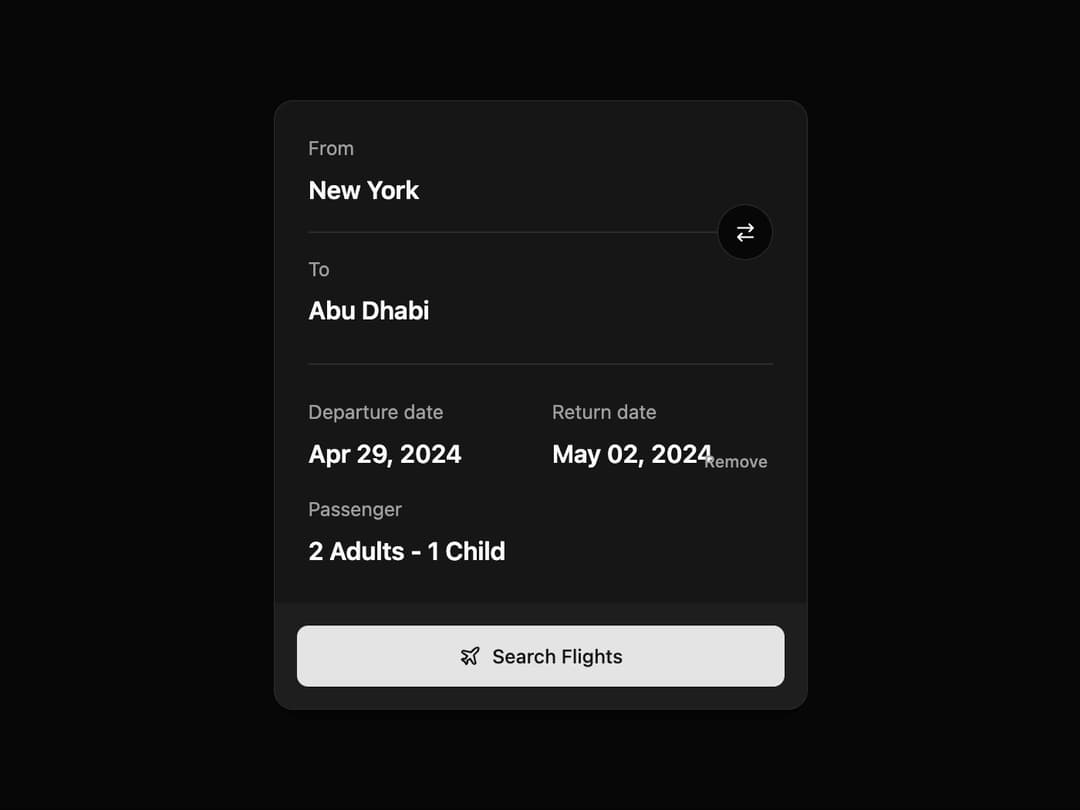
Flight Search – Effortless trip planning with clear routes, dates, and passenger details. One tap to find the best flights
Built with React and Tailwind. Copy the prompt and paste it into Claude Code, Cursor or Lovable: your agent adds Flight Search to your project and fits it to your theme.
Code
How Flight Search is used: the demo's code. The component's own source comes with a free account.
Usage.tsx
// demo.tsx

"use client";

import React, { useState } from "react";
import { FlightSearchCard } from "@/components/ui/flight-search"; // Adjust the import path

const FlightSearchDemo = () => {
  // State management for the flight search details
  const [from, setFrom] = useState("New York");
  const [to, setTo] = useState("Abu Dhabi");
  const [departure, setDeparture] = useState("Apr 29, 2024");
  const [returnDate, setReturnDate] = useState<string | null>("May 02, 2024");
  const [passengers, setPassengers] = useState("2 Adults - 1 Child");

  // Handler for swapping locations with a simple console log
  const handleSwapLocations = () => {
    console.log("Swapping locations...");
    const temp = from;
    setFrom(to);
    setTo(temp);
  };

  // Handler for removing the return date
  const handleRemoveReturn = () => {
    console.log("Removing return date...");
    setReturnDate(null);
  };

  // Handler for the search action
  const handleSearch = () => {
    alert(`Searching for flights:
      From: ${from}
      To: ${to}
      Departure: ${departure}
      Return: ${returnDate || 'One-way'}
      Passengers: ${passengers}
    `);
  };

  return (
    <div className="flex h-screen w-full items-center justify-center bg-background p-4">
      <FlightSearchCard
        fromLocation={from}
        toLocation={to}
        departureDate={departure}
        returnDate={returnDate}
        passengers={passengers}
        onSwapLocations={handleSwapLocations}
        onRemoveReturnDate={handleRemoveReturn}
        onSearch={handleSearch}
      />
    </div>
  );
};

export default FlightSearchDemo;
Dependencies
More by Ravi Katiyar
View all

Animated Shader Hero
3.7K
Hero
3.1K
Circular Gallery
2.7K
Minimalist Hero
2.5K
Floating Icons Hero Section
1.9K
Glass Calendar
1.8K
Feature Carousel
1.7K
AI Image Generator Hero
1.4K
More in Cards
View all

Statistics Card 2
264

Course Design Cards
1.1K
Card
70
Stats cards with links
39
The Item one
3

Card Studio
7
Statistics Card 7
292

Item
10
