
About
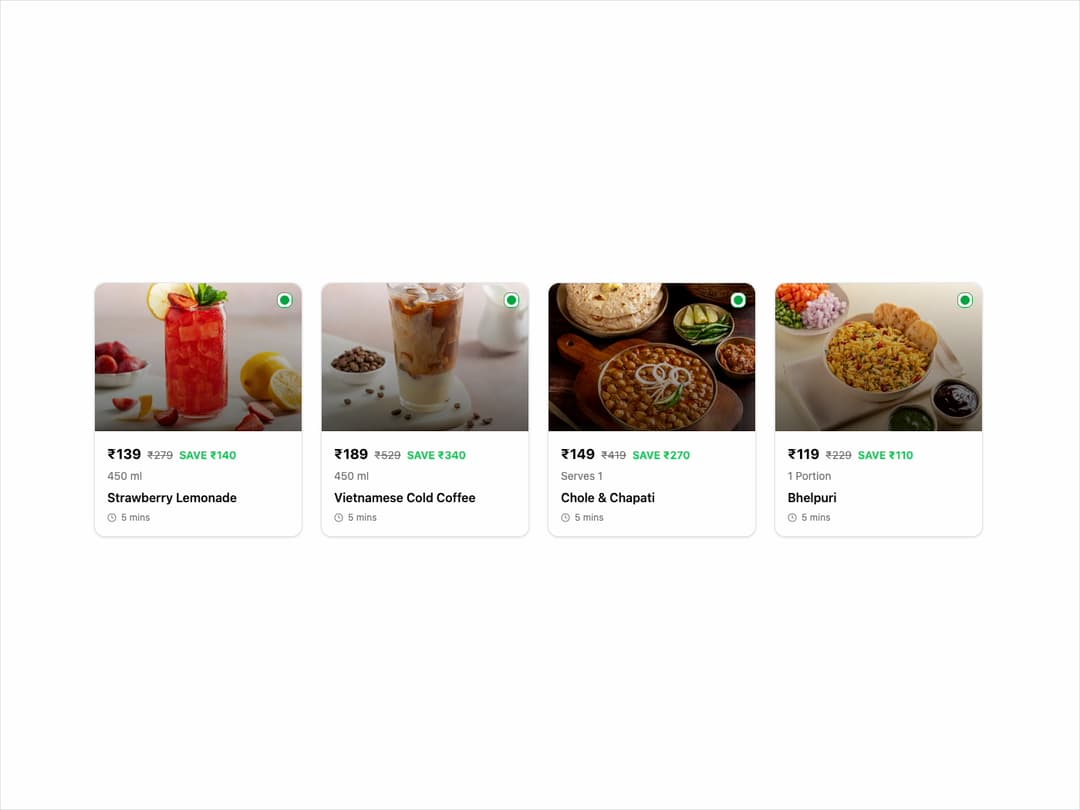
Menu Item Card This component displays a food item with its image, price, name, and an interactive "ADD" button. It's designed to be highly reusable and customizable through props.
Built with React and Tailwind. Copy the prompt and paste it into Claude Code, Cursor or Lovable: your agent adds Menu Item Card to your project and fits it to your theme.
Code
How Menu Item Card is used: the demo's code. The component's own source comes with a free account.
Usage.tsx
// demo.tsx

import { MenuItemCard } from "@/components/ui/menu-item-card"; // Adjust the import path

const menuItems = [
  {
    imageUrl: "https://cdn.21st.dev/assets/mirror/ec/ec5bce0005231b3cbe1f22ed1dd2c5be9443a4173ab13da0e5b106d648bbee86.jpg",
    isVegetarian: true,
    name: "Strawberry Lemonade",
    price: 139,
    originalPrice: 279,
    quantity: "450 ml",
    prepTimeInMinutes: 5,
  },
  {
    imageUrl: "https://cdn.21st.dev/assets/mirror/a1/a1faddabc2da5d4216759258797329cac7e26bf3e204f9205cf79f4fb6c090db.jpg",
    isVegetarian: true,
    name: "Vietnamese Cold Coffee",
    price: 189,
    originalPrice: 529,
    quantity: "450 ml",
    prepTimeInMinutes: 5,
  },
  {
    imageUrl: "https://cdn.21st.dev/assets/mirror/9a/9ae57285eafd9fa7e169ad4c43e8cd062ed0e6cc3c8fb07e84f9714a94c12bbf.jpg",
    isVegetarian: true,
    name: "Chole & Chapati",
    price: 149,
    originalPrice: 419,
    quantity: "Serves 1",
    prepTimeInMinutes: 5,
  },
  {
    imageUrl: "https://cdn.21st.dev/assets/mirror/d4/d4c9fd17d57843e1be923f33f4fb775580dcdc61a1604ea5a48bb76db3624839.jpg",
    isVegetarian: true,
    name: "Bhelpuri",
    price: 119,
    originalPrice: 229,
    quantity: "1 Portion",
    prepTimeInMinutes: 5,
  },
];

export default function MenuItemCardDemo() {
  const handleAddItem = (itemName: string) => {
    // In a real app, you'd add this to a cart state
    console.log(`Added ${itemName} to cart!`);
  };

  return (
    <div className="flex items-center justify-center w-full min-h-screen p-4 bg-background">
      <div className="grid w-full max-w-6xl grid-cols-1 gap-6 sm:grid-cols-2 lg:grid-cols-4">
        {menuItems.map((item, index) => (
          <MenuItemCard
            key={index}
            imageUrl={item.imageUrl}
            isVegetarian={item.isVegetarian}
            name={item.name}
            price={item.price}
            originalPrice={item.originalPrice}
            quantity={item.quantity}
            prepTimeInMinutes={item.prepTimeInMinutes}
            onAdd={() => handleAddItem(item.name)}
          />
        ))}
      </div>
    </div>
  );
}
Dependencies
More by Ravi Katiyar
View all

Animated Shader Hero
3.7K
Hero
3.1K
Circular Gallery
2.7K
Minimalist Hero
2.5K
Floating Icons Hero Section
1.9K
Glass Calendar
1.8K
Feature Carousel
1.7K
AI Image Generator Hero
1.4K
More in Cards
View all

Statistics Card 2
264

Course Design Cards
1.1K
Card
70
Stats cards with links
39
The Item one
3

Card Studio
7
Statistics Card 7
292

Item
10
