
About
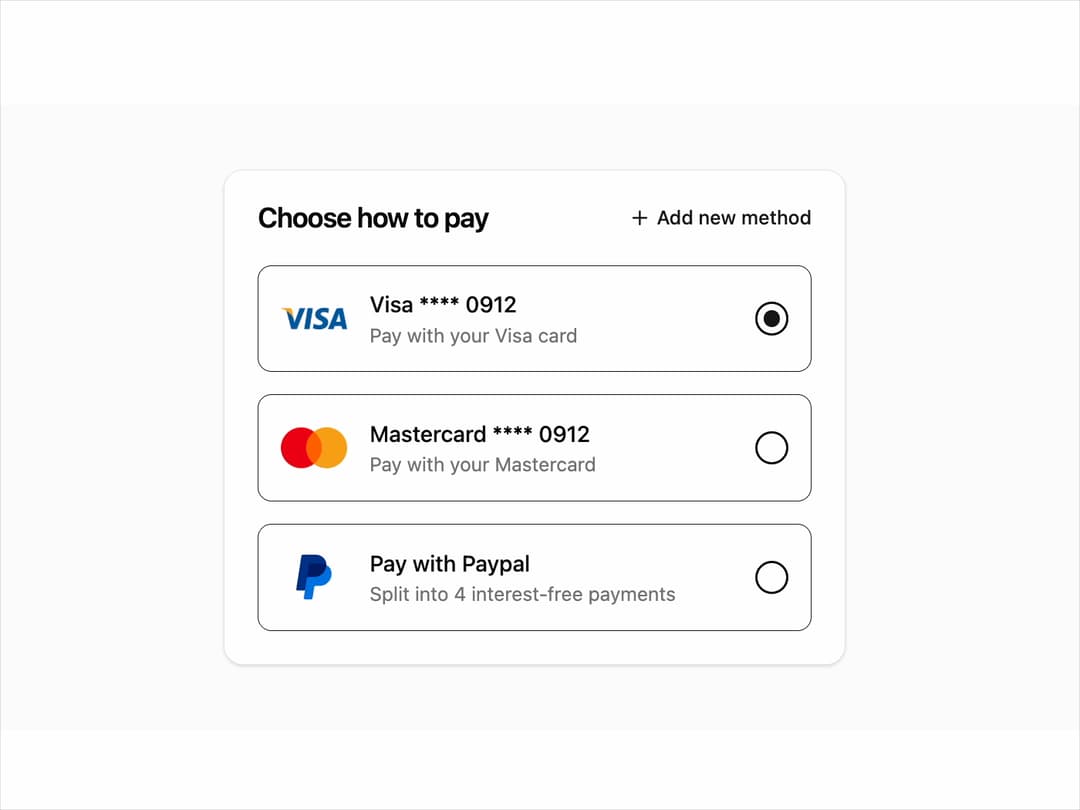
Payment Selection A sleek, user-friendly payment card selector with multiple options. Perfect for checkout flows to simplify and speed up transactions.
Built with React and Tailwind. Copy the prompt and paste it into Claude Code, Cursor or Lovable: your agent adds Payment to your project and fits it to your theme.
Code
How Payment is used: the demo's code. The component's own source comes with a free account.
Usage.tsx
import * as React from 'react';
import { PaymentMethodSelector } from "@/components/ui/payment-1"; // Adjust path as needed

export default function PaymentMethodSelectorDemo() {
  const [selectedMethod, setSelectedMethod] = React.useState<string | number>(1);

  // --- Updated paymentMethods array with image URLs ---
  const paymentMethods = [
    {
      id: 1,
      icon: (
        <img
          src="https://upload.wikimedia.org/wikipedia/commons/thumb/5/5e/Visa_Inc._logo.svg/2560px-Visa_Inc._logo.svg.png"
          alt="Visa"
          className="h-8 w-12 object-contain"
        />
      ),
      label: "Visa **** 0912",
      description: "Pay with your Visa card",
    },
    {
      id: 2,
      icon: (
        <img
          src="https://upload.wikimedia.org/wikipedia/commons/thumb/a/a4/Mastercard_2019_logo.svg/1200px-Mastercard_2019_logo.svg.png"
          alt="Mastercard"
          className="h-8 w-12 object-contain"
        />
      ),
      label: "Mastercard **** 0912",
      description: "Pay with your Mastercard",
    },
    {
      id: 3,
      icon: (
        <img
          src="https://cdn.21st.dev/assets/mirror/af/af4171718f901888c2d732fa6d082f6fd53284b879c55ed747db1c770e7f0c07.svg"
          alt="Paypal"
          className="h-8 w-12 object-contain"
        />
      ),
      label: "Pay with Paypal",
      description: "Split into 4 interest-free payments",
    },
  ];

  return (
    <div className="flex min-h-[450px] w-full items-center justify-center bg-muted/30 p-4">
      <PaymentMethodSelector
        title="Choose how to pay"
        actionText="Add new method"
        methods={paymentMethods}
        defaultSelectedId={selectedMethod}
        onActionClick={() => alert("Add new method clicked!")}
        onSelectionChange={(id) => {
          console.log("Selected payment method ID:", id);
          setSelectedMethod(id);
        }}
      />
    </div>
  );
}
Dependencies
More by Ravi Katiyar
View all

Animated Shader Hero
3.7K
Hero
3.1K
Circular Gallery
2.7K
Minimalist Hero
2.5K
Floating Icons Hero Section
1.9K
Glass Calendar
1.8K
Feature Carousel
1.7K
AI Image Generator Hero
1.4K
More in Cards
View all

Statistics Card 2
264

Course Design Cards
1.1K
Card
70
Stats cards with links
39
The Item one
3

Card Studio
7
Statistics Card 7
292

Item
10
