
About
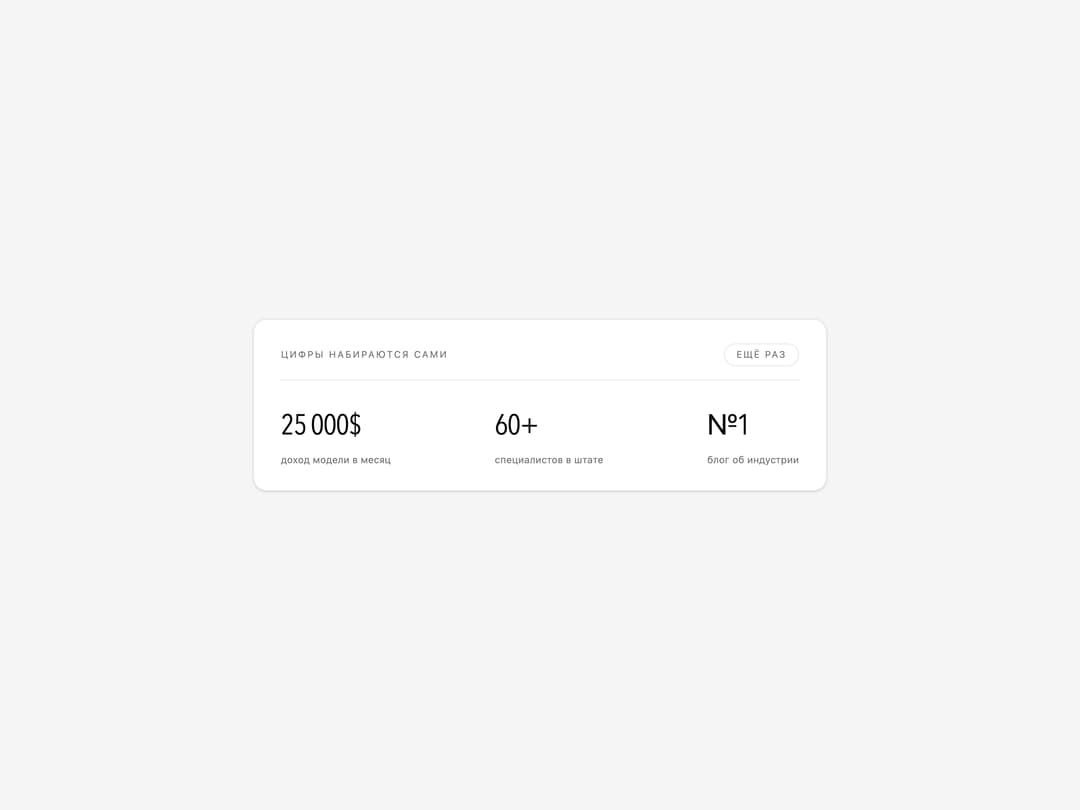
Staggered count-up statistics row — final values live in the markup, so no-JS and reduced-motion visitors still see the real numbers.
Built with React and Tailwind. Copy the prompt and paste it into Claude Code, Cursor or Lovable: your agent adds Count Up Stats to your project and fits it to your theme.
Code
How Count Up Stats is used: the demo's code. The component's own source comes with a free account.
Usage.tsx
"use client"

import * as React from "react"

import { CountUpStats } from "@/components/ui/count-up-stats"

/* Шрифт значений компонент берёт из переменной --stat-font и по умолчанию
   наследует шрифт страницы. На сайте там стоит Michroma — широкий
   геометрический гротеск с ровными разрядами; здесь подставлен стек без
   загрузки извне, чтобы демо оставалось самодостаточным. Свой шрифт
   подключается на стороне проекта и просто пишется в --stat-font. */
const STAT_FONT =
  '"Michroma", "Eurostile", "Bahnschrift", "Avenir Next Condensed", ui-sans-serif, system-ui, sans-serif'

const ITEMS = [
  { value: "25 000$", label: "доход модели в месяц" },
  { value: "60+", label: "специалистов в штате" },
  /* счёт вниз: с девятки к единице */
  { value: "№1", label: "блог об индустрии", from: 9 },
]

export default function CountUpStatsDemo() {
  /* смена ключа пересобирает блок — удобно посмотреть анимацию ещё раз */
  const [run, setRun] = React.useState(0)

  return (
    <div className="flex min-h-[340px] w-full items-center justify-center bg-muted p-6">
      <div className="w-full max-w-[680px] rounded-2xl border border-border bg-background px-8 py-7 shadow-sm">
        <div className="mb-7 flex items-baseline justify-between gap-4 border-b border-border pb-4">
          <span className="text-[11px] uppercase tracking-[0.16em] text-muted-foreground">
            цифры набираются сами
          </span>
          <button
            type="button"
            onClick={() => setRun((n) => n + 1)}
            className="rounded-full border border-border px-3.5 py-1 text-[11px] uppercase tracking-[0.14em] text-muted-foreground transition-colors hover:text-foreground"
          >
            ещё раз
          </button>
        </div>

        <CountUpStats
          key={run}
          items={ITEMS}
          startOnView={false}
          /* на первом показе блок не прячем — иначе он висит прозрачным
             всю задержку подъёма. Подъём смотрится по кнопке «ещё раз» */
          reveal={run > 0}
          valueClassName="text-[clamp(22px,3vw,34px)]"
          style={{ "--stat-font": STAT_FONT } as React.CSSProperties}
        />
      </div>
    </div>
  )
}
More by Tatiana
View all

Gooey CTA Button
1
Glass Mark 3D
Refractive Glass Panel

Letter Rise Heading

Curtain Preloader

Striped Glow Background