
About
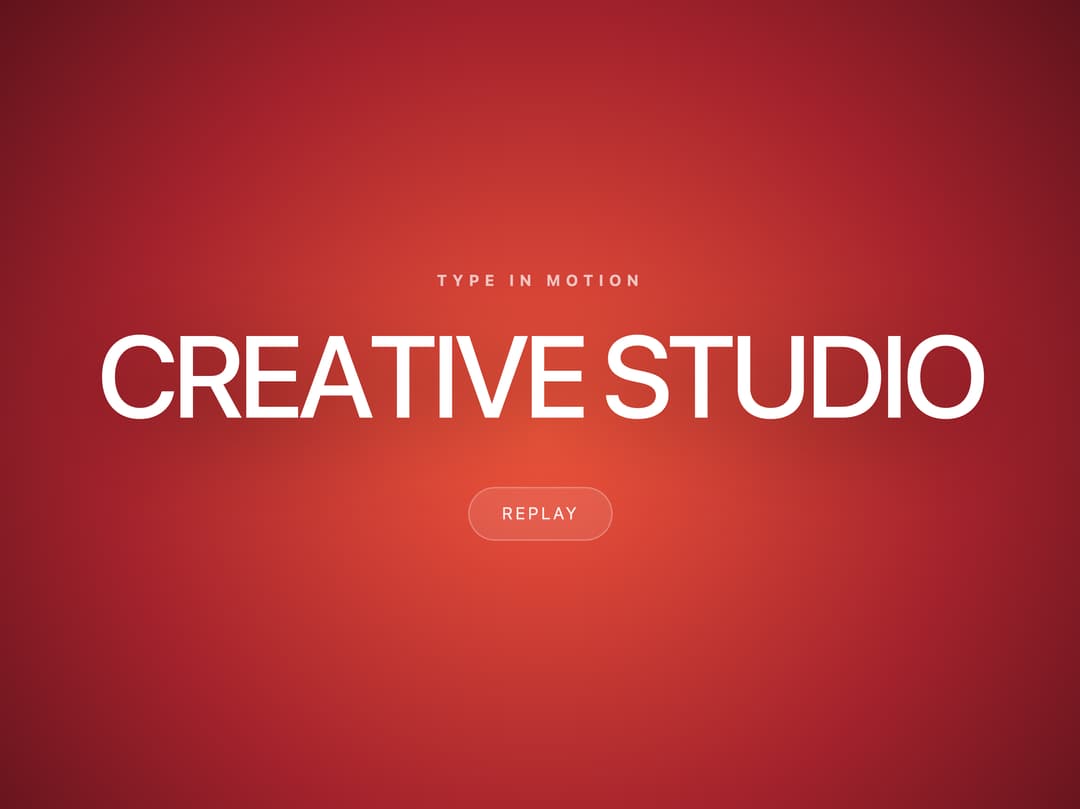
Heading that assembles itself: every letter rises from under its own mask in a left-to-right wave.
Built with React and Tailwind. Copy the prompt and paste it into Claude Code, Cursor or Lovable: your agent adds Letter Rise Heading to your project and fits it to your theme.
Code
How Letter Rise Heading is used: the demo's code. The component's own source comes with a free account.
Usage.tsx
"use client";

import * as React from "react";
import { LetterRiseHeading } from "@/components/ui/letter-rise-heading";

/* Демо: тот случай, ради которого приём и придумывался — крупный заголовок
   на тёмном свечении, где волна букв читается целиком.

   Шрифт берётся из проекта: приём держится на маске и такте, а не на
   конкретной гарнитуре. С плотным гротеском и отрицательным трекингом
   волна выглядит собраннее — тогда и пригодится запас по бокам у маски.

   Кнопка меняет key и перемонтирует заголовок, чтобы волну можно было
   отсмотреть несколько раз подряд. */

export default function LetterRiseHeadingDemo() {
  const [run, setRun] = React.useState(0);

  return (
    <div
      className="relative flex min-h-screen w-full flex-col items-center justify-center overflow-hidden px-6"
      style={{
        background:
          "radial-gradient(70% 90% at 50% 52%, #f4573c 0%, #a3222c 34%, #4a0e17 62%, #1a060b 88%, #0b0306 100%)",
      }}
    >
      <p
        className="mb-5 text-center text-[11px] font-bold uppercase text-white/70"
        style={{ letterSpacing: "0.34em" }}
      >
        Type in motion
      </p>

      <LetterRiseHeading
        key={run}
        text="Creative Studio"
        className="text-center text-white"
        style={{
          fontSize: "clamp(26px, 6.4vw, 92px)",
          fontWeight: 500,
          lineHeight: 0.95,
          letterSpacing: "-0.045em",
          textTransform: "uppercase",
        }}
        shadow="0 14px 30px rgba(0,0,0,.45)"
      />

      <button
        type="button"
        onClick={() => setRun((n) => n + 1)}
        className="mt-10 rounded-full bg-white/10 px-6 py-2.5 text-[12px] uppercase text-white/90 ring-1 ring-inset ring-white/25 transition hover:bg-white/20"
        style={{ letterSpacing: "0.14em" }}
      >
        Replay
      </button>
    </div>
  );
}
More by Tatiana
View all

Gooey CTA Button
1
Glass Mark 3D
Refractive Glass Panel
Count Up Stats
Curtain Preloader
Striped Glow Background