
About
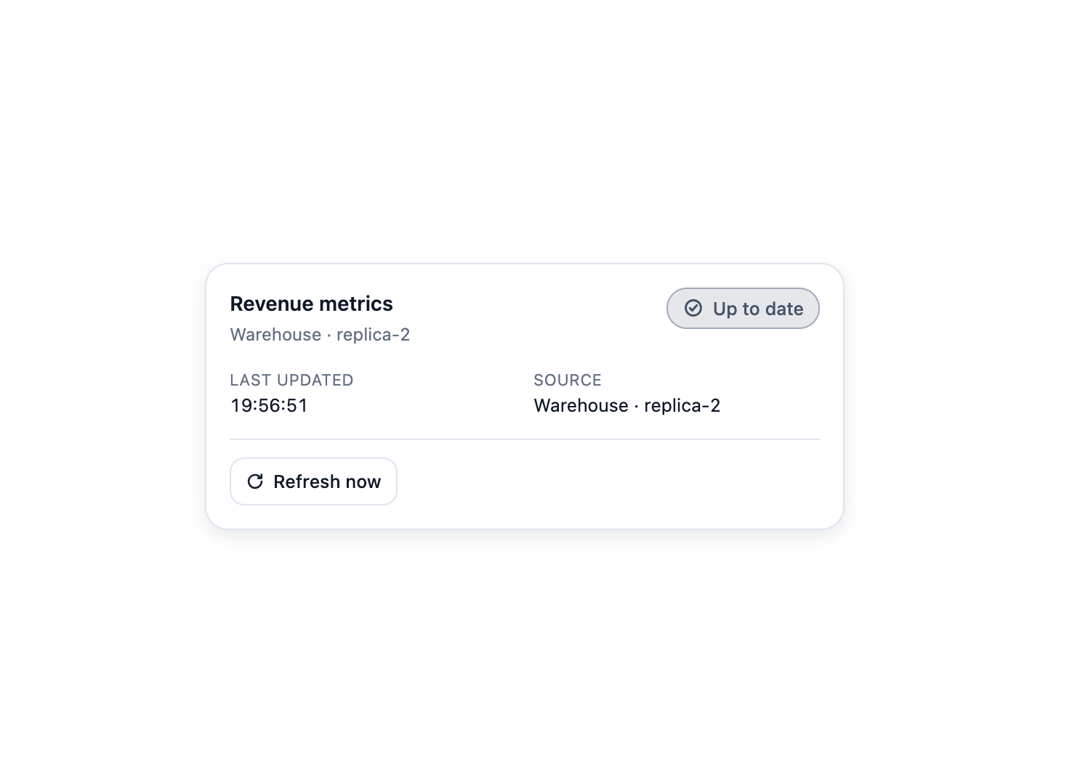
An accessible status indicator that shows the lifecycle of a data source — idle, checking, refreshing, partially updated, success, stale, offline, error, paused, or cancelled — with manual refresh, cancel, retry, pause/resume, and auto-refresh interval controls for dashboards and data widgets.
Built with React and Tailwind. Copy the prompt and paste it into Claude Code, Cursor or Lovable: your agent adds Data Refresh State to your project and fits it to your theme.
Code
How Data Refresh State is used: the demo's code. The component's own source comes with a free account.
Usage.tsx
"use client";

import * as React from "react";
import DataRefreshState, {
  type RefreshState,
} from "@/components/ui/data-refresh-state";

export default function DataRefreshStateDemo() {
  const [state, setState] = React.useState<RefreshState>("idle");
  const [lastUpdated, setLastUpdated] = React.useState(
    () => Date.now() - 5 * 60 * 1000,
  );

  const handleRefresh = () => {
    setState("refreshing");
    window.setTimeout(() => {
      setState("success");
      setLastUpdated(Date.now());
    }, 1500);
    window.setTimeout(() => setState("idle"), 3200);
  };

  return (
    <div className="flex w-full items-center justify-center p-6">
      <DataRefreshState
        state={state}
        label="Revenue metrics"
        lastUpdated={lastUpdated}
        source="Warehouse · replica-2"
        mode="panel"
        onRefresh={handleRefresh}
      />
    </div>
  );
}
Dependencies
More by Mehi
View all
Border Beam Panel
929
Compare Reveal
304
Decrypt Text
240
Holo Card
220
Magnetic Dock
157
Luminous Topography
106
Lens Card
83
Copperplate Hatch
59
More in Dashboards
View all
Dashboard with Collapsible Sidebar
2.4K

Sidebar
234

SaaS Template
2.4K
Stats Bento
1.1K

Financial Bento Grid
71
Stats cards with links
33

Course Design Cards
1.1K

Chat template
598


