
About
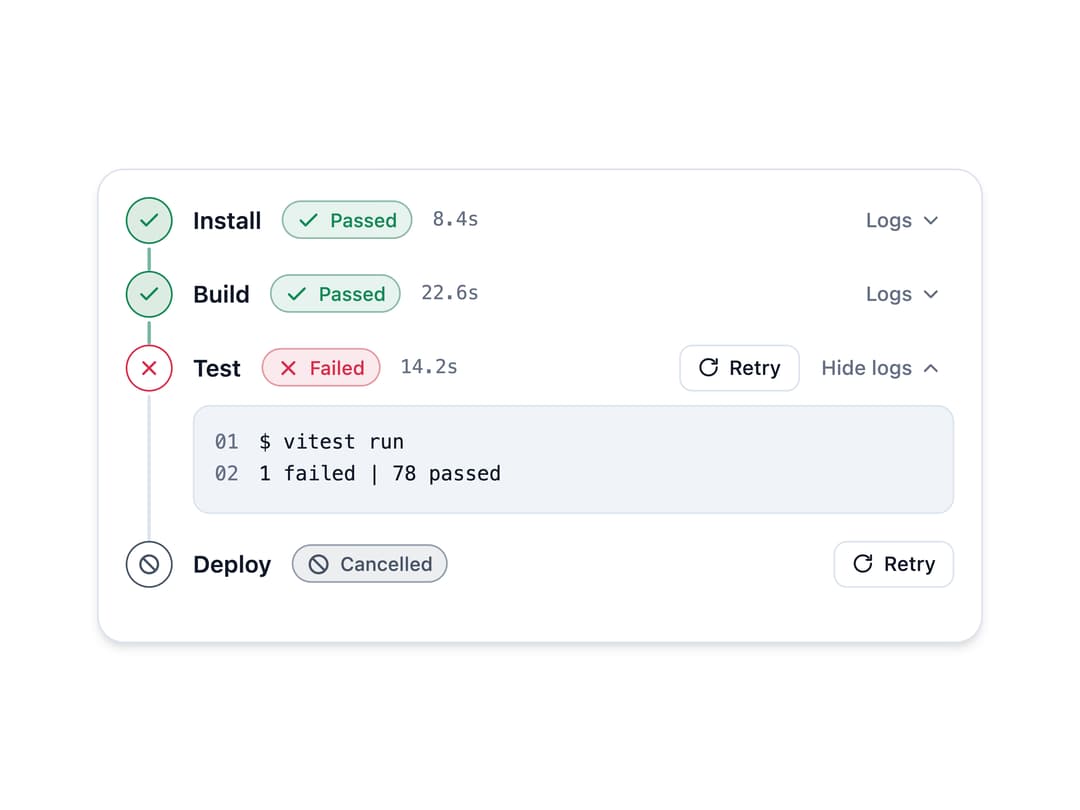
A display component that visualizes a CI/CD deployment run as ordered stages with status (queued, running, passed, failed, cancelled, skipped), per-stage durations, expandable logs, and a retry action on failed stages.
Built with React and Tailwind. Copy the prompt and paste it into Claude Code, Cursor or Lovable: your agent adds Deployment Pipeline to your project and fits it to your theme.
Code
How Deployment Pipeline is used: the demo's code. The component's own source comes with a free account.
Usage.tsx
import {
  DeploymentPipeline,
  type Stage,
} from "@/components/ui/deployment-pipeline";

const stages: Stage[] = [
  {
    id: "install",
    name: "Install",
    status: "passed",
    durationMs: 8400,
    logs: ["$ pnpm install", "Done in 8.4s"],
  },
  {
    id: "build",
    name: "Build",
    status: "passed",
    durationMs: 22600,
    logs: ["$ next build", "Compiled successfully"],
  },
  {
    id: "test",
    name: "Test",
    status: "failed",
    durationMs: 14200,
    logs: ["$ vitest run", "1 failed | 78 passed"],
  },
  { id: "deploy", name: "Deploy", status: "cancelled" },
];

export default function DeploymentPipelineDemo() {
  return (
    <div className="w-full max-w-xl p-6">
      <DeploymentPipeline
        stages={stages}
        defaultExpandedId="test"
        onRetry={(id) => console.log("retry", id)}
      />
    </div>
  );
}
Dependencies
More by Mehi
View all
Border Beam Panel
929
Compare Reveal
304
Decrypt Text
240
Holo Card
220
Magnetic Dock
157
Luminous Topography
106
Lens Card
83
Copperplate Hatch
59