
About
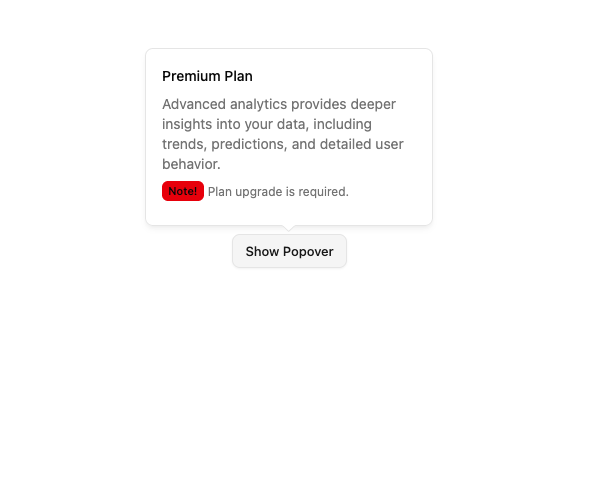
A floating panel that appears on demand. Built on top of Base UI Popover component with shadcn styling.
Built with React and Tailwind. Copy the prompt and paste it into Claude Code, Cursor or Lovable: your agent adds Base Popover to your project and fits it to your theme.
Code
How Base Popover is used: the demo's code. The component's own source comes with a free account.
Usage.tsx
import { Badge } from '@/components/ui/base-badge';
import { Popover, PopoverContent, PopoverTrigger } from '@/components/ui/base-popover';
import { Button } from '@/components/ui/base-button';

export default function BasePopoverDemo() {
  return (
    <Popover>
      <PopoverTrigger render={<Button variant="outline" />}>Show Popover</PopoverTrigger>
      <PopoverContent className="max-w-[300px] text-sm space-y-2" side="top">
        {/* Title */}
        <p className="font-medium">Premium Plan</p>

        {/* Description */}
        <p className="text-muted-foreground">
          Advanced analytics provides deeper insights into your data, including trends, predictions, and detailed user
          behavior.
        </p>

        {/* Additional Note */}
        <p className="flex items-center space-x-1">
          <Badge variant="destructive" size="sm">
            Note!
          </Badge>
          <span className="text-xs text-muted-foreground">Plan upgrade is required.</span>
        </p>
      </PopoverContent>
    </Popover>
  );
}
Dependencies
More by Sean Hello
View all

3D Testimonails
3.3K
Line Charts 9
636
Alert
492
Area Charts 1
385
Line Charts 6
384
Scroll Area
376
Area Charts 2
317
Navigation Menu
305
More in Buttons
View all
Button
14
Button
34
Texture Button
92
Button Save
46

Button
64

Button Group
3

App Store Button
454

Notification Button
103

