About
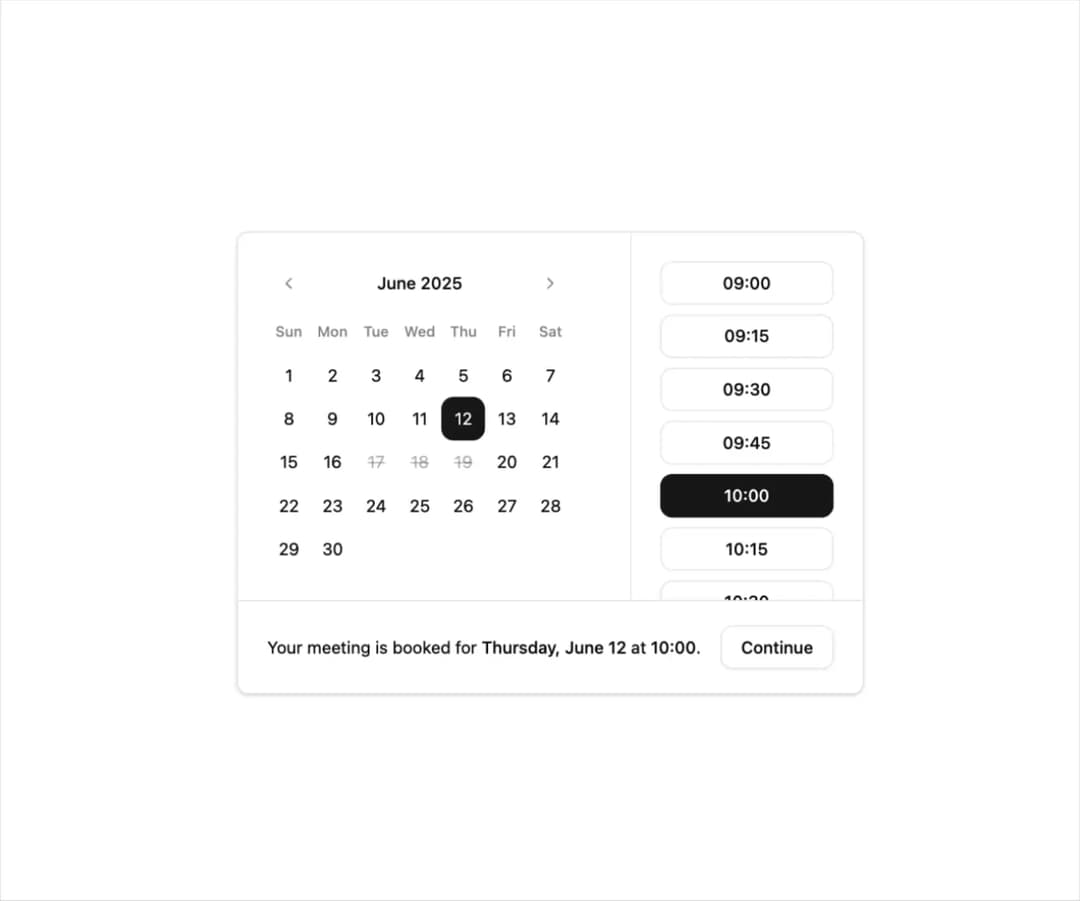
Here is shadcn calendar component with time pressets
Built with React and Tailwind. Copy the prompt and paste it into Claude Code, Cursor or Lovable: your agent adds Calendar with time pressets to your project and fits it to your theme.
Code
How Calendar with time pressets is used: the demo's code. The component's own source comes with a free account.
Usage.tsx
"use client"

import * as React from "react"

import { Button } from "@/components/ui/button"
import { Calendar } from "@/components/ui/calendar"
import { Card, CardContent, CardFooter } from "@/components/ui/card"

export function Calendar20() {
  const [date, setDate] = React.useState<Date | undefined>(
    new Date(2025, 5, 12)
  )
  const [selectedTime, setSelectedTime] = React.useState<string | null>("10:00")
  const timeSlots = Array.from({ length: 37 }, (_, i) => {
    const totalMinutes = i * 15
    const hour = Math.floor(totalMinutes / 60) + 9
    const minute = totalMinutes % 60
    return `${hour.toString().padStart(2, "0")}:${minute.toString().padStart(2, "0")}`
  })

  const bookedDates = Array.from(
    { length: 3 },
    (_, i) => new Date(2025, 5, 17 + i)
  )

  return (
    <Card className="gap-0 p-0">
      <CardContent className="relative p-0 md:pr-48">
        <div className="p-6">
          <Calendar
            mode="single"
            selected={date}
            onSelect={setDate}
            defaultMonth={date}
            disabled={bookedDates}
            showOutsideDays={false}
            modifiers={{
              booked: bookedDates,
            }}
            modifiersClassNames={{
              booked: "[&>button]:line-through opacity-100",
            }}
            className="bg-transparent p-0 [--cell-size:--spacing(10)] md:[--cell-size:--spacing(12)]"
            formatters={{
              formatWeekdayName: (date) => {
                return date.toLocaleString("en-US", { weekday: "short" })
              },
            }}
          />
        </div>
        <div className="no-scrollbar inset-y-0 right-0 flex max-h-72 w-full scroll-pb-6 flex-col gap-4 overflow-y-auto border-t p-6 md:absolute md:max-h-none md:w-48 md:border-t-0 md:border-l">
          <div className="grid gap-2">
            {timeSlots.map((time) => (
              <Button
                key={time}
                variant={selectedTime === time ? "default" : "outline"}
                onClick={() => setSelectedTime(time)}
                className="w-full shadow-none"
              >
                {time}
              </Button>
            ))}
          </div>
        </div>
      </CardContent>
      <CardFooter className="flex flex-col gap-4 border-t px-6 !py-5 md:flex-row">
        <div className="text-sm">
          {date && selectedTime ? (
            <>
              Your meeting is booked for{" "}
              <span className="font-medium">
                {" "}
                {date?.toLocaleDateString("en-US", {
                  weekday: "long",
                  day: "numeric",
                  month: "long",
                })}{" "}
              </span>
              at <span className="font-medium">{selectedTime}</span>.
            </>
          ) : (
            <>Select a date and time for your meeting.</>
          )}
        </div>
        <Button
          disabled={!date || !selectedTime}
          className="w-full md:ml-auto md:w-auto"
          variant="outline"
        >
          Continue
        </Button>
      </CardFooter>
    </Card>
  )
}
More by shadcn
View all

Navigation menu
771
Sidebar
339
Sonner
231
Chart
216
Icons
178
Dropdown Menu
150
Calendar with event slots
116
Data Table
114