About
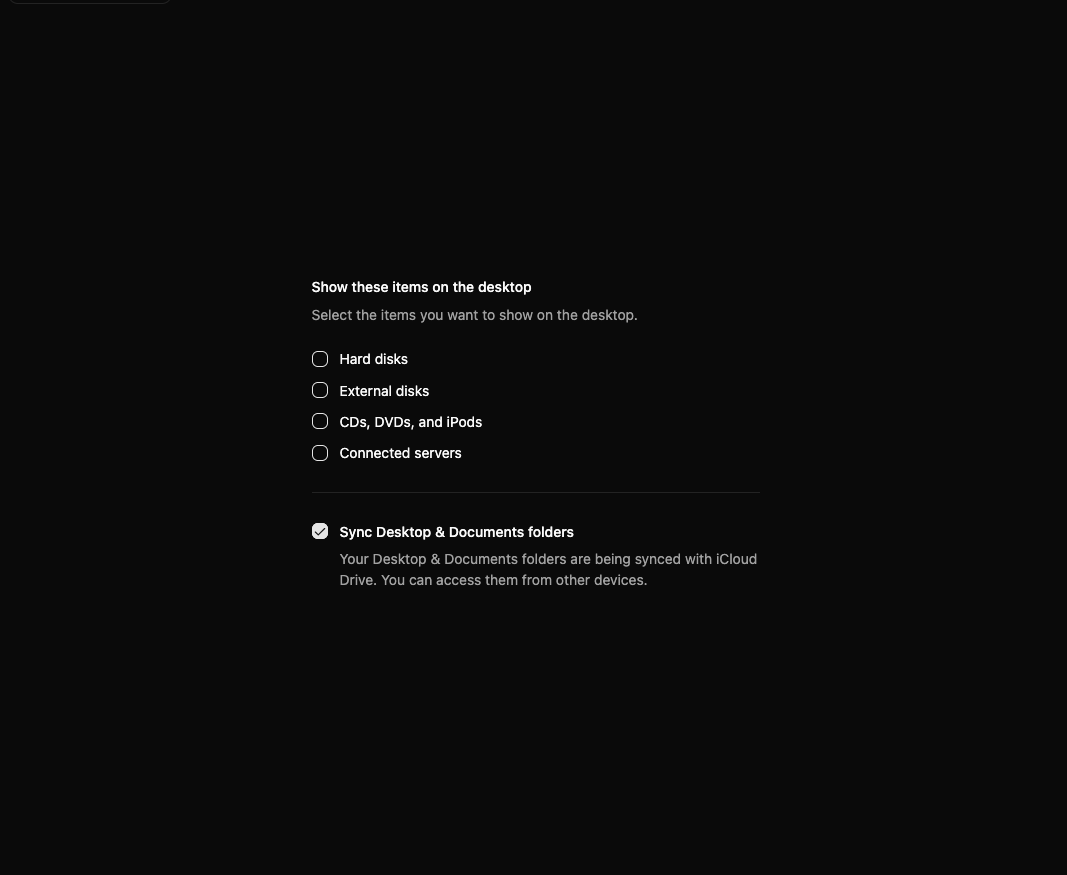
Here is Field component
Built with React and Tailwind. Copy the prompt and paste it into Claude Code, Cursor or Lovable: your agent adds Field to your project and fits it to your theme.
Code
How Field is used: the demo's code. The component's own source comes with a free account.
Usage.tsx
import { Checkbox } from "@/components/ui/checkbox"
import {
  Field,
  FieldContent,
  FieldDescription,
  FieldGroup,
  FieldLabel,
  FieldLegend,
  FieldSeparator,
  FieldSet,
} from "@/components/ui/field-1"

export default function FieldCheckbox() {
  return (
    <div className="w-full max-w-md">
      <FieldGroup>
        <FieldSet>
          <FieldLegend variant="label">
            Show these items on the desktop
          </FieldLegend>
          <FieldDescription>
            Select the items you want to show on the desktop.
          </FieldDescription>
          <FieldGroup className="gap-3">
            <Field orientation="horizontal">
              <Checkbox id="finder-pref-9k2-hard-disks-ljj" />
              <FieldLabel
                htmlFor="finder-pref-9k2-hard-disks-ljj"
                className="font-normal"
                defaultChecked
              >
                Hard disks
              </FieldLabel>
            </Field>
            <Field orientation="horizontal">
              <Checkbox id="finder-pref-9k2-external-disks-1yg" />
              <FieldLabel
                htmlFor="finder-pref-9k2-external-disks-1yg"
                className="font-normal"
              >
                External disks
              </FieldLabel>
            </Field>
            <Field orientation="horizontal">
              <Checkbox id="finder-pref-9k2-cds-dvds-fzt" />
              <FieldLabel
                htmlFor="finder-pref-9k2-cds-dvds-fzt"
                className="font-normal"
              >
                CDs, DVDs, and iPods
              </FieldLabel>
            </Field>
            <Field orientation="horizontal">
              <Checkbox id="finder-pref-9k2-connected-servers-6l2" />
              <FieldLabel
                htmlFor="finder-pref-9k2-connected-servers-6l2"
                className="font-normal"
              >
                Connected servers
              </FieldLabel>
            </Field>
          </FieldGroup>
        </FieldSet>
        <FieldSeparator />
        <Field orientation="horizontal">
          <Checkbox id="finder-pref-9k2-sync-folders-nep" defaultChecked />
          <FieldContent>
            <FieldLabel htmlFor="finder-pref-9k2-sync-folders-nep">
              Sync Desktop & Documents folders
            </FieldLabel>
            <FieldDescription>
              Your Desktop & Documents folders are being synced with iCloud
              Drive. You can access them from other devices.
            </FieldDescription>
          </FieldContent>
        </Field>
      </FieldGroup>
    </div>
  )
}
Dependencies
More by shadcn
View all

Navigation menu
771
Calendar with time pressets
504
Sidebar
339
Sonner
231
Chart
216
Icons
178
Dropdown Menu
149
Calendar with event slots
116
More in Forms
View all

Premium Auth
500

Login 2
7
Authentication Card
47

Login 1
52

Contact Card
1K
Login Form
6
Form
16

Book A Demo 3
83
