
About
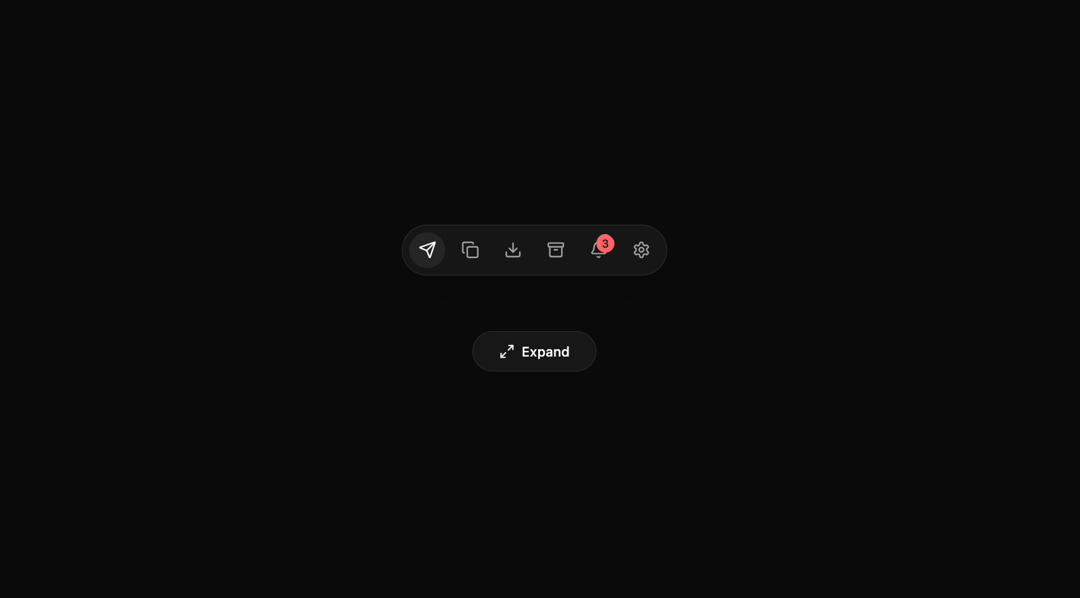
Built with React and Tailwind. Copy the prompt and paste it into Claude Code, Cursor or Lovable: your agent adds BeUI Expanable Action Bar to your project and fits it to your theme.
Code
How BeUI Expanable Action Bar is used: the demo's code. The component's own source comes with a free account.
Usage.tsx
"use client";

import {
  Archive,
  Bell,
  Copy,
  Download,
  Send,
  Settings,
} from "lucide-react";
import { AnimatePresence, motion } from "motion/react";
import { useMemo, useState } from "react";
import {
  ExpandableActionBar,
  type ExpandableActionBarItem,
} from "@/components/ui/be-ui-expanable-action-bar";

const ACTIONS: ExpandableActionBarItem[] = [
  {
    id: "send",
    label: "Send",
    icon: <Send className="h-4 w-4 motion-safe:group-hover:animate-action-send" />,
    shortcut: "S",
  },
  {
    id: "copy",
    label: "Copy",
    icon: <Copy className="h-4 w-4 motion-safe:group-hover:animate-action-copy" />,
    shortcut: "C",
  },
  {
    id: "download",
    label: "Export",
    icon: <Download className="h-4 w-4 motion-safe:group-hover:animate-action-download" />,
    shortcut: "E",
  },
  {
    id: "archive",
    label: "Archive",
    icon: <Archive className="h-4 w-4 motion-safe:group-hover:animate-action-archive" />,
  },
  {
    id: "alerts",
    label: "Alerts",
    icon: <Bell className="h-4 w-4 origin-top motion-safe:group-hover:animate-action-bell" />,
    badge: "3",
  },
  {
    id: "settings",
    label: "Settings",
    icon: <Settings className="h-4 w-4 motion-safe:group-hover:animate-action-settings" />,
  },
];

export default function ExpandableActionBarPreview() {
  const [expanded, setExpanded] = useState(false);
  const [activeId, setActiveId] = useState("send");

  const items = useMemo(
    () =>
      ACTIONS.map((item) => ({
        ...item,
        active: item.id === activeId,
      })),
    [activeId],
  );

  return (
    <div className="flex min-h-72 w-full flex-col items-center justify-center gap-6">
      <div className="flex min-h-24 items-center justify-center">
        <ExpandableActionBar
          items={items}
          expanded={expanded}
          onExpandedChange={setExpanded}
          activeId={activeId}
          onAction={(item) => setActiveId(item.id)}
          classNames={{
            item: "group",
          }}
        />
      </div>

      <div className="flex flex-wrap items-center justify-center gap-2">
        <motion.button
          type="button"
          onClick={() => setExpanded((current) => !current)}
          className="relative flex h-9 w-[110px] items-center justify-center overflow-hidden rounded-full border border-border bg-card text-xs font-medium text-foreground transition-colors hover:border-(--color-border-strong)"
          whileHover={{ scale: 1.02 }}
          whileTap={{ scale: 0.96 }}
        >
          <motion.div layout className="flex items-center gap-1.5">
            <motion.svg
              width="24"
              height="24"
              viewBox="0 0 24 24"
              fill="none"
              stroke="currentColor"
              strokeWidth="2"
              strokeLinecap="round"
              strokeLinejoin="round"
              className="h-3.5 w-3.5 shrink-0"
            >
              <motion.path
                initial={false}
                animate={{
                  d: expanded ? "M 10 20 L 10 14 L 4 14" : "M 9 21 L 3 21 L 3 15",
                }}
                transition={{ type: "spring", bounce: 0, duration: 0.3 }}
              />
              <motion.path
                initial={false}
                animate={{
                  d: expanded ? "M 14 4 L 14 10 L 20 10" : "M 15 3 L 21 3 L 21 9",
                }}
                transition={{ type: "spring", bounce: 0, duration: 0.3 }}
              />
              <line x1="14" x2="21" y1="10" y2="3" />
              <line x1="3" x2="10" y1="21" y2="14" />
            </motion.svg>
            <AnimatePresence mode="popLayout" initial={false}>
              <motion.span
                key={expanded ? "expanded" : "collapsed"}
                initial={{ opacity: 0, y: -25, filter: "blur(4px)" }}
                animate={{ opacity: 1, y: 0, filter: "blur(0px)" }}
                exit={{ opacity: 0, y: 25, filter: "blur(4px)" }}
                transition={{ type: "spring", bounce: 0, duration: 0.3 }}
              >
                {expanded ? "Collapse" : "Expand"}
              </motion.span>
            </AnimatePresence>
          </motion.div>
        </motion.button>
      </div>
    </div>
  );
}
Dependencies
More by Saurabh
View all
BeUI Tilt Card
365
BeUI Expandable Tabs
341
BeUI File Upload
287
BeUI Create Menu
199
BeUI Bouncy Accordion
199
Loader
172
BeUI OTP Input
166
BeUI 404 / Not Found
165
More in Buttons
View all

Button
5

App Store Button
453

Button
47

Eclipse Button
39
Texture Button
92

Button
4
Split Button
14

Button
32

