
About
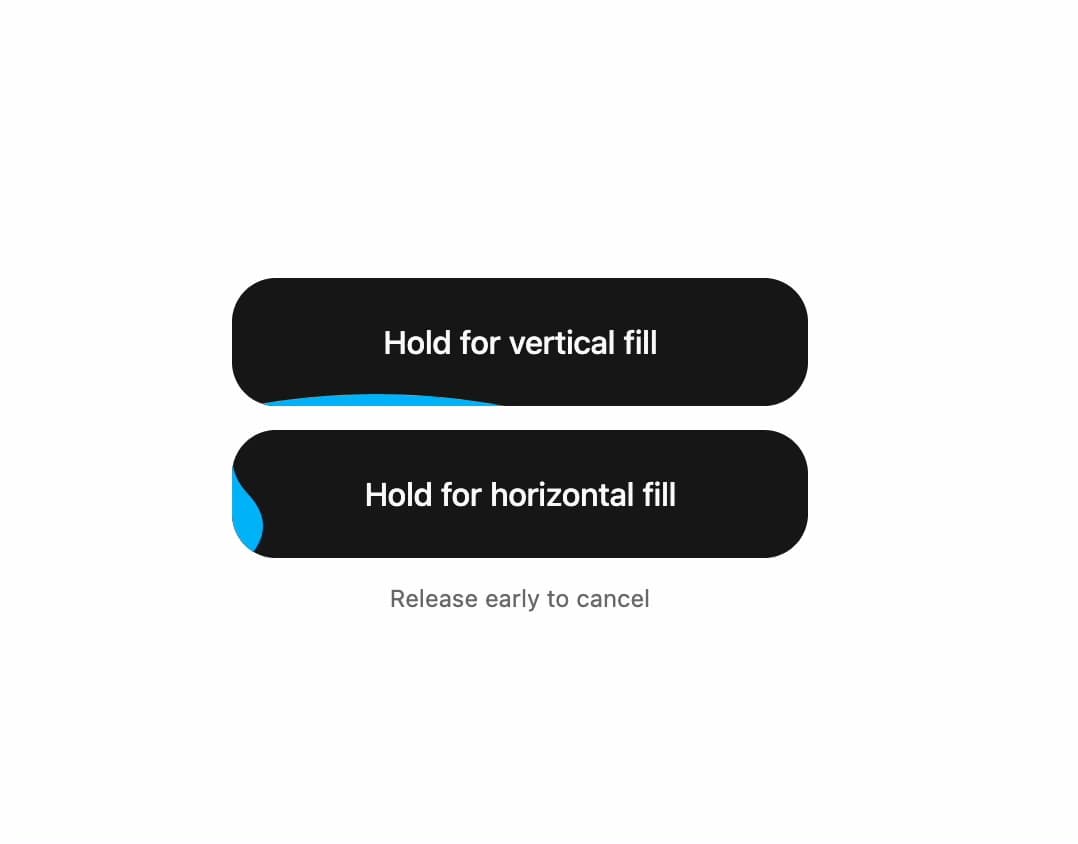
A press-and-hold button that fills with a liquid animation to confirm a destructive or important action, cancelling if released early.
Built with React and Tailwind. Copy the prompt and paste it into Claude Code, Cursor or Lovable: your agent adds Hold Action Button to your project and fits it to your theme.
Code
How Hold Action Button is used: the demo's code. The component's own source comes with a free account.
Usage.tsx
"use client";

import HoldActionButton from "@/components/ui/hold-action-button";
import { useState } from "react";

export default function HoldActionButtonPreview() {
  const [confirmed, setConfirmed] = useState(false);

  return (
    <div className="flex flex-col items-center justify-center gap-3">
      <HoldActionButton
        onHoldComplete={() => {
          setConfirmed(true);
          window.setTimeout(() => setConfirmed(false), 1800);
        }}
      >
        Hold for vertical fill
      </HoldActionButton>
      <HoldActionButton
        type="horizontal"
        onHoldComplete={() => {
          setConfirmed(true);
          window.setTimeout(() => setConfirmed(false), 1800);
        }}
      >
        Hold for horizontal fill
      </HoldActionButton>
      <p className="h-4 text-xs text-muted-foreground" aria-live="polite">
        {confirmed ? "Action confirmed" : "Release early to cancel"}
      </p>
    </div>
  );
}
Dependencies
More by Saurabh
View all
BeUI Tilt Card
369
BeUI Expandable Tabs
345
BeUI File Upload
293
BeUI Bouncy Accordion
200
BeUI Create Menu
199
BeUI Expanable Action Bar
184
Loader
173
BeUI 404 / Not Found
166
More in Buttons
View all

Button
14
Button
34
Texture Button
92
Button Save
46

Button
64

Button Group
3

App Store Button
454

Notification Button
103

