
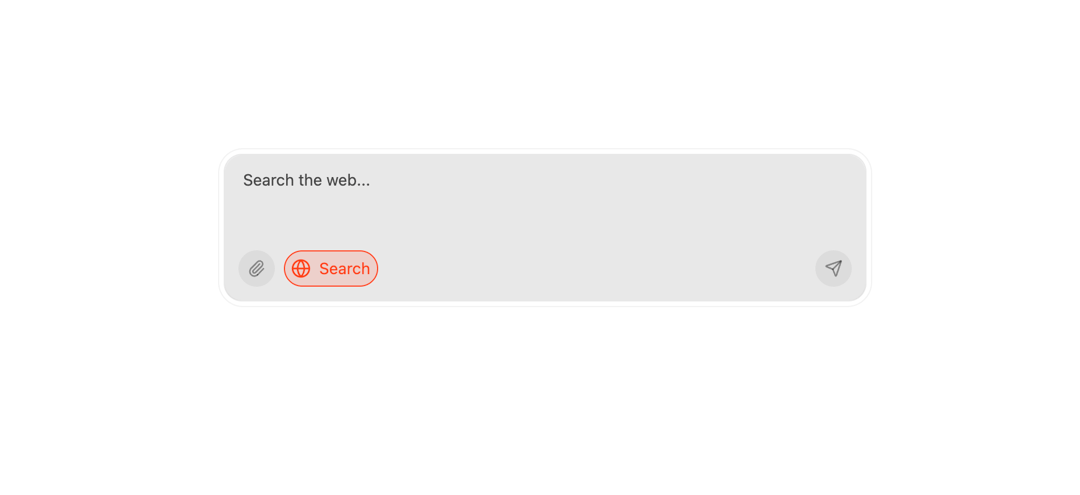
AiInput – Smart Input Component for AI Interaction The AiInput component is a sleek, responsive, and user-friendly input box built with Next.js, React, Framer Motion, and Tailwind CSS. It provides an enhanced interface for interacting with AI assistants like a chatbot, with support for text input, image upload, and a toggle for search/ask modes. 🔧 Features Auto-Resizing Textarea Dynamically adjusts height between MIN_HEIGHT (48px) and MAX_HEIGHT (164px) as the user types, ensuring a clean UI without scrollbars. Image Upload & Preview Allows users to attach an image using a hidden file input and preview it instantly with the option to remove it. Animated Placeholder Smooth transitions between placeholder texts: “Search the web…” when in search mode “Ask 21st.dev…” when in question mode Mode Toggle (Search ↔ Ask) A toggle button powered by Framer Motion lets users switch between "Search" and "Ask AI" functionalities with an animated globe icon. Send Button Submits the input on pressing Enter (without Shift) or by clicking the send icon. After submission, the textarea resets. Responsive Design & Accessibility Uses accessible components and semantic HTML Optimized for dark and light themes Mobile-friendly layout 🧩 Custom Hook: useAutoResizeTextarea A reusable hook that auto-resizes a <textarea> based on content and screen resize events. It exposes: textareaRef: to bind with the Textarea adjustHeight(): to programmatically resize on input change 🔍 Technologies Used React (Hooks): for state, refs, and effect handling Next.js: for server-rendered React Tailwind CSS: utility-first styling Framer Motion: smooth animations for placeholder and toggle Lucide Icons: modern icon set for UI interactions Next/Image: optimized image loading for the preview 🚀 Ideal Use Cases AI chatbot interface Smart input boxes with contextual behavior Apps requiring mixed input (text + file) with dynamic UI
Built with React and Tailwind. Copy the prompt and paste it into Claude Code, Cursor or Lovable: your agent adds AI Input to your project and fits it to your theme.
Code
How AI Input is used: the demo's code. The component's own source comes with a free account.
Usage.tsx
import { AiInput } from "@/components/ui/ai-input";

export default function DemoOne() {
  return <AiInput />;
}
Dependencies
More by Sonu kumar
View all
Dashboard with Collapsible Sidebar
2.4K
Modern Hero
1.4K
Text Parallax Content (scroll)
1.2K
About Us section
1.2K
Modern Animated Hero Section
1.1K
Animated Hero Section
689
Cuisine Selector Chips
585
Bounce card features
573