
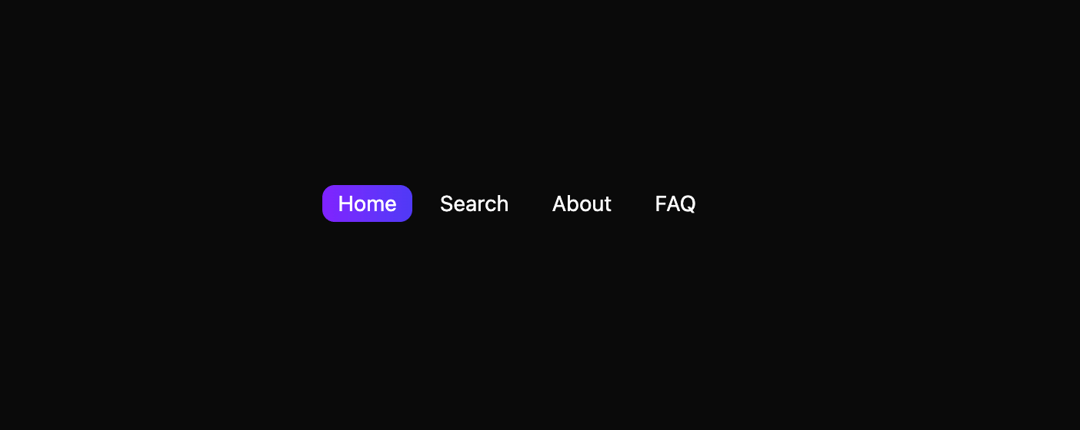
This code implements a reusable tab component with a visually appealing animated selection effect. It leverages the concept of chip-style tabs, offering a modern and user-friendly interface for navigation. The component addresses the need for clean, interactive tab functionality, enhancing user experience in web applications. The component, `ChipTabs`, renders a series of tabs based on a predefined array (`tabs`). The `useState` hook manages the currently selected tab. Each tab is rendered as a `Chip` component. The `Chip` component is a styled button; when clicked, it updates the selected state using the `setSelected` function. The visual selection is achieved using CSS classes to change text color and background, and an animated underline is added using `Framer Motion`. This animation provides smooth visual feedback to the user upon tab selection. The `motion.span` element creates an animated, colored underline that smoothly transitions when a different tab is selected. This utilizes the `layoutId` prop for smooth transitions and the `transition` prop to customize the animation's duration and type. This component is particularly useful for navigation within web applications, allowing users to easily switch between different sections or views. It can be integrated into dashboards, settings pages, or any interface requiring tab-based navigation. For example, this could be used in a blog application for navigation between home, search, about, and FAQ pages, or in a user profile for managing different sections of their profile. The component's customizable nature allows for easy integration into various design systems and applications. The code utilizes the following key technologies: * **React:** For component-based UI development and state management. * **Framer Motion:** For creating smooth, visually appealing animations. * **CSS:** For styling and layout. The component is designed to be highly reusable and easily customizable to suit a variety of design needs.
Built with React and Tailwind. Copy the prompt and paste it into Claude Code, Cursor or Lovable: your agent adds Animated Chip Tab Component to your project and fits it to your theme.
Code
How Animated Chip Tab Component is used: the demo's code. The component's own source comes with a free account.
Usage.tsx
import ChipTabs from "@/components/ui/animated-chip-tab-component";

export default function DemoOne() {
  return <ChipTabs />;
}
Dependencies
More by Sonu kumar
View all
Dashboard with Collapsible Sidebar
2.4K
Modern Hero
1.4K
Text Parallax Content (scroll)
1.2K
About Us section
1.2K
Modern Animated Hero Section
1.1K
Animated Hero Section
689
Cuisine Selector Chips
585
Bounce card features
573
More in Navigation
View all

Sidebar
234

Tabs
60
Newsletter Signup Footer
16
Progress Bar Stepper
36

Footer 2
201
Navbar with Theme Toggle
43

Navbar
71

Pagination
86
