
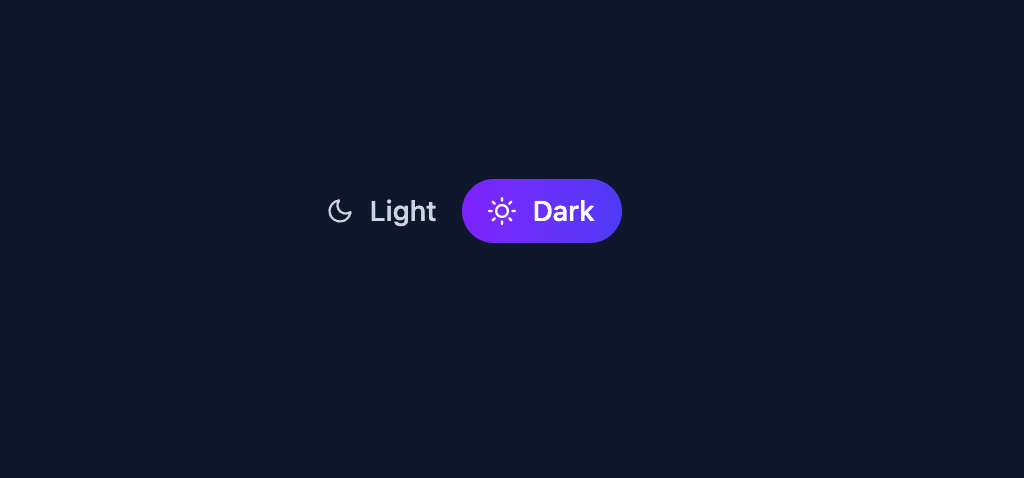
This code implements a visually appealing dark mode toggle using React, Framer Motion, and React Icons. It solves the common problem of providing users with a simple and attractive way to switch between light and dark themes. The toggle consists of two buttons, one for 'light' and one for 'dark' mode, each associated with an icon (moon and sun, respectively). The background color of the main container dynamically changes based on the selected mode. Here's a step-by-step breakdown: 1. **State Management:** The `useState` hook from React manages the current theme ('light' or 'dark'). 2. **Conditional Rendering:** Based on the selected theme, the background color of the main container (`Example` component) changes between white and dark slate. The text color of the toggle buttons also adjusts for contrast. 3. **Button Interaction:** Each button in the `SliderToggle` component updates the theme state when clicked. 4. **Animated Slider:** Framer Motion's `motion.span` creates an animated slider that smoothly transitions between the left and right sides of the toggle buttons, providing visual feedback of the selected mode. The animation uses spring physics for a natural feel. The `layout` prop ensures that the animation respects the element's layout. 5. **Styling:** A combination of inline styles and a CSS class (`TOGGLE_CLASSES`) provides styling for the buttons and main container. Utility-first CSS classes are used for layout and styling. This component can be easily integrated into any React application to offer a user-friendly dark mode toggle. The use of icons and smooth animation enhances the user experience. For example, this could be integrated into a blog website, a dashboard, or any web application where users want to customize the theme. Key technologies used include: * React: For building the user interface. * Framer Motion: For creating the smooth animation. * React Icons: For providing the moon and sun icons. * CSS: For styling and layout.
Built with React and Tailwind. Copy the prompt and paste it into Claude Code, Cursor or Lovable: your agent adds Animated Dark Mode Toggle to your project and fits it to your theme.
Code
How Animated Dark Mode Toggle is used: the demo's code. The component's own source comes with a free account.
Usage.tsx
import Example from "@/components/ui/animated-dark-mode-toggle";

export default function DemoOne() {
  return <Example />;
}
Dependencies
More by Sonu kumar
View all
Dashboard with Collapsible Sidebar
2.4K
Modern Hero
1.4K
Text Parallax Content (scroll)
1.2K
About Us section
1.2K
Modern Animated Hero Section
1.1K
Animated Hero Section
689
Cuisine Selector Chips
585
Bounce card features
573
More in Buttons
View all
Button Save
46

Button
20

Eclipse Button
5

Button
6

Button
14

Button Group
37

Button
32
Split Button
32

