
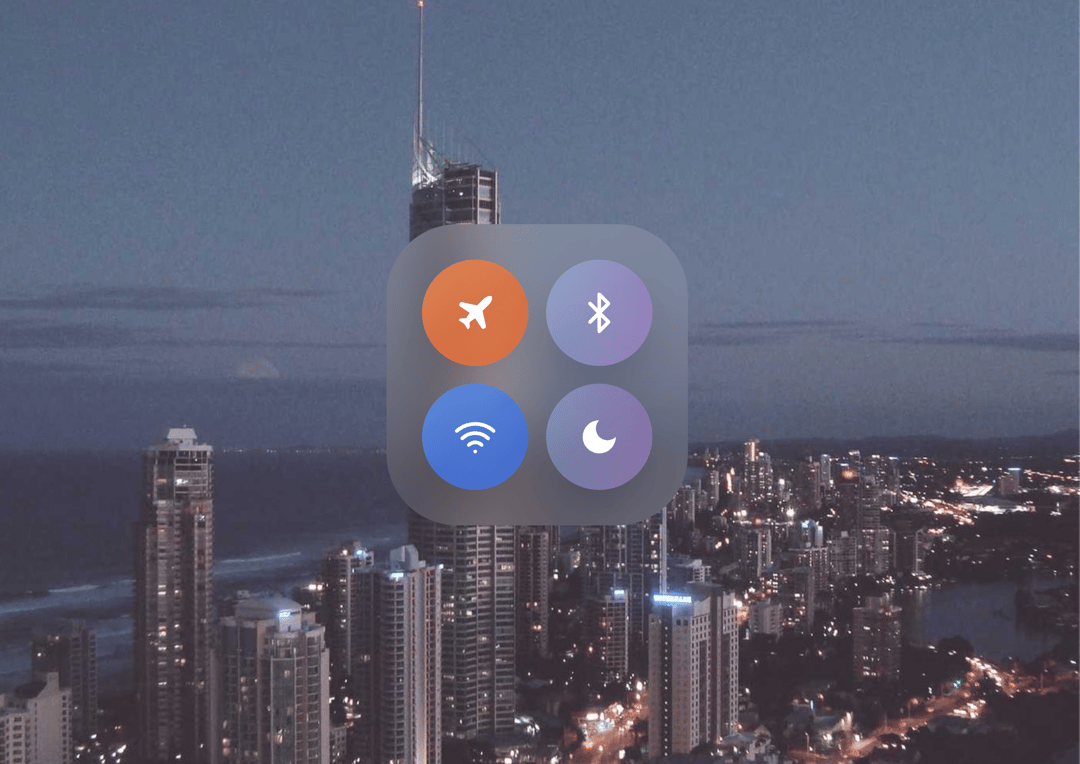
💧 LiquidGlass Interactive Control Panel This project is an elegant interactive UI simulation inspired by iOS-style control centers — built with React, Tailwind CSS, and Lucide Icons. It showcases advanced liquid glass morphism, ripple effects, and drag/stretch interactions to deliver a futuristic, fluid interface experience. ✨ Core Components 🔹 LiquidGlass Component A highly customizable glassmorphism container that simulates a liquid, jelly-like surface. Supports variants like button, card, panel, and floating. Includes smooth drag and wobble effects, ripple animations, and cursor tracking. Mimics liquid elasticity with realistic motion physics on drag and release. Configurable intensity levels (subtle, medium, strong) control the blur and transparency. Can optionally disable stretching and ripples for static use cases. 🔸 LiquidButton Component Built upon LiquidGlass, this is an interactive button element featuring responsive motion and color states. Supports multiple variants (primary, secondary, danger, ghost) and sizes (sm, md, lg, xl). Integrates ripple effects and scale animations for tactile feedback. Designed for toggle-based UIs or standalone actions. 🔹 App Component (Main UI) The main screen displays a floating glass control panel containing four animated circular toggle buttons: ✈️ Airplane Mode 📶 Wi-Fi 🔊 AirDrop 🌙 Do Not Disturb Each button dynamically toggles its state with: A vivid gradient background when active. A soft glowing border that reflects its function color (orange, blue, or purple). Subtle ripple and glass motion effects for realistic interactivity. 🌈 Visual & UX Highlights Glassmorphic Aesthetic: Frosted-glass background with glowing gradients and soft blurs. Interactive Depth: Elements respond to mouse position, drag, and clicks with natural elastic physics. Dynamic Ripples: Click interactions generate light ripples across the glass surface. Ambient Lighting: Background includes pulsating blurred lights for an atmospheric 3D feel. Fully Responsive: Adapts well to different screen sizes with grid layout flexibility. 🧠 Tech Stack React (functional components with hooks) Tailwind CSS for utility-first styling Lucide-react for high-quality icons Custom CSS animations for ripple and pulse effects 🧩 Ideal Use Cases Control panels or dashboards with tactile feedback. Smart home or IoT interfaces. Creative portfolios showcasing animation and UI motion design. Futuristic or experimental UI concept demos.
Built with React and Tailwind. Copy the prompt and paste it into Claude Code, Cursor or Lovable: your agent adds Liquid Glass to your project and fits it to your theme.
Code
How Liquid Glass is used: the demo's code. The component's own source comes with a free account.
Usage.tsx
import App1 from "@/components/ui/liquid-glass";

export default function DemoOne() {
  return <App1 />;
}
Dependencies
More by Sonu kumar
View all
Dashboard with Collapsible Sidebar
2.4K
Modern Hero
1.4K
Text Parallax Content (scroll)
1.2K
About Us section
1.2K
Modern Animated Hero Section
1.1K
Animated Hero Section
689
Cuisine Selector Chips
585
Bounce card features
573
More in Buttons
View all
Button Save
46

Button
20

Eclipse Button
5

Button
6

Button
14

Button Group
37

Button
32
Split Button
32

