
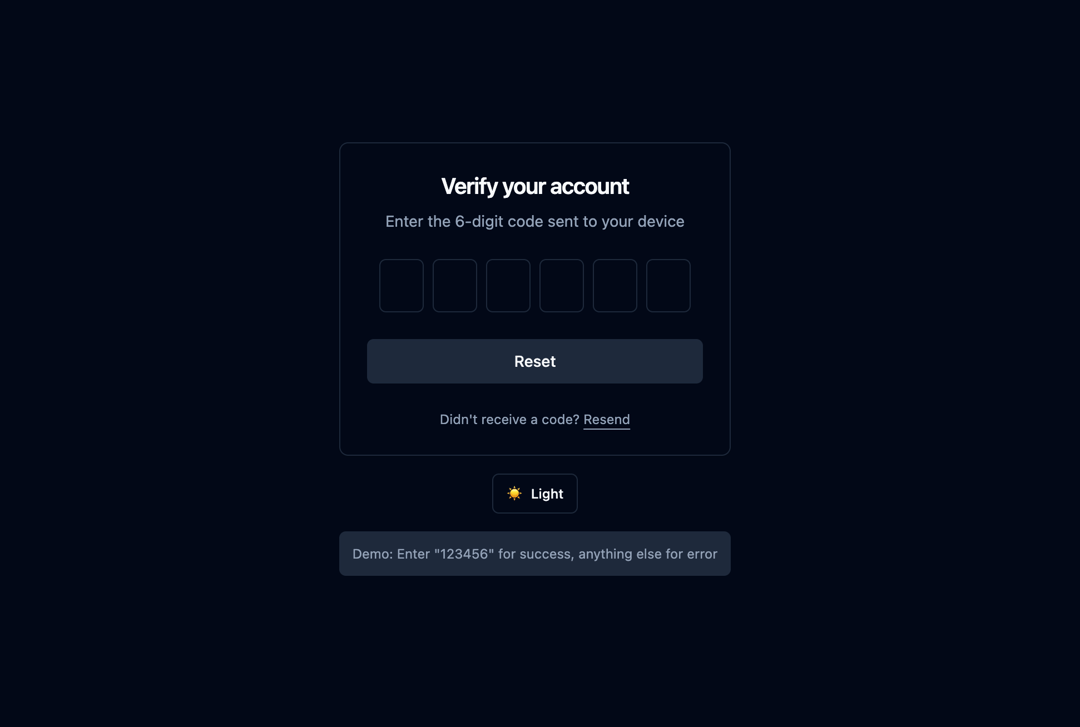
This code implements a reusable React component for OTP (One-Time Password) input. It addresses the common need for a user-friendly and secure way to input OTPs in web applications. The component enhances the user experience by automatically focusing on the next input field after a digit is entered, handling backspace and arrow key navigation, and preventing non-numeric input. It also provides features for handling paste actions, managing disabled states, and displaying error messages. The OTP input component uses React's useState and useRef hooks for managing component state and DOM references. The useEffect hook ensures that the number of input fields dynamically adjusts based on the 'length' prop. The component accepts several props to customize its behavior and appearance: * `length`: Determines the number of digits in the OTP (defaults to 6). * `onComplete`: A callback function executed when the OTP is complete. * `onValueChange`: A callback function triggered whenever the OTP value changes. * `disabled`: A boolean prop to disable the input fields. * `error`: A boolean prop to indicate an error state. * `errorMessage`: A string prop to display a custom error message. * `className`: A string prop for adding custom CSS classes. The component works by creating an array of input fields using the map function. Each input field is assigned a unique key and a reference using useRef. Event handlers (onChange, onKeyDown, onPaste) manage user input, ensuring only numbers are accepted and automatically moving focus to the next input field. The component also includes input validation, preventing incorrect input and providing feedback to the user. Backspace functionality is implemented to allow users to easily correct mistakes. The `onComplete` callback is called once all input fields are filled and the complete OTP is passed to it. Example Scenarios: * Two-factor authentication: Secure user login by requiring an OTP sent to their email or phone. * Account verification: Verifying user accounts during the signup process. * Password reset: Allowing users to reset their passwords using an OTP. This component is highly customizable and can be easily integrated into any React application to create a more user-friendly OTP input experience.
Built with React and Tailwind. Copy the prompt and paste it into Claude Code, Cursor or Lovable: your agent adds OTP Input Component to your project and fits it to your theme.
Code
How OTP Input Component is used: the demo's code. The component's own source comes with a free account.
Usage.tsx
import OTPDemo from "@/components/ui/otp-input-component";

export default function DemoOne() {
  return <OTPDemo />;
}
More by Sonu kumar
View all
Dashboard with Collapsible Sidebar
2.4K
Modern Hero
1.4K
Text Parallax Content (scroll)
1.2K
About Us section
1.2K
Modern Animated Hero Section
1.2K
Animated Hero Section
690
Cuisine Selector Chips
585
Bounce card features
575
More in Forms
View all

Premium Auth
504

Login 2
7

Contact Card
1K

Form
16
Authentication Card
47

Login 1
52
Login Card
26![Form [react-aria-components]](https://cdn.21st.dev/cdn-cgi/image/fit=scale-down,width=640,quality=75,format=webp/https://cdn.21st.dev/user_jolbol1/field/814/preview.png)
Form [react-aria-components]
15


