
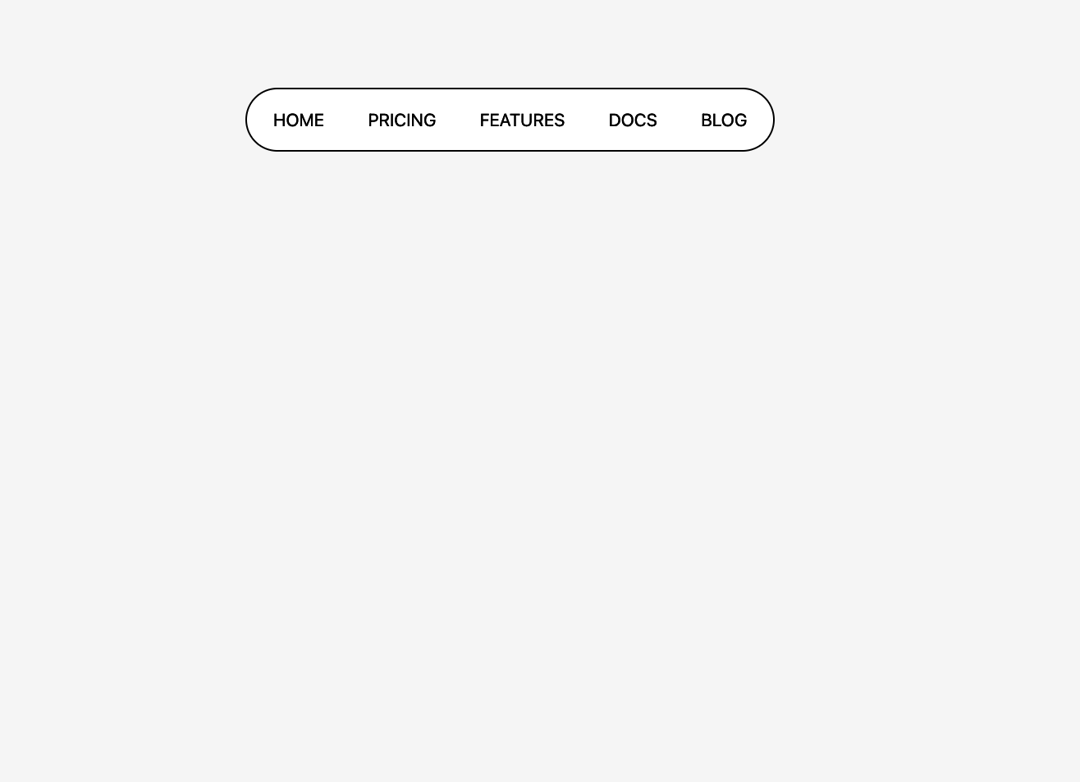
SlideTabs — Animated Hover Tab Indicator with Framer Motion SlideTabs is a sleek, interactive tab navigation component built with React and Framer Motion. It features a smooth, animated underline (cursor) that follows the user's hover action, giving your UI a modern and dynamic touch. ✨ Features: Framer Motion-powered hover animation that dynamically adjusts the position and width of the indicator. Custom cursor highlight that appears only when hovering over a tab. Responsive design with minimal styling — easy to customize and extend. Built with accessibility and interactivity in mind using native ul/li elements. 💡 Use Case: Perfect for navigation menus, feature tabs, or landing pages where you want to elevate the UX with subtle motion. 📦 Tech Stack: React (Functional Components + Hooks) Framer Motion for animation Tailwind CSS for styling 🔧 How it Works: Each Tab uses a ref to measure its size and position on hover. The Cursor (animated highlight) moves and resizes smoothly based on the hovered tab. On mouse leave, the cursor fades out for a clean effect.
Built with React and Tailwind. Copy the prompt and paste it into Claude Code, Cursor or Lovable: your agent adds Slide Tabs to your project and fits it to your theme.
Code
How Slide Tabs is used: the demo's code. The component's own source comes with a free account.
Usage.tsx
import { SlideTabsExample } from "@/components/ui/slide-tabs";

export default function DemoOne() {
  return <SlideTabsExample />;
}
Dependencies
More by Sonu kumar
View all
Dashboard with Collapsible Sidebar
2.4K
Modern Hero
1.4K
Text Parallax Content (scroll)
1.2K
About Us section
1.2K
Modern Animated Hero Section
1.1K
Animated Hero Section
689
Cuisine Selector Chips
585
Bounce card features
571
More in Navigation
View all

Sidebar
231

Tabs
60
Progress Bar Stepper
36
Newsletter Signup Footer
15

Footer 2
200
Navbar with Theme Toggle
43
Numberless Pagination with Text
11

Navbar
71
