
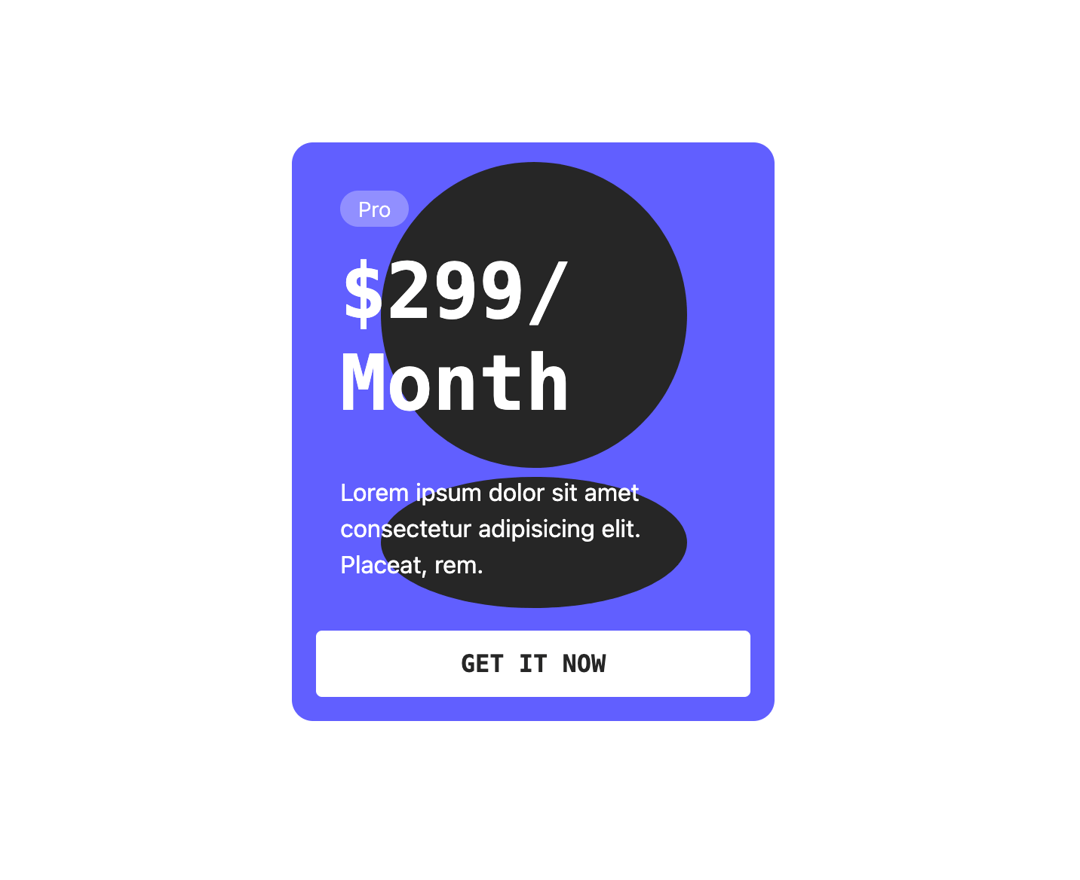
This code implements a visually appealing and interactive card component using the Framer Motion library. The component features a card with a price and description, overlaid on an animated background. On hover, the card scales slightly, and the background elements (a circle and an ellipse) morph dynamically, creating a 'squishy' effect. This solves the problem of creating engaging and memorable UI elements, enhancing user experience. Here's a step-by-step breakdown: 1. **`SquishyCard` Component:** This is the main container, providing basic styling and layout. It houses the `Card` component. 2. **`Card` Component:** This component uses `motion.div` from Framer Motion to enable animations. The `whileHover` prop applies animations on hover. The `variants` prop defines the animation states ('hover' in this case), specifying a scale increase. `transition` sets the animation's duration and easing function. 3. **`Background` Component:** This component generates the animated background using `motion.svg`. It contains a `motion.circle` and `motion.ellipse` which are individually animated on hover, creating the 'squishy' effect. Each shape's animation is also controlled using `variants` and `transition`, with a small delay added to the shapes' animations for better visual flow. 4. **Framer Motion:** This library is fundamental to this code, providing the animation capabilities. It allows for smooth and declarative animations through the use of variants and transitions. The `whileHover`, `variants` and `transition` properties are key to the animations. This component can be used in various scenarios such as pricing cards, product showcases, or any situation where a visually engaging and interactive element is needed. The customizable nature of the colors, text, and shapes allows for flexibility in adapting the component to different design styles and contexts.
Built with React and Tailwind. Copy the prompt and paste it into Claude Code, Cursor or Lovable: your agent adds Squishy Card Component to your project and fits it to your theme.
Code
How Squishy Card Component is used: the demo's code. The component's own source comes with a free account.
Usage.tsx
import SquishyCard from "@/components/ui/squishy-card-component";

export default function DemoOne() {
  return <SquishyCard />;
}
Dependencies
More by Sonu kumar
View all
Dashboard with Collapsible Sidebar
2.4K
Modern Hero
1.4K
Text Parallax Content (scroll)
1.2K
About Us section
1.2K
Modern Animated Hero Section
1.1K
Animated Hero Section
689
Cuisine Selector Chips
585
Bounce card features
573
More in Pricing
View all
Pricing Section
582

Pricing Cards
31

Pricing Card
535

Pricing Section
173
pricing section
158
Single Pricing Card
795

Pricing
125
Glowing Pricing Tiers
45


