
About
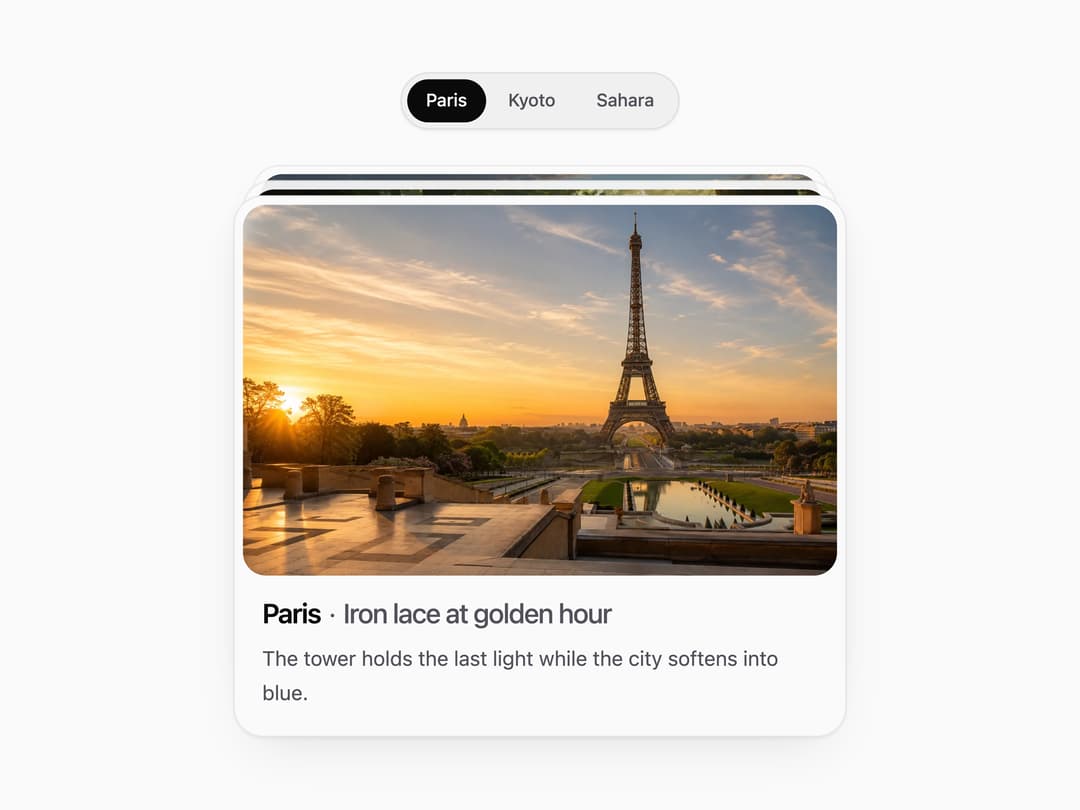
A tab switcher that shows a physical stack of photo cards with pill-shaped animated tab triggers, where hovering fans the stacked cards out to either side.
Built with React and Tailwind. Copy the prompt and paste it into Claude Code, Cursor or Lovable: your agent adds Animated Tabs to your project and fits it to your theme.
Code
How Animated Tabs is used: the demo's code. The component's own source comes with a free account.
Usage.tsx
"use client";

import * as React from "react";
import AnimatedTabs, {
  type AnimatedTabItem,
} from "@/components/ui/animated-tabs";

const tabs: AnimatedTabItem[] = [
  {
    id: "paris",
    label: "Paris",
    title: "Iron lace at golden hour",
    description:
      "The tower holds the last light while the city softens into blue.",
    image:
      "https://cdn.21st.dev/assets/localized/db98b270699b4520b5f1b5697927ff4735c2360ea7901a319b037f54e3868c46.webp",
  },
  {
    id: "kyoto",
    label: "Kyoto",
    title: "Shrine path through cedar",
    description: "Moss and timber lead the eye forward through soft fog.",
    image:
      "https://cdn.21st.dev/assets/localized/f24b10f0b05fb312b41976652e2e8f32904bc90c55bf5b722d3c72f454612cb5.webp",
  },
  {
    id: "sahara",
    label: "Sahara",
    title: "Dunes catching fire",
    description: "Wind-carved ridges glow amber, then drop into cool shadow.",
    image:
      "https://cdn.21st.dev/assets/localized/091e5592c27370a519d663ceb93d72fa86c80268a6a9587e0a2c15663cfa08a7.webp",
  },
];

export default function AnimatedTabsDemo() {
  const [value, setValue] = React.useState(tabs[0]!.id);
  return (
    <div className="flex w-full items-center justify-center p-8">
      <div className="w-full max-w-md">
        <AnimatedTabs tabs={tabs} value={value} onValueChange={setValue} />
      </div>
    </div>
  );
}
Dependencies
More by Wensity Labs
View all

Sidebar
235
Calendar
173
Button
76
Color Picker
64
Image Comparison Slider
55
AI Prompt Input
50
Text Morphing
37
Navigation Menu
36