
About
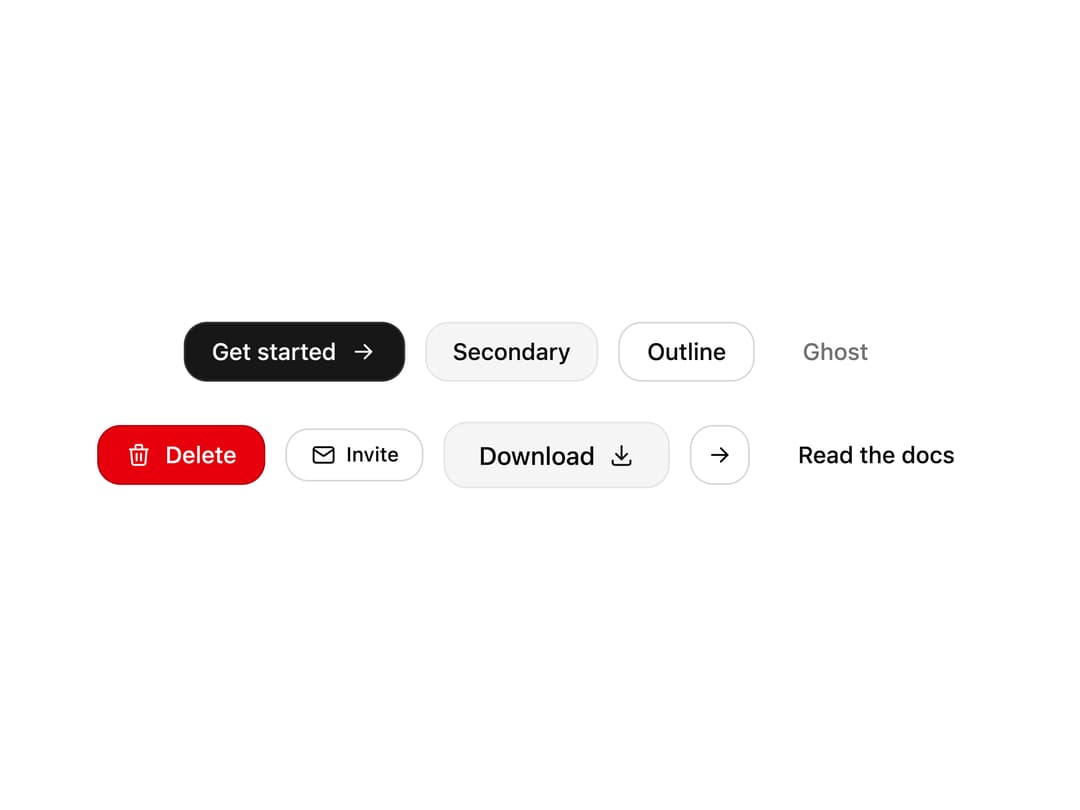
A complete button with default, secondary, outline, ghost, destructive and link variants, four sizes, a loading spinner and animated icons. Built on Base UI with accessible focus states.
Built with React and Tailwind. Copy the prompt and paste it into Claude Code, Cursor or Lovable: your agent adds Button to your project and fits it to your theme.
Code
How Button is used: the demo's code. The component's own source comes with a free account.
Usage.tsx
"use client";

import * as React from "react";
import { IconArrowRight, IconDownload, IconMail, IconTrash } from "@tabler/icons-react";
import { Button } from "@/components/ui/button";

const settings = {
  label: "Get started",
  loading: false,
  disabled: false,
};

export default function Demo(props: Partial<typeof settings>) {
  const s = { ...settings, ...props };

  return (
    <div className="flex min-h-[360px] w-full flex-col items-center justify-center gap-6 px-6 py-10">
      <div className="flex flex-wrap items-center justify-center gap-3">
        <Button
          loading={s.loading}
          disabled={s.disabled}
          rightIcon={<IconArrowRight stroke={1.75} />}
          rightIconMotion="arrow"
        >
          {s.label}
        </Button>
        <Button variant="secondary" disabled={s.disabled}>
          Secondary
        </Button>
        <Button variant="outline" disabled={s.disabled}>
          Outline
        </Button>
        <Button variant="ghost" disabled={s.disabled}>
          Ghost
        </Button>
      </div>
      <div className="flex flex-wrap items-center justify-center gap-3">
        <Button
          variant="destructive"
          disabled={s.disabled}
          leftIcon={<IconTrash stroke={1.75} />}
          leftIconMotion="trash"
        >
          Delete
        </Button>
        <Button
          variant="outline"
          size="sm"
          disabled={s.disabled}
          leftIcon={<IconMail stroke={1.75} />}
          leftIconMotion="mail"
        >
          Invite
        </Button>
        <Button
          variant="secondary"
          size="lg"
          disabled={s.disabled}
          rightIcon={<IconDownload stroke={1.75} />}
          rightIconMotion="download"
        >
          Download
        </Button>
        <Button variant="outline" size="icon" aria-label="Send" disabled={s.disabled}>
          <IconArrowRight stroke={1.75} />
        </Button>
        <Button variant="link" disabled={s.disabled}>
          Read the docs
        </Button>
      </div>
    </div>
  );
}
Dependencies
More by Wensity Labs
View all

Sidebar
229
Calendar
171
Color Picker
62
Image Comparison Slider
55
AI Prompt Input
50
Navigation Menu
36
Text Morphing
35
Text Blur Reveal
34
More in Buttons
View all

Button
14
Texture Button
92
Button
34
Button Save
46

Button
64

Button


Notification Button
103

App Store Button
453

