
About
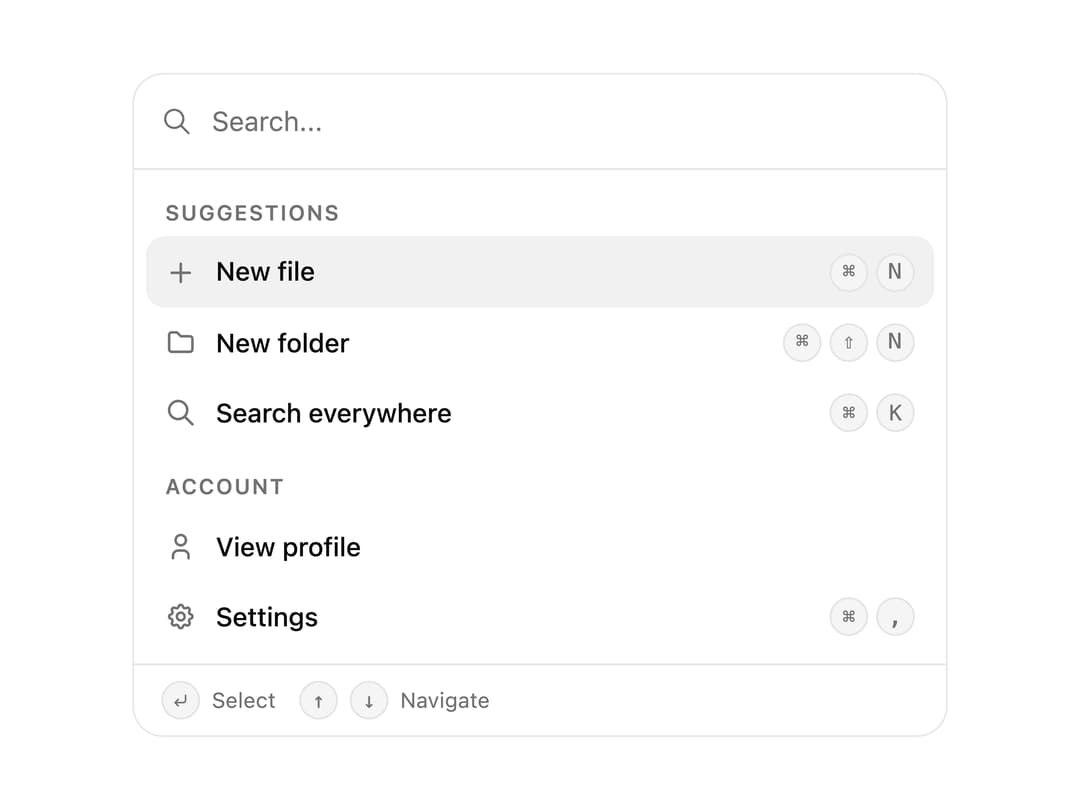
A command palette with instant search, grouped actions, keyboard shortcuts and nested pages. Add a Cmd K spotlight menu to any app or docs site.
Built with React and Tailwind. Copy the prompt and paste it into Claude Code, Cursor or Lovable: your agent adds Command to your project and fits it to your theme.
Code
How Command is used: the demo's code. The component's own source comes with a free account.
Usage.tsx
"use client";

import * as React from "react";
import { Command } from "@/components/ui/command";
import type { CommandGroup } from "@/components/ui/command";
import { IconFolder, IconPlus, IconSearch, IconSettings, IconUser } from "@tabler/icons-react";

function Shell({ children }: { children: React.ReactNode }) {
  return (
    <div className="w-full max-w-[420px] overflow-hidden rounded-2xl border border-zinc-200/80 bg-white dark:border-white/[0.06] dark:bg-[#0c0c0e]">
      {children}
    </div>
  );
}

const basicGroups: CommandGroup[] = [
  {
    heading: "Suggestions",
    items: [
      { id: "new-file", label: "New file", icon: <IconPlus />, shortcut: ["⌘", "N"] },
      { id: "new-folder", label: "New folder", icon: <IconFolder />, shortcut: ["⌘", "⇧", "N"] },
      { id: "search", label: "Search everywhere", icon: <IconSearch />, shortcut: ["⌘", "K"] },
    ],
  },
  {
    heading: "Account",
    items: [
      { id: "profile", label: "View profile", icon: <IconUser /> },
      { id: "settings", label: "Settings", icon: <IconSettings />, shortcut: ["⌘", ","] },
    ],
  },
];

export function CommandPreview() {
  return (
    <Shell>
      <Command groups={basicGroups} />
    </Shell>
  );
}

export default function Demo() {
  return <CommandPreview />;
}
Dependencies
More by Wensity Labs
View all

Sidebar
234
Calendar
173
Button
76
Color Picker
64
Image Comparison Slider
55
AI Prompt Input
50
Text Morphing
37
Navigation Menu
36