
About
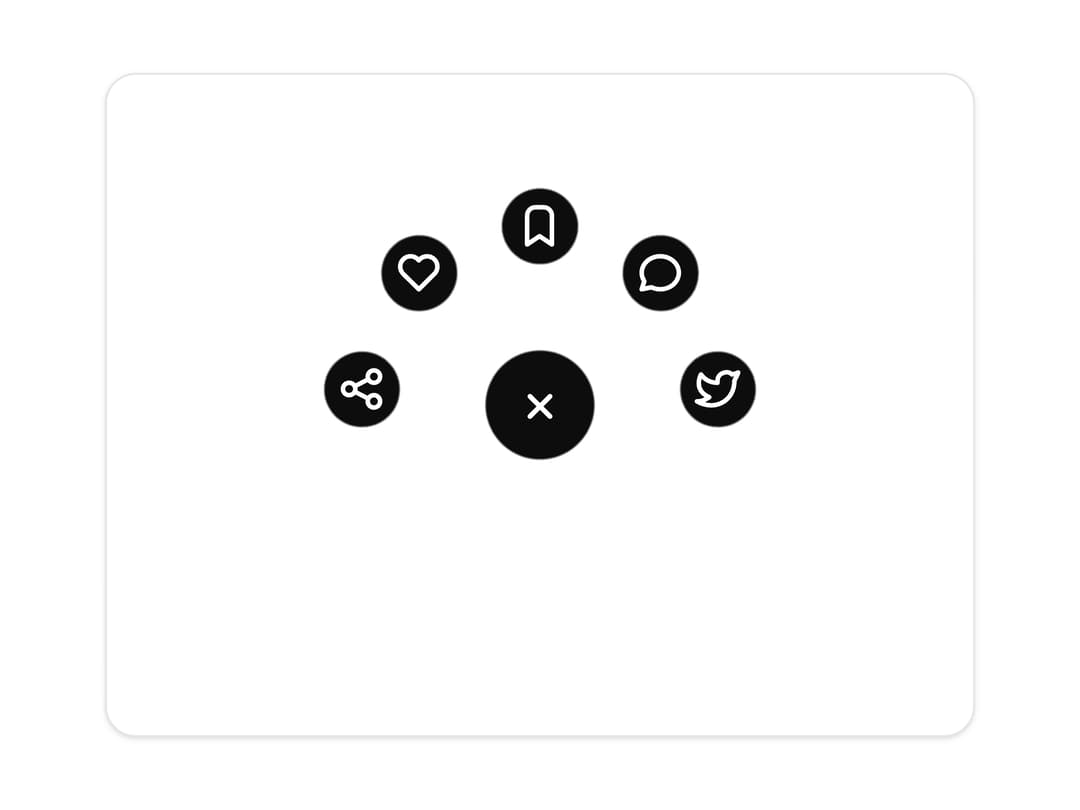
A floating action menu whose child buttons stretch out of the trigger with a gooey liquid metal effect. Use it as a speed dial, quick actions launcher or compact mobile menu.
Built with React and Tailwind. Copy the prompt and paste it into Claude Code, Cursor or Lovable: your agent adds Gooey Navigation Menu to your project and fits it to your theme.
Code
How Gooey Navigation Menu is used: the demo's code. The component's own source comes with a free account.
Usage.tsx
"use client";

import * as React from "react";
import { GooeyNavigationMenu } from "@/components/ui/gooey-navigation-menu";
import { IconBookmark, IconShare, IconHeart, IconMessageCircle, IconBrandTwitter } from "@tabler/icons-react";

const GOOEY_ITEMS = [
  { id: "share", label: "Share", icon: <IconShare stroke={2.2} /> },
  { id: "like", label: "Like", icon: <IconHeart stroke={2.2} /> },
  { id: "bookmark", label: "Save", icon: <IconBookmark stroke={2.2} /> },
  { id: "message", label: "Reply", icon: <IconMessageCircle stroke={2.2} /> },
  { id: "tweet", label: "Tweet", icon: <IconBrandTwitter stroke={2.2} /> },
];

const settings = {
  direction: "up",
  itemCount: 5,
  arc: 170,
  radius: 92,
  size: 60,
  childSize: 44,
  defaultOpen: true,
};

/* The stage is a fixed square centred in the preview, large enough to
 * contain the arc in any direction without ever shifting the trigger. */
function stageSize(radius: number, childSize: number) {
  return (radius + childSize / 2 + 16) * 2;
}

/* ───────────────────────── Preview ───────────────────────── */

export function GooeyNavigationMenuPreview(props: Partial<typeof settings> = {}) {
  const state = { ...settings, ...props };
  const items = React.useMemo(
    () => GOOEY_ITEMS.slice(0, Math.max(2, Math.min(state.itemCount, GOOEY_ITEMS.length))),
    [state.itemCount],
  );
  const size = stageSize(state.radius, state.childSize);

  return (
    <div className="grid min-h-[420px] w-full place-items-center p-6">
      <div className="grid w-full max-w-md place-items-center rounded-2xl border border-[var(--border)] bg-[var(--card)] py-10 shadow-sm">
        <div style={{ width: size, height: size, display: "grid", placeItems: "center" }}>
          <GooeyNavigationMenu
            key={`${state.direction}-${state.itemCount}-${state.defaultOpen}`}
            items={items}
            radius={state.radius}
            arc={state.arc}
            direction={state.direction}
            size={state.size}
            childSize={state.childSize}
            defaultOpen={state.defaultOpen}
          />
        </div>
      </div>
    </div>
  );
}

export default function Demo(props: Partial<typeof settings>) {
  return <GooeyNavigationMenuPreview {...props} />;
}
Dependencies
More by Wensity Labs
View all

Sidebar
231
Calendar
171
Button
76
Color Picker
62
Image Comparison Slider
55
AI Prompt Input
50
Navigation Menu
36
Text Morphing
35
More in Navigation
View all

Tabs
60
Progress Bar Stepper
36
Newsletter Signup Footer
15

Footer 2
200
Navbar with Theme Toggle
43
Numberless Pagination with Text
11

Navbar
71
Footer
446

