
About
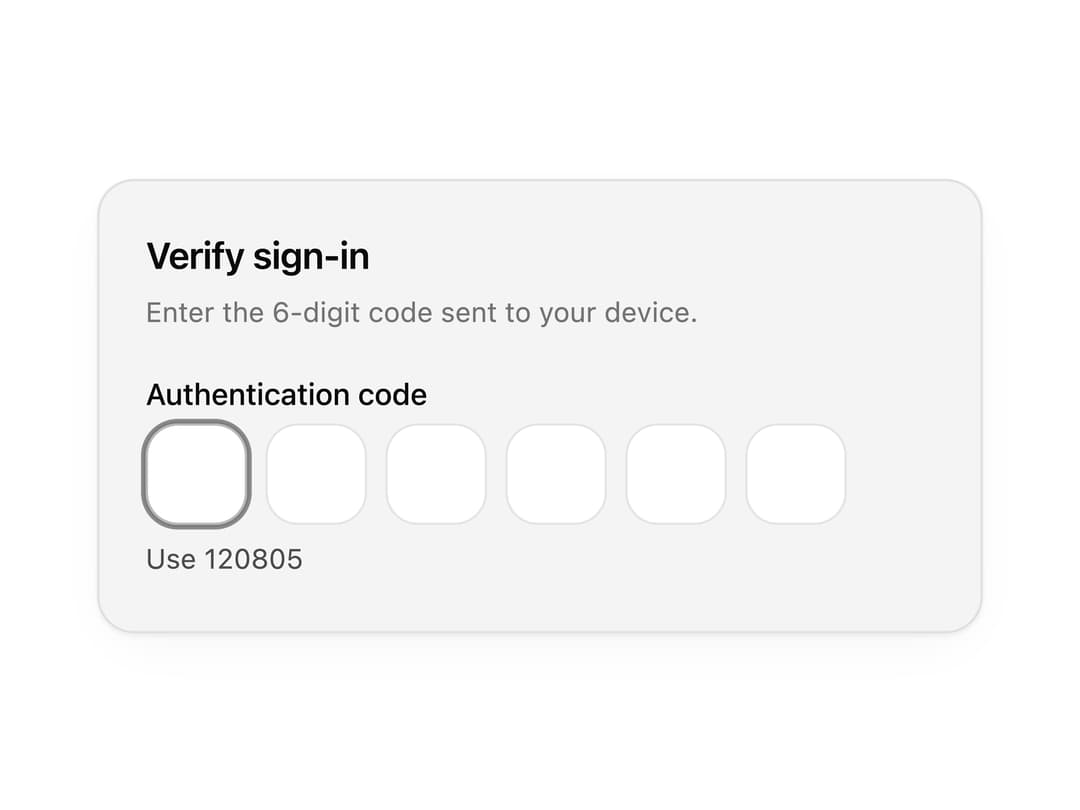
A one time password input for verification codes and two factor auth, with numeric, alphanumeric, masked and grouped slots plus animated success and error states.
Built with React and Tailwind. Copy the prompt and paste it into Claude Code, Cursor or Lovable: your agent adds Input OTP to your project and fits it to your theme.
Code
How Input OTP is used: the demo's code. The component's own source comes with a free account.
Usage.tsx
"use client";

import * as React from "react";
import { InputOtp, type InputOtpProps, type InputOtpStatus } from "@/components/ui/input-otp";

import { clsx, type ClassValue } from "clsx";
import { twMerge } from "tailwind-merge";

function cn(...inputs: ClassValue[]) {
  return twMerge(clsx(inputs));
}

const primitivePreviewCardSurfaceFrameClass = cn(
  "relative isolate overflow-hidden rounded-2xl",
  "border",
);

const primitivePreviewCardSurfaceLightClass = cn(
  "border-black/[0.08] bg-[#f4f4f5]",
  "[box-shadow:0_1px_2px_rgba(0,0,0,.06),0_8px_24px_-12px_rgba(0,0,0,.08)]",
);

const primitivePreviewCardSurfaceClass = cn(
  primitivePreviewCardSurfaceFrameClass,
  primitivePreviewCardSurfaceLightClass,
  // Full static `dark:bg-[#0a0a0b]` kept for Tailwind content scan - same as
  // PRIMITIVE_PREVIEW_CANVAS_DARK_BG / PRIMITIVE_PREVIEW_CANVAS_DARK.
  "dark:border-white/[0.06] dark:bg-[#0a0a0b] dark:[box-shadow:0_1px_2px_rgba(0,0,0,.4),0_8px_24px_-12px_rgba(0,0,0,.6)]",
);

const wensityCardSurfaceClass = primitivePreviewCardSurfaceClass;

const DEMO_OTP_CODE = "120805";
const DEMO_ERROR = "Invalid code.";

function PreviewPanel({
  children,
  className,
}: {
  children: React.ReactNode;
  className?: string;
}) {
  return (
    <div
      className={cn(
        wensityCardSurfaceClass,
        "w-full max-w-md p-5",
        className,
      )}
    >
      {children}
    </div>
  );
}

function PanelHeader({
  title,
  description,
}: {
  title: string;
  description?: string;
}) {
  return (
    <div className="mb-5">
      <h3 className="text-base font-semibold tracking-[-0.02em] text-[var(--foreground)]">
        {title}
      </h3>
      {description ? (
        <p className="mt-1 text-[12px] leading-[1.5] text-[var(--muted-foreground)]">
          {description}
        </p>
      ) : null}
    </div>
  );
}

type DemoVerificationOptions = {
  length?: number;
  code?: string;
  errorMessage?: string;
  hintMessage?: string;
};

function useDemoOtpVerification({
  length = 6,
  code = DEMO_OTP_CODE,
  errorMessage = DEMO_ERROR,
  hintMessage = `Use ${code}`,
}: DemoVerificationOptions = {}) {
  const [status, setStatus] = React.useState<InputOtpStatus>("default");

  const onComplete = React.useCallback(
    (value: string) => {
      setStatus(value === code ? "success" : "error");
    },
    [code],
  );

  const onValueChange = React.useCallback(
    (value: string) => {
      if (value.length < length) {
        setStatus("default");
      }
    },
    [length],
  );

  return {
    length,
    status,
    onComplete,
    onValueChange,
    success: status === "success" ? "Code verified." : undefined,
    error: status === "error" ? errorMessage : undefined,
    hint: status === "default" ? hintMessage : undefined,
  };
}

function DemoInputOtp(
  props: InputOtpProps & DemoVerificationOptions,
) {
  const {
    length,
    code,
    errorMessage,
    hintMessage,
    hint,
    ...inputProps
  } = props;
  const verification = useDemoOtpVerification({
    length: length ?? props.length,
    code,
    errorMessage,
    hintMessage,
  });

  return (
    <InputOtp
      {...inputProps}
      length={verification.length}
      autoSubmit
      status={verification.status}
      onComplete={verification.onComplete}
      onValueChange={verification.onValueChange}
      success={verification.success}
      error={verification.error}
      hint={hint ?? verification.hint}
    />
  );
}

export function InputOtpPreview() {
  return (
    <PreviewPanel className="max-w-sm">
      <PanelHeader
        title="Verify sign-in"
        description="Enter the 6-digit code sent to your device."
      />
      <DemoInputOtp label="Authentication code" autoFocus />
    </PreviewPanel>
  );
}

export default function Demo() {
  return <InputOtpPreview />;
}
Dependencies
More by Wensity Labs
View all

Sidebar
227
Calendar
169
Button
75
Color Picker
62
Image Comparison Slider
54
AI Prompt Input
49
Navigation Menu
36
Text Morphing
35