
About
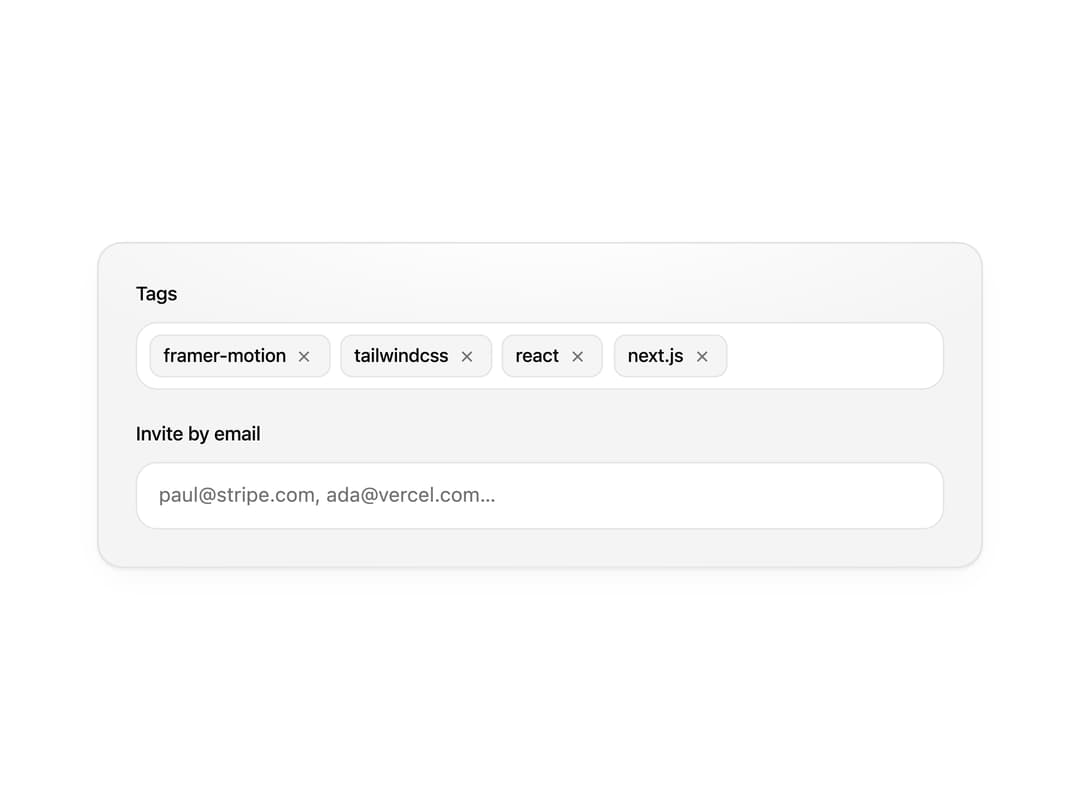
React tag input and multi-select with animated pills that pop in on add and slide out on remove, without snapping the layout. Keyboard friendly.
Built with React and Tailwind. Copy the prompt and paste it into Claude Code, Cursor or Lovable: your agent adds Multi-Select Token Pills to your project and fits it to your theme.
Code
How Multi-Select Token Pills is used: the demo's code. The component's own source comes with a free account.
Usage.tsx
"use client";

import { MultiSelectTokenPills, type TokenPill } from "@/components/ui/multi-select-token-pills";


const SEED_TAGS: TokenPill[] = [
  { id: "t1", label: "framer-motion" },
  { id: "t2", label: "tailwindcss" },
  { id: "t3", label: "react" },
  { id: "t4", label: "next.js" },
];

export function MultiSelectTokenPillsPreview() {
  return (
    <div className="grid w-full place-items-center px-6 py-10">
      <div className="relative isolate w-full max-w-xl space-y-5 overflow-hidden rounded-2xl border border-black/[0.08] bg-[radial-gradient(ellipse_90%_70%_at_50%_-10%,#ffffff_0%,#f4f4f5_72%)] p-6 shadow-[0_1px_2px_rgba(0,0,0,.06),0_8px_24px_-12px_rgba(0,0,0,.08)] dark:border-white/[0.06] dark:bg-[radial-gradient(ellipse_90%_70%_at_50%_-10%,#15151b_0%,#0a0a0b_72%)] dark:shadow-[0_1px_2px_rgba(0,0,0,.4),0_8px_24px_-12px_rgba(0,0,0,.6)]">
        <MultiSelectTokenPills
          label="Tags"
          defaultValue={SEED_TAGS}
          placeholder="Add a tag. Try pasting `motion, radix, ui`"
        />
        <MultiSelectTokenPills
          label="Invite by email"
          placeholder="paul@stripe.com, ada@vercel.com…"
          validate={(v) => ({ invalid: !/^[^\s@]+@[^\s@]+\.[^\s@]+$/.test(v) })}
        />
      </div>
    </div>
  );
}

export default function Demo() {
  return <MultiSelectTokenPillsPreview />;
}
Dependencies
More by Wensity Labs
View all

Sidebar
231
Calendar
171
Button
76
Color Picker
62
Image Comparison Slider
55
AI Prompt Input
50
Navigation Menu
36
Text Morphing
35
More in Forms
View all

Premium Auth
497

Login 2
7
Authentication Card
45

Login 1
52

Contact Card
1K

Form
16

Form
136

Card Studio
41
