
About
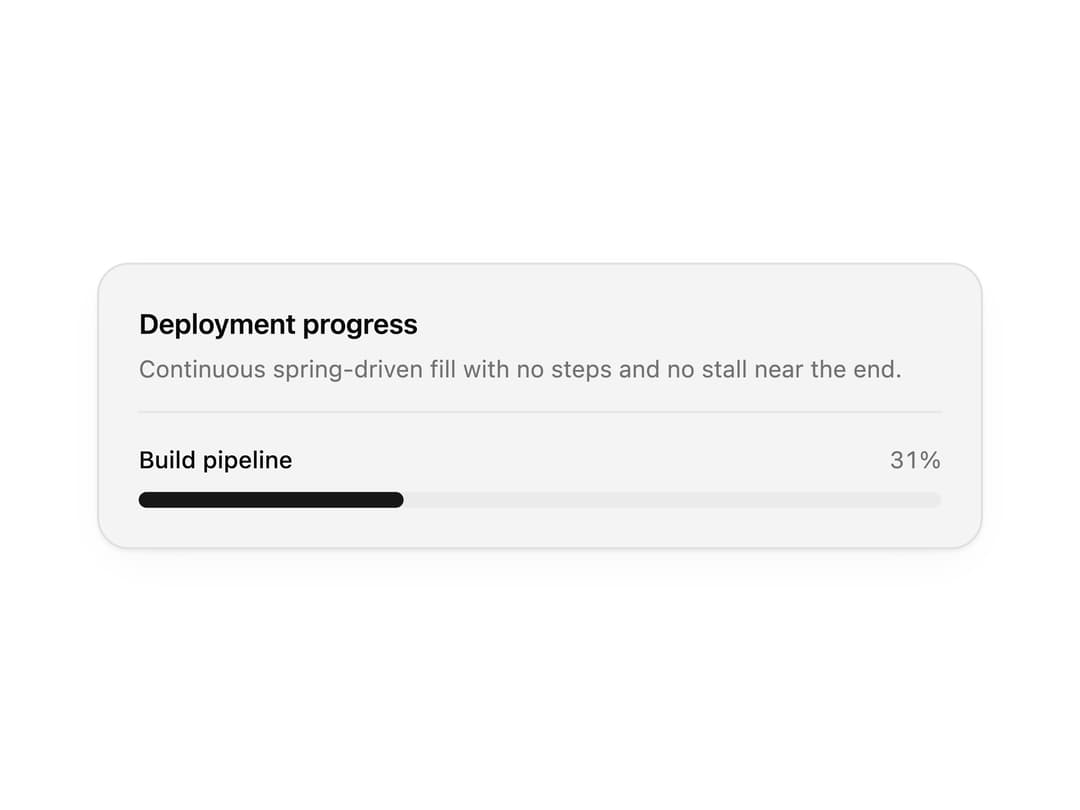
Linear and circular progress indicators with labels, stepped progress and indeterminate loading. Use them for uploads, onboarding checklists, quotas and storage usage.
Built with React and Tailwind. Copy the prompt and paste it into Claude Code, Cursor or Lovable: your agent adds Progress to your project and fits it to your theme.
Code
How Progress is used: the demo's code. The component's own source comes with a free account.
Usage.tsx
"use client";

import * as React from "react";
import { Progress } from "@/components/ui/progress";

import { clsx, type ClassValue } from "clsx";
import { twMerge } from "tailwind-merge";

function cn(...inputs: ClassValue[]) {
  return twMerge(clsx(inputs));
}

const primitivePreviewCardSurfaceFrameClass = cn(
  "relative isolate overflow-hidden rounded-2xl",
  "border",
);

const primitivePreviewCardSurfaceLightClass = cn(
  "border-black/[0.08] bg-[#f4f4f5]",
  "[box-shadow:0_1px_2px_rgba(0,0,0,.06),0_8px_24px_-12px_rgba(0,0,0,.08)]",
);

const primitivePreviewCardSurfaceClass = cn(
  primitivePreviewCardSurfaceFrameClass,
  primitivePreviewCardSurfaceLightClass,
  // Full static `dark:bg-[#0a0a0b]` kept for Tailwind content scan - same as
  // PRIMITIVE_PREVIEW_CANVAS_DARK_BG / PRIMITIVE_PREVIEW_CANVAS_DARK.
  "dark:border-white/[0.06] dark:bg-[#0a0a0b] dark:[box-shadow:0_1px_2px_rgba(0,0,0,.4),0_8px_24px_-12px_rgba(0,0,0,.6)]",
);

const wensityCardSurfaceClass = primitivePreviewCardSurfaceClass;

function PreviewPanel({
  title,
  subtitle,
  children,
  className,
}: {
  title: string;
  subtitle?: string;
  children: React.ReactNode;
  className?: string;
}) {
  return (
    <div className={cn(wensityCardSurfaceClass, "w-full max-w-md p-5", className)}>
      <div className="mb-4 border-b border-[var(--border)] pb-3">
        <p className="text-sm font-semibold tracking-[-0.015em] text-[var(--foreground)]">
          {title}
        </p>
        {subtitle ? (
          <p className="mt-1 text-[12px] text-[var(--muted-foreground)]">{subtitle}</p>
        ) : null}
      </div>
      {children}
    </div>
  );
}

/** Smooth 0 → 100 demo driven by rAF - spring in the component handles the glide. */
function useContinuousProgress(durationMs = 8200, holdMs = 1400, delayMs = 0) {
  const [value, setValue] = React.useState(0);

  React.useEffect(() => {
    let frame = 0;
    const start = performance.now();

    const tick = (now: number) => {
      const elapsed = now - start - delayMs;
      if (elapsed < 0) {
        setValue(0);
      } else {
        const cycle = durationMs + holdMs;
        const phase = elapsed % cycle;
        setValue(phase <= durationMs ? (phase / durationMs) * 100 : 100);
      }
      frame = requestAnimationFrame(tick);
    };

    frame = requestAnimationFrame(tick);
    return () => cancelAnimationFrame(frame);
  }, [durationMs, holdMs, delayMs]);

  return value;
}

export function ProgressPreview() {
  const value = useContinuousProgress();

  return (
    <PreviewPanel
      title="Deployment progress"
      subtitle="Continuous spring-driven fill with no steps and no stall near the end."
    >
      <Progress value={value} showValue label="Build pipeline" tone="brand" />
    </PreviewPanel>
  );
}

export default function Demo() {
  return <ProgressPreview />;
}
Dependencies
More by Wensity Labs
View all

Sidebar
229
Calendar
171
Button
76
Color Picker
62
Image Comparison Slider
55
AI Prompt Input
50
Navigation Menu
36
Text Morphing
35